Participating Frequently
September 2, 2021
Answered

Can someone walk me through or point me to a resource to recreate complicated titles?

  • September 2, 2021
  • 2 replies
  • 438 views

The legacy titler is going away, I am told (by PrPro).


How am I going to create Japanese titles for production videos?

 

Here are some you can download for free:

https://remotestudio.co.jp/premiere-title-template/
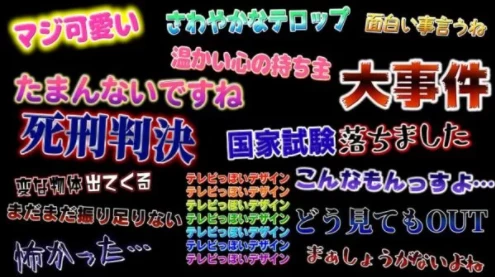
Here is what some of mine look like:
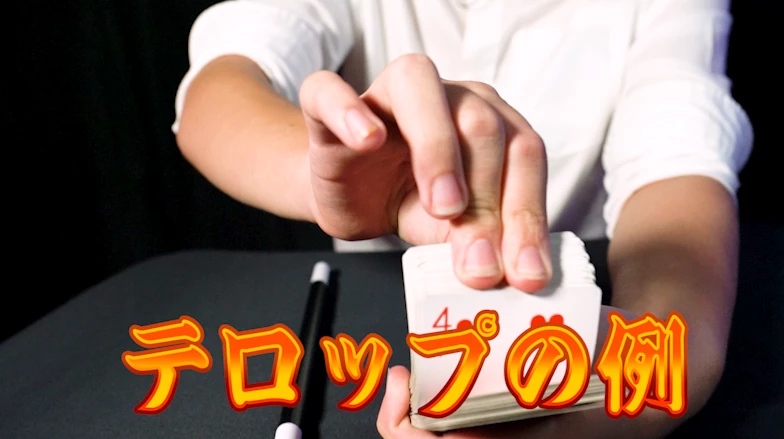
Here is an editor telling all about them on you tube:

https://www.youtube.com/watch?v=Y-A0USFLwBM&t=1134s

or https://www.youtube.com/watch?v=oXGsoZIgYsw

I tried, but I don't see a way to add inner fills or gradient fills, the extrusion type effects, etc.


Thanks!

This topic has been closed for replies.
Correct answer Matt Young14394008

This sounds like a good case for using Motion Graphics Templates (MOGRTs).  Create the template in After Effects, export the MOGRT to your CC library, and then use directly from the Essential Graphics window within Premiere.  


When creating the MOGRT you can add as many editable parameters as you need - color, size, position, font, etc.  

Watch a few tutorials & read the Adobe help files on it.  Might be just what you're looking for:

https://helpx.adobe.com/uk/after-effects/using/creating-motion-graphics-templates.html

https://helpx.adobe.com/premiere-pro/using/motion-graphics-templates.html

https://www.youtube.com/watch?v=fWH1QxbwsHI


2 replies

Inspiring
September 2, 2021

I would not mind getting rid of the Legacy Titler if the Essential Graphics had all the features of the Legacy Titler. 

Matt Young14394008
Matt Young14394008Correct answer
Legend
September 2, 2021

This sounds like a good case for using Motion Graphics Templates (MOGRTs).  Create the template in After Effects, export the MOGRT to your CC library, and then use directly from the Essential Graphics window within Premiere.  


When creating the MOGRT you can add as many editable parameters as you need - color, size, position, font, etc.  

Watch a few tutorials & read the Adobe help files on it.  Might be just what you're looking for:

https://helpx.adobe.com/uk/after-effects/using/creating-motion-graphics-templates.html

https://helpx.adobe.com/premiere-pro/using/motion-graphics-templates.html

https://www.youtube.com/watch?v=fWH1QxbwsHI