Participant
September 1, 2024
Answered

Can't align two audio clips

  • September 1, 2024
  • 3 replies
  • 606 views

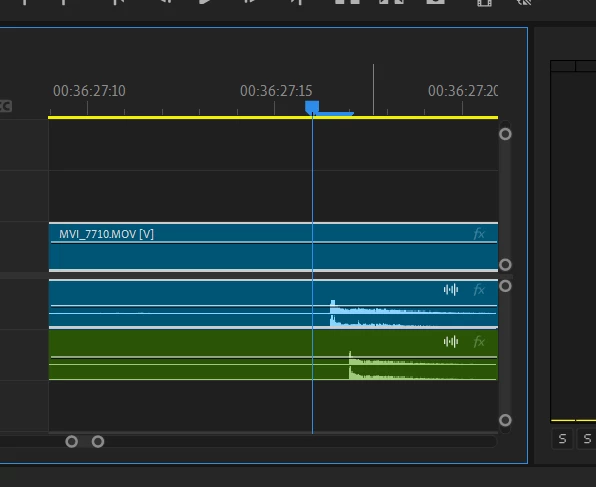
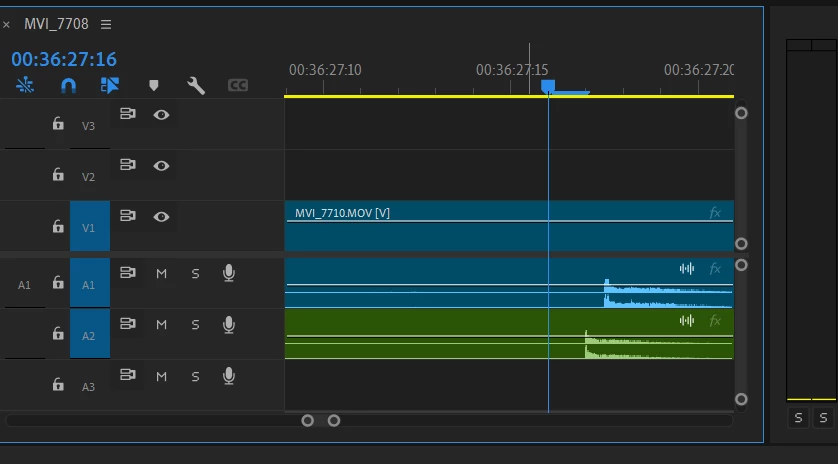
Hi there, I need to align these two claps in my audio but because I can't zoom in further than a millisecond I can't get them to match up i.e. if I move the clip one millisecond forward it goes too far and if I move it back it goes too far. 


This topic has been closed for replies.
Correct answer Averdahl
quote

Hi there, I need to align these two claps in my audio but because I can't zoom in further than a millisecond I can't get them to match up i.e. if I move the clip one millisecond forward it goes too far and if I move it back it goes too far. 


By @Evie3580852043vz


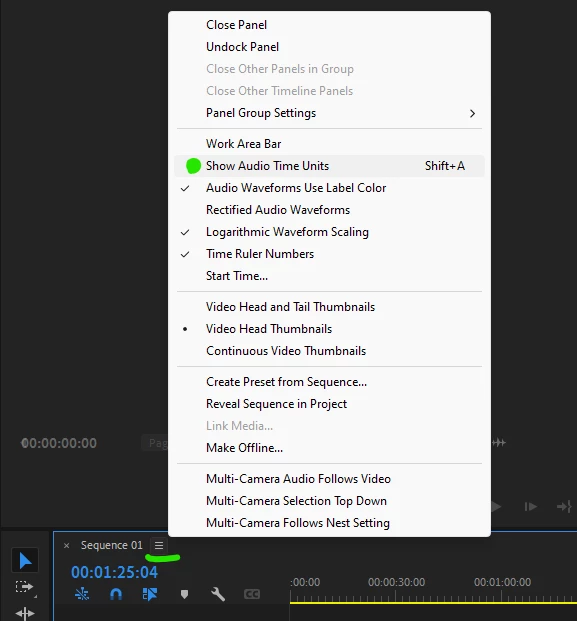
Normally you can only move the audio one (1) frame at a time. But, you can set the timeline to Show Audio Time Units and now you can move the audio 48000 steps/second if your timeline is 48 kHz. Click on the little hamburger icon on the timeline and click on Show Audio Time Units. This will allow you to sync audio precisely.


3 replies

Peru Bob
Community Expert
Community Expert
September 1, 2024
quote

 I can't zoom in further than a millisecond


By @Evie3580852043vz


To expand upon the solution given by Averdahl :

Your timecode in the screenshot shows hours : minutes : seconds : frames (not milliseconds)

Averdahl
Community Expert
AverdahlCommunity ExpertCorrect answer
Community Expert
September 1, 2024
quote

Hi there, I need to align these two claps in my audio but because I can't zoom in further than a millisecond I can't get them to match up i.e. if I move the clip one millisecond forward it goes too far and if I move it back it goes too far. 


By @Evie3580852043vz


Normally you can only move the audio one (1) frame at a time. But, you can set the timeline to Show Audio Time Units and now you can move the audio 48000 steps/second if your timeline is 48 kHz. Click on the little hamburger icon on the timeline and click on Show Audio Time Units. This will allow you to sync audio precisely.



kglad
Community Expert
Community Expert
September 1, 2024

assuming audition...


in the future, to find the best place to post your message, use the list here, https://community.adobe.com/

p.s. i don't think the adobe website, and forums in particular, are easy to navigate, so don't spend a lot of time searching that forum list. do your best and we'll move the post (like this one has already been moved) if it helps you get responses.


<"moved from cc desktop ">
SteveG_AudioMasters_
Community Expert
Community Expert
September 1, 2024

Moved again to the Premiere forum from the Audition forum...