


Participant
May 1, 2017
Answered

Can't Auto Balance R3D

  • May 1, 2017
  • 13 replies
  • 3260 views

Hello
I haven't been able to find any information related to my issue.
I have had this issue for some time and never needed to fix it, but now I am working on a project with a lot of RED footage and this issue is adding hours to the work.
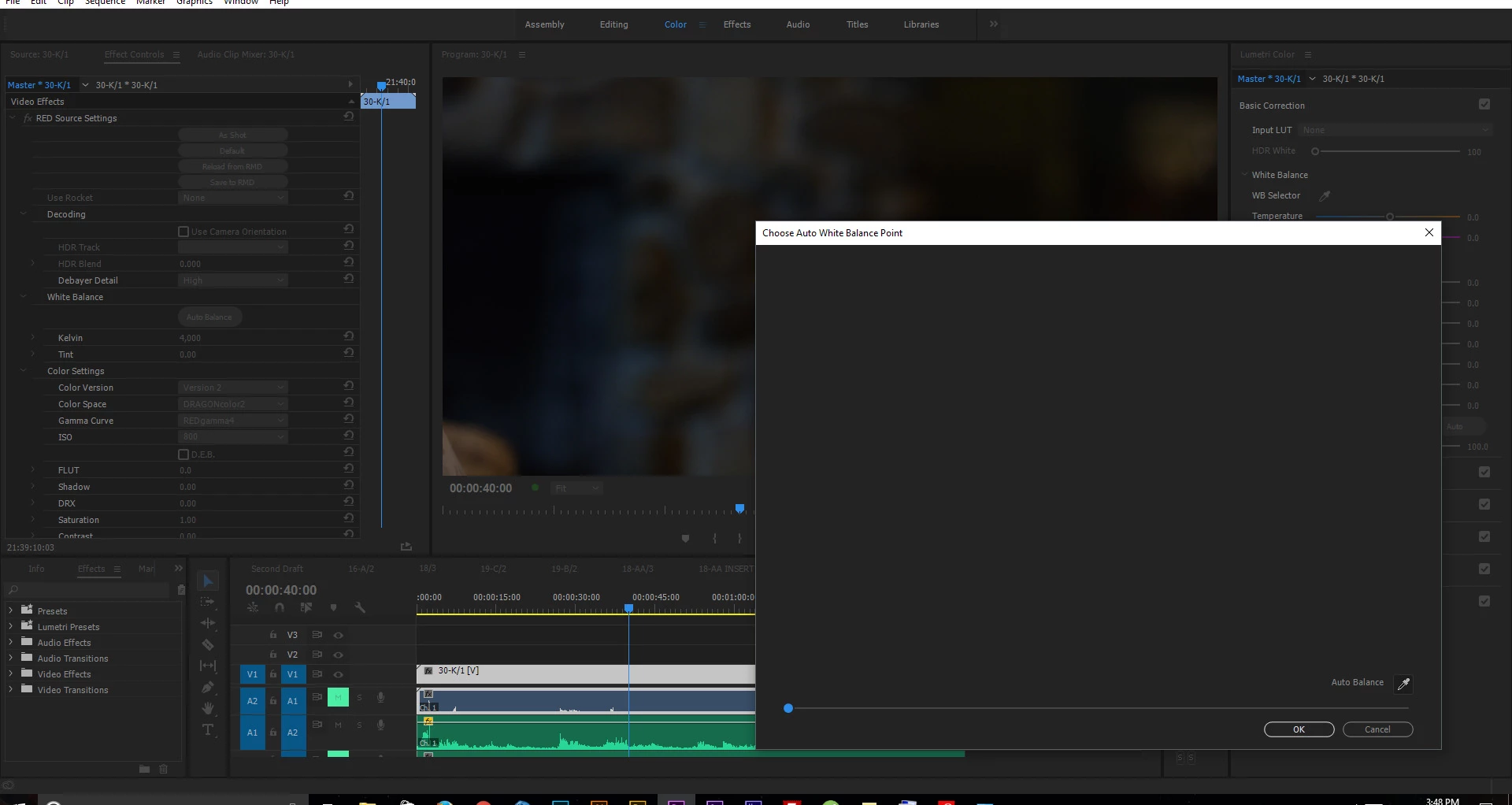
In the master clip settings there is a button labelled "Auto Balance" in the "White Balance" drop down option. When I click the "Auto Balance" button, a window pops up but the footage does not load into the window.

- I am running the latest version of Premiere Pro CC 2017, this issue was with previous versions as well (all 2017 and 2015 versions that I tried).
- I have a Maxwell Titan X with latest drivers, this issue was with previous drivers as well.
- I have the latest beta of REDCINE X PRO installed but I had the issue with the full release REDCINE X Pro as well.
- I am running Windows 10 Pro x64 with all updates, I had this issue all the way back to before installing any updates on the system.

Screenshot of the issue-
Thanks

Correct answer Kevin J. Monahan Jr.

Hi,

This is an old bug. Feel free to file a new one here: https://community.adobe.com/t5/premiere-pro/ct-p/ct-premiere-pro?page=1&sort=latest_replies&filter=all&lang=all&tabid=bugs


Thanks,
Kevin


13 replies

Participant
November 24, 2017

hey, did you find a solution yet? In my case premiere loads the same "auto wb preview image" on all clips - not the right image from each clip.

Participant
September 2, 2017

I'm right there with you Grant. Started having this issue winter/spring '17. Seems to be hit or miss--I've had clips in the same project from the same camera & card work, and others not. Really quite a pain as I use this feature a ton. Also having issues with the reload from RMD option, as I've tried opening the clips in red one and balancing there, hoping to reload in Premiere. That isn't reliable either.

Seems like this all started when when Adobe introduced the master clip effects panel. Really wish they'd ditch that.

Please let let me know if you find the source of the issue & I'll do the same!

Legend
May 1, 2017

The Basic tab of the Lumetri panel is supposed to access the RAW controls for some formats.  Perhaps that applies to RED media as well.  Give the eyedropper there a try.

grant_wAuthor
Participant
May 3, 2017

Thanks for the suggestion. When I try the Lumetri panel, it just applies the correction as a Lumetri effect on top of the RAW. In Lumetri the colors aren't affected in the same way as changing the RAW settings and also the Lumetri white balance number values don't correspond with the RAW white balance number values, so I can't use Lumetri to to find out what I should set the RAW white balance too.