
Can't export to Youtube (Windows)
I'm having an issue when trying to publish a video on Youtube. I've signed into my account countless times and as you can see from the picture, in the channel selection tab I'm signed in before I click export.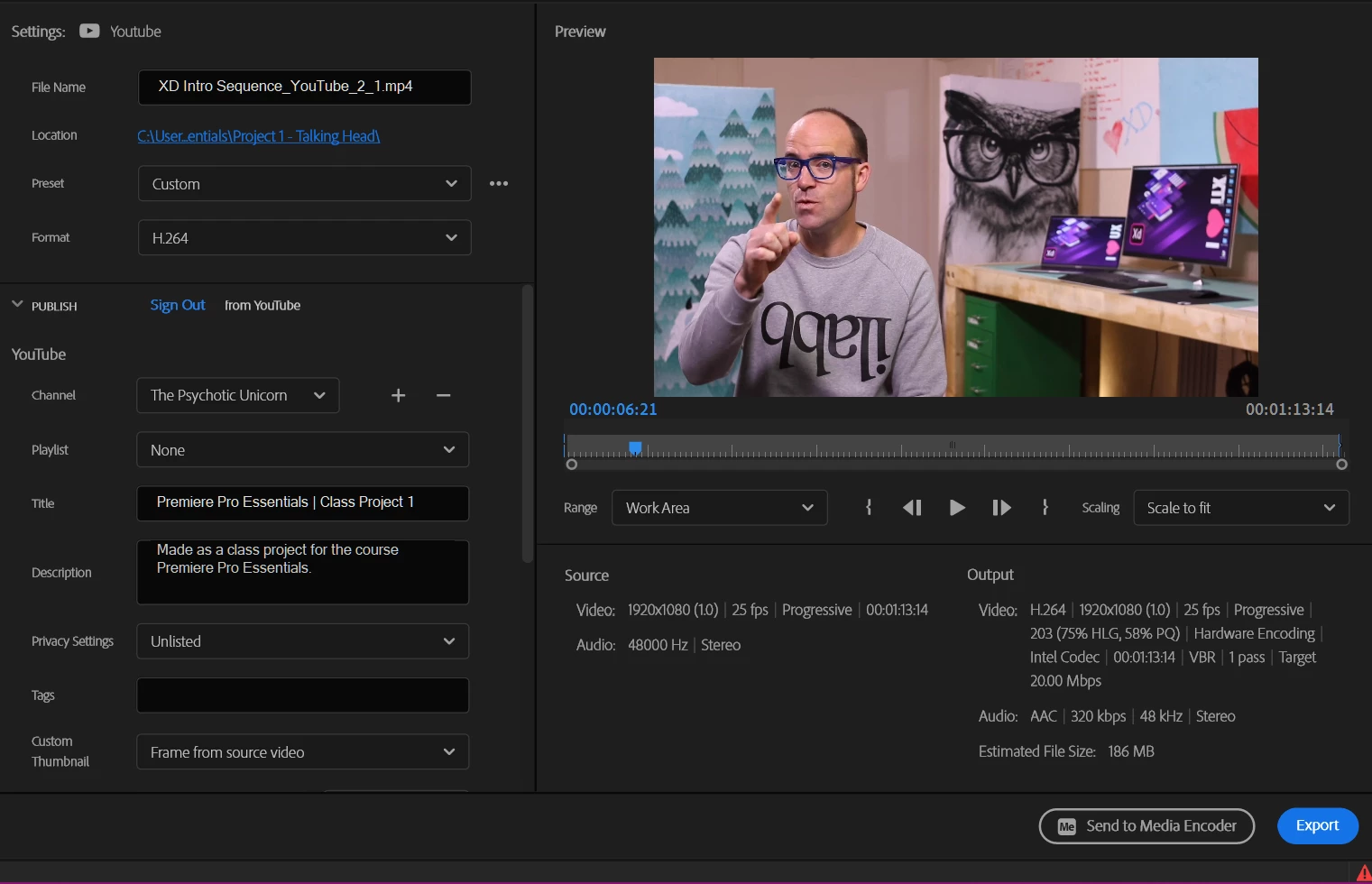
However, once I click export and it goes through the rendering this pops up. If I try to export again I have to sign back into Youtube. Also if I change any export settings after signing in it also makes me sign in again. 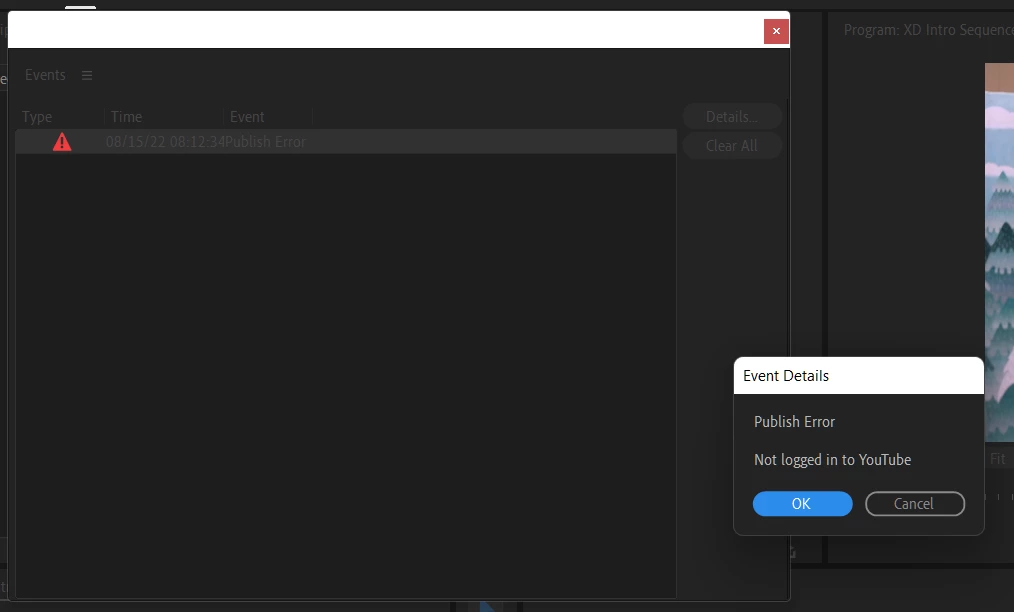
I know it's completing the rending as the rendered videos appear in the folder as if I'd just exported them to my computer, though they come out with _YouTube in the title.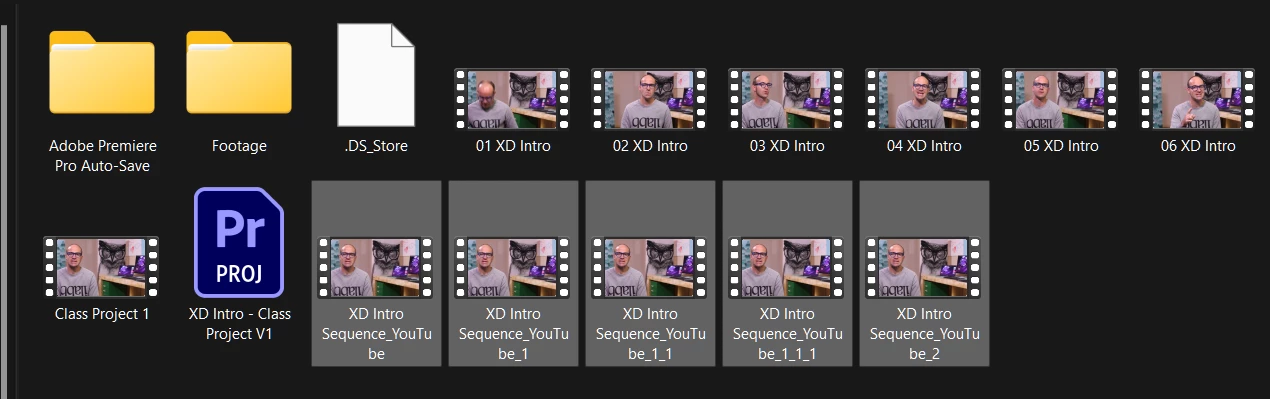
Just to clarify I'm on a Windows PC and I can export my videos perfectly fine to my computer and then upload them to Youtube outside of Premiere Pro, just the direct export to youtube isn't working.
A few things I have tried are as follows:
- Closing Premiere Pro while signed into Youtube and then opening the app again.
- Exiting Google Chrome and reopening after deleting my cookies & cache.
- Restarting the computer.
- Restarting the computer after deleting my media cache on Premiere Pro.
- Fresh install of Premiere Pro.
Any help would be much appreciated and any guidance on how I can report the issue to Adobe as a bug if it's even worth doing.
Many Thanks,
Kirsty
 AdChoices