Answered
Can't export video on Premier Pro
I have made a YouTube video and I am ready to export, but an error message keeps popping up whenever I hit "Export". Is there a way to help this?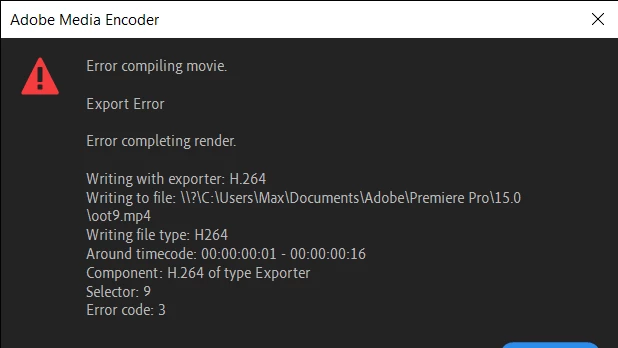
I have made a YouTube video and I am ready to export, but an error message keeps popping up whenever I hit "Export". Is there a way to help this?
Hi Maxwell21948141q0dc!
Sorry for the trouble. Could you try switching to Software Encoding instead of Hardware Encoding in the Export Setting > Video tab > Encoding Settings and export.
Let us know how it goes.
Thanks,
Already have an account? Login
Enter your E-mail address. We'll send you an e-mail with instructions to reset your password.
 AdChoices