Participant
September 7, 2018
Answered

Can't figure out why I've lost all my footage (.aep missing?)

  • September 7, 2018
  • 1 reply
  • 357 views

Hey everybody

So today I went to edit and noticed in my 'recent projects' screen at the start my project wasn't there.
So naturally I went into my external SSD and loaded up the most recent saved project.

Everything went okay, until I came across this screen
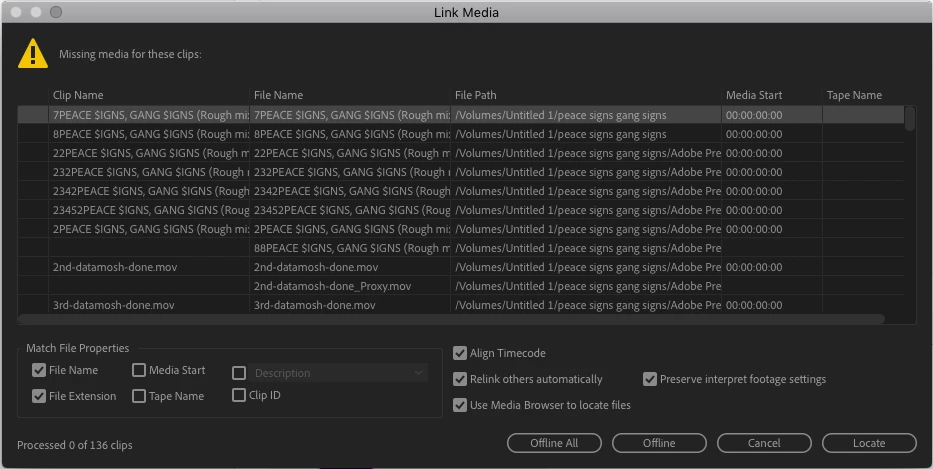
I hit locate and everything went well from there. Then I load up the project and begin to scrub through the sequence
And I come across this
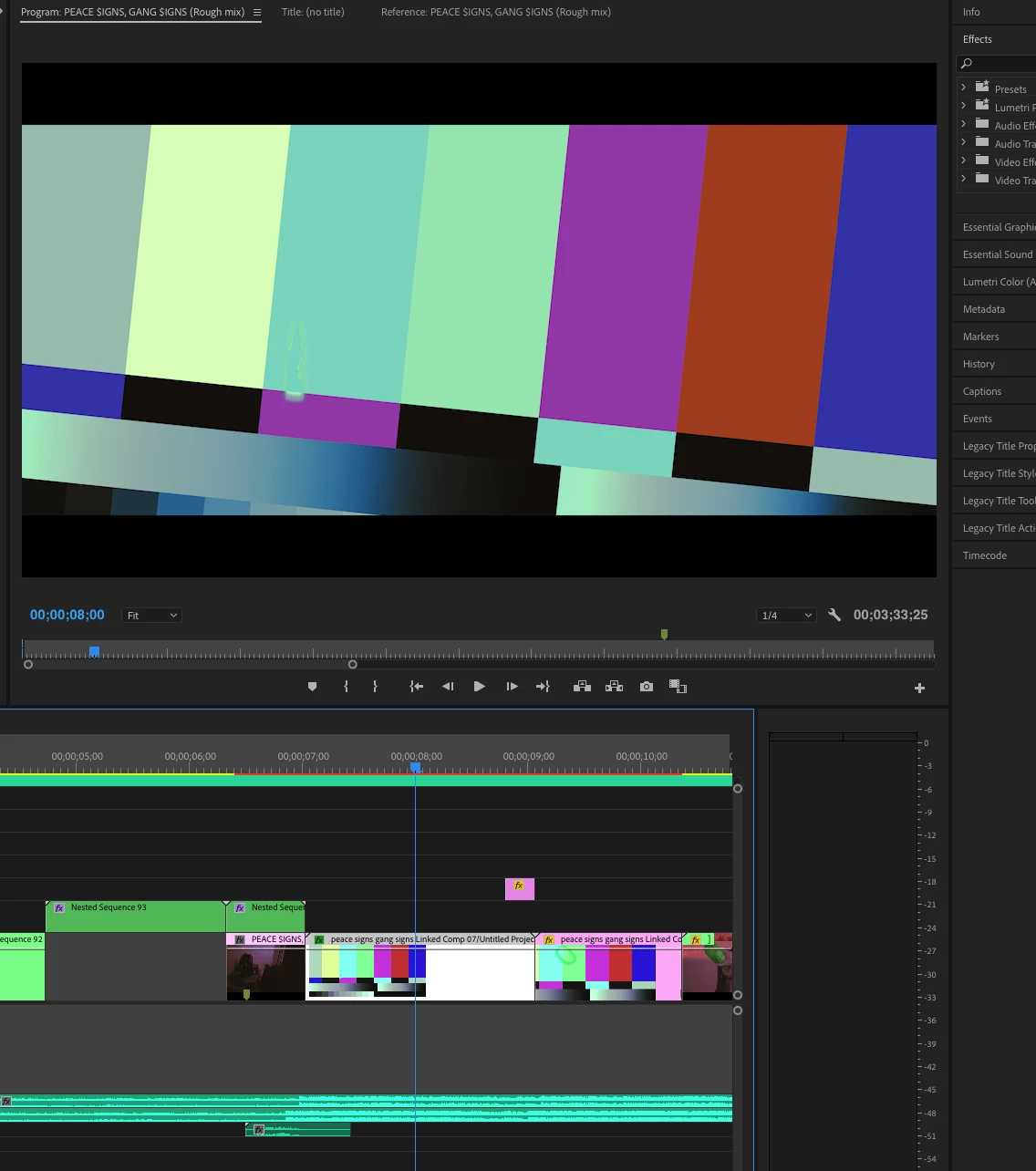
The issue here is I go to 'link missing file' and it just results in this coming back. I don't get it. Everything was fine last night when I was working on this.

Any ideas? Please help as this is due very soon.

Regards

This topic has been closed for replies.
Correct answer yenaphe

If you open After Effects, and go to file > recent project, do you see your AE project ?

In the screenshot, it looks like your AE project is called "untitled project", are you sure you've saved it (as untilitled proect is the default name of AE non saved projects)

1 reply

yenaphe
yenapheCorrect answer
Inspiring
September 7, 2018

If you open After Effects, and go to file > recent project, do you see your AE project ?

In the screenshot, it looks like your AE project is called "untitled project", are you sure you've saved it (as untilitled proect is the default name of AE non saved projects)

Participant
September 7, 2018

Yup, I see the projects.
I don't normally spend much time naming them as I have so many compositions and usually just rush past that part.

Interestingly some of them are under "Untitled 1" when my harddrive is actually named "Untitled" not sure if that has anything to do with it.