Inspiring
February 13, 2026
Answered

Can't find Essential Graphics shown on Premiere page

  • February 13, 2026
  • 2 replies
  • 20 views

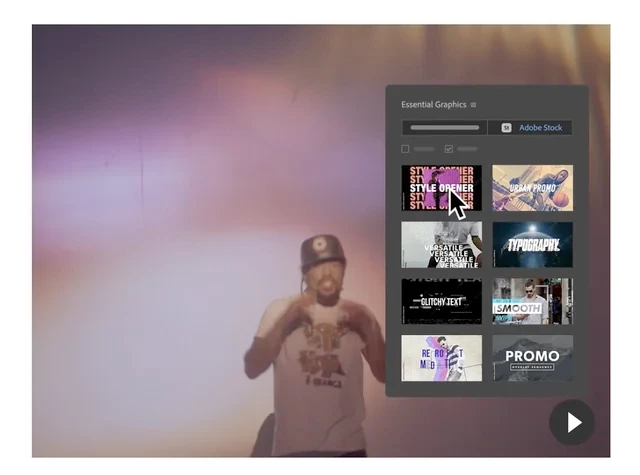
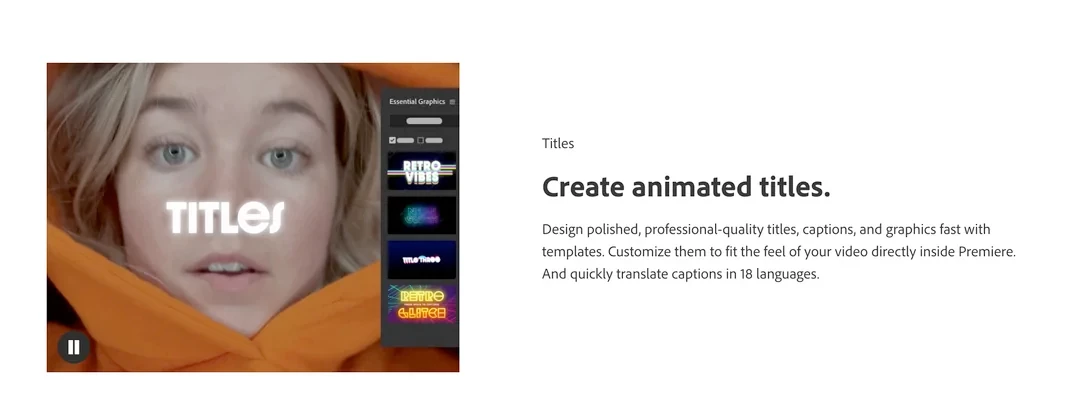
I see this on the Adobe Premiere page, but can't find anything that looks like these in the Essential Graphics resources; they essentially convey that there is some type of “Essential Graphics” library available for drag-and-drop. It does not expressly say that these templates (titles or effects) are available, or only available, as paid extras.

For effects, it does say:

“Choose from hundreds of cinematic effects and transitions — or get started with professionally designed templates”

but I can’t find anything that resembles, in any way, what’s being shown on the page.

I asked elsewhere, and was effectively told that these are “marketing images”, that it’s over two years old, is conceptual, that it doesn’t exist, as well as that the “web people” apparently haven’t had time to update the page. Another person suggested they’re paid extras (Adobe Stock).

Can anyone comment on or confirm any of this information?
 

    Correct answer Averdahl

    If you click on the Adobe Stock button you will find more. I got 31 pages full of titles and if i do a search for “promo” when i tried to find one of the ones in the pictures you posted i got 50 pages. The amount decreases if i check the “Free” checkbox. Hopefully you will find what you want.

    2 replies

    Peru Bob
    Community Expert
    Community Expert
    February 13, 2026

    As illustrated by Averdahlthe Essential Graphics Panel has been replaced by the Graphics Templates Panel and the Properties Panel:

     https://helpx.adobe.com/premiere-pro/using/about-properties-panel.html 

    turner111Author
    Inspiring
    February 13, 2026

    Again, I’m not asking where to find the panel. I know where the new panel is.

    I’m asking where to find the specific (or, substantially similar) graphics they’re showing - titles and effects.

    Averdahl
    Community Expert
    Community Expert
    February 13, 2026

    Go to Window > Graphic Templates to find the Graphics Templates panel. 


    turner111Author
    Inspiring
    February 13, 2026

    I have no issue finding the panel.

    I’m asking where to find titles/effects similar to the ones shown. 

    thx

    Averdahl
    Community Expert
    AverdahlCommunity ExpertCorrect answer
    Community Expert
    February 13, 2026

    If you click on the Adobe Stock button you will find more. I got 31 pages full of titles and if i do a search for “promo” when i tried to find one of the ones in the pictures you posted i got 50 pages. The amount decreases if i check the “Free” checkbox. Hopefully you will find what you want.