tinochibay
Participant
February 15, 2022
Answered

Can’t find proxies

  • February 15, 2022
  • 1 reply
  • 1780 views

Hello,

When I want to create proxies and I right click on my video files... the "proxy" button is not there. I have created some proxy presets with Media Encoder, but I can't access them. 
Please, how do access them or how can I find "create proxy" button?
This topic has been closed for replies.
Correct answer Baffy19

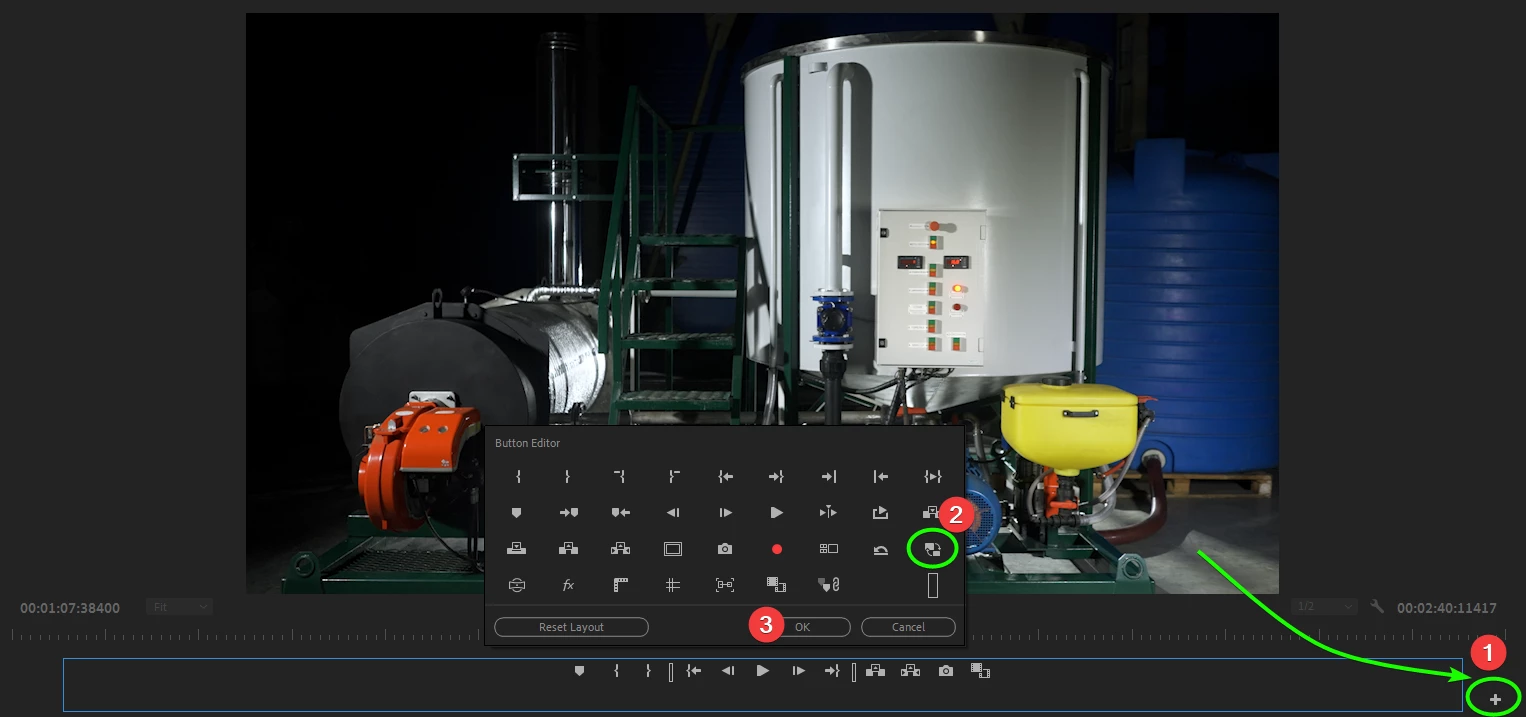
There are two ways: the first is the fastest. Under the software viewer on the bottom right, find the "+" Further as in the screenshot.

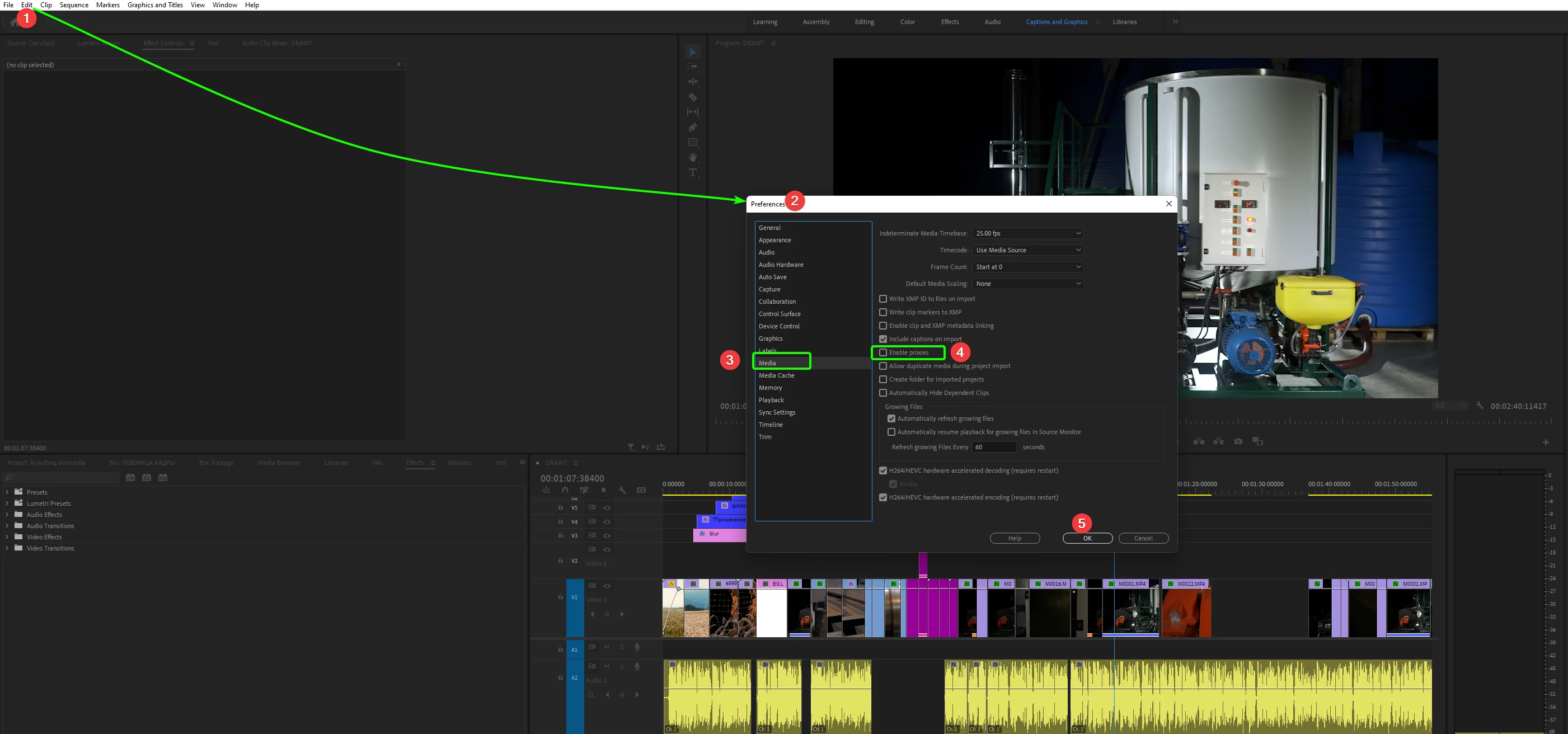
 The second way is through the menu. As in the screenshot.

1 reply

Legend
February 15, 2022

Open Media Encoder and find your rendered clips in the right part. There is information about the way to create them. Go to the folder specified in Media Encoder and find them.

tinochibay
Participant
February 15, 2022

Thank you, I did find them. But in Premier, I still can not find the 'proxy' button when I right click on my videos in the project panel. Got any idea how I can find that? I appreciate your help!

Baffy19Correct answer
Legend
February 15, 2022

There are two ways: the first is the fastest. Under the software viewer on the bottom right, find the "+" Further as in the screenshot.

 The second way is through the menu. As in the screenshot.