
Participant
October 17, 2018
Answered

CAN'T HIGHLIGHT TEXT OR ADJUST SIZE PREMIERE CC19 PROBLEM

  • October 17, 2018
  • 12 replies
  • 13386 views

Hello everyone,

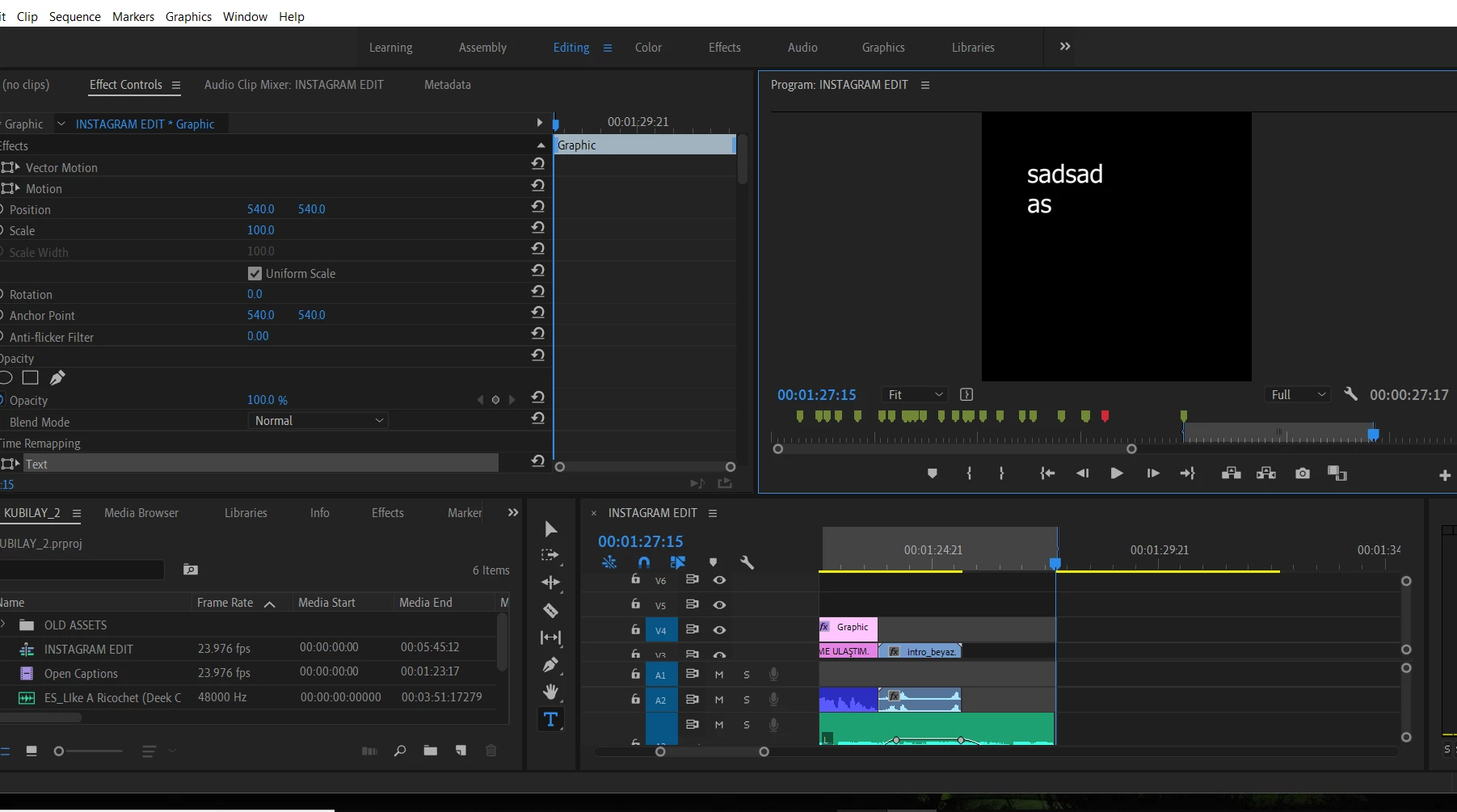
After I did the 2019 update whenever I write a text the red box around to make adjusments it disappears away,

Also now I can't highlight anything from that text to change color or size of it. I highlights yet can't see what I am highlighting.

Adobe Customer Service on phone did many things related to CPU and re installing the nvidia driver yet couldn't solve the problem.

I did uninstall 2019 and reinstall 12.1 but that one was crashing on me all the time.

Does anyone has a solution to this?

My computer is Gigabyte Aero 15x

16 GB DDR-2666

i7-8750H
Nvidia Geforce GTX

This topic has been closed for replies.
Correct answer egebabaoglu

I actually just found a new solution that works for me,

The resolution change %150/125  did not help yet going to settings button on your program monitor (small wrench icon, right side of your screen) and enabling SHOW RULERS and SHOW GUIDES  did turn on my guides when writing a text. Hope it helps someone, this change was made after v13.01 update!

Best

Ege

12 replies

Ann Bens
Community Expert
Community Expert
October 17, 2018

Maybe you should expand your video vertically  in the timeline so you can see what you are doing.

As of now V1 and V2 are srcolled down and 'hidden'. Use the scroll bar on the right side of the timeline.

Shivangi_Gupta
Community Manager
Community Manager
October 17, 2018

Hi egebabaoglu,

Sorry about this. I understand that you are not able to edit the text using the Type tool.

This is not a common issue with the latest version. Please try the steps mentioned below:

Let us know if it helps.

Thanks,

Shivangi