
michellem75876181
Participant
January 20, 2019
Question

can't import AVCHD files

  • January 20, 2019
  • 1 reply
  • 2235 views

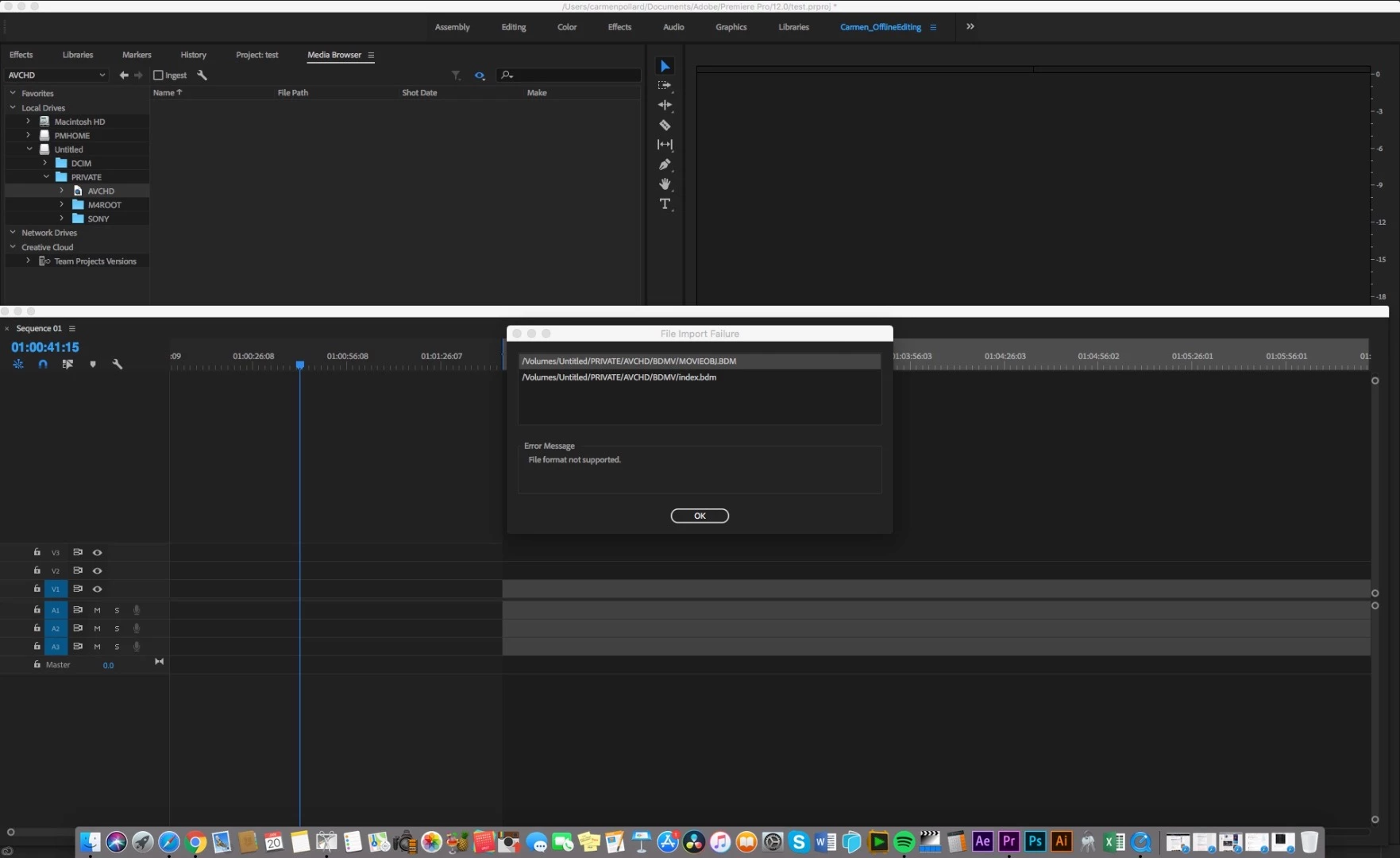
I'm running Priemere 12.0 and can't import AVCHD files created on the Sony a7iii.  I get the error message "file format not supported". Have tried importing using the Media Browser.

Can someone please advise. I'm working on Broadcast projects and don't want to be using MP4s. Thanks!
[Here is the list of all Adobe forums... https://forums.adobe.com/welcome]

[Moved from generic Cloud/Setup forum to the specific Program forum... Mod]

This topic has been closed for replies.

1 reply

Inspiring
January 20, 2019

If you look in your Project Panel, you will see that the AVCHD files that are video clips have been imported. When you navigate to the AVCHD bundle, as you have done in your screen shot, select it and import it, it contains a bunch of files that are not necessary for Premiere but live in the AVCHD bundle as part of the AVCHD specification.

So Premiere does not import those particular files as they are not used. The dialog box is just letting you know that.

Just dismiss the dialog and look in your Project panel for the video clips.

MtD

Inspiring
January 20, 2019

If you recorded X-AVC HD, not AVCHD, then in your Sony Camera media, those are located in a different directory:

In the Private folder, open XDROOT and you'll see the clips as .mxf files.

MtD