
Question
Can't load a Creative Lumetri RED LUT without triggering exception
- Issue - Loading a Creative 709 LUT (from a series of LUTs provided by RED download) triggers an exception, screenshot attached.
- Adobe Premiere Pro version number: V 23.2.0 Build 69
- System Info: Mac Studio M1 Ultra, 64 GB RAM, running Ventura 13.2.1 (22D68)
Hard Drive is 8 TB OWC Thunderbay RAID
- Video format: RED RAW 4K R3D files, transcoding to ProRes422 (HQ) with a Lumetri Creative folder effect, a "1-lite 709 LUT from RED, for dailies editing.
- Workflow details: Single-track sequences of synched clips with 3-channel audio,
- Steps to reproduce - Exact steps, in a numbered list, that are needed to reproduce the problem.
- 1- in the Export Workspace, set all Video and Audio settings, then, then go to Effect tab, choose Select and navigate to Creative folder for a choice of RED-created 709 LUTS. Choose one.
- The except warning box is triggered immediately.
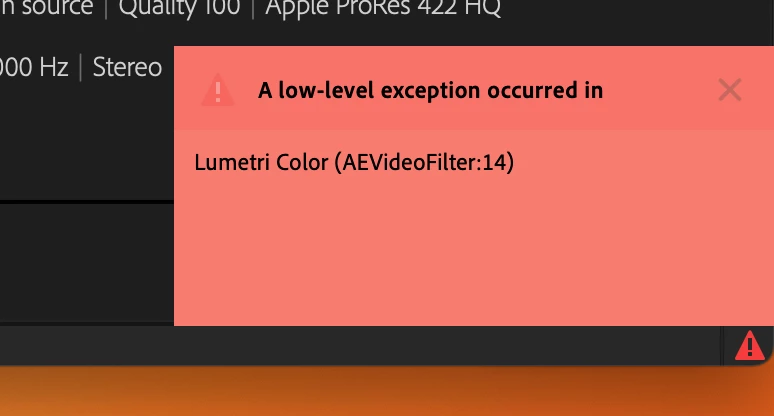
- Expected result - What should have happened after the last step?
I expected the lUT to "take" and show me the result in the Preview window, which is what it did on PPro V 23.1. - Actual result - Exception error shown. As far as I know, no LUT applied.
- Additional related issue- no LUT listing has yet appeared as a selected and applied LUT- athough the result has shown up consistently under V 23.1. V 23.2.0 doesn't get me that far.
Thank you.
Best as always,
Loren
 AdChoices