Correct answer Stan Jones

@Bert33478648jq4q,


> I hope that this is a stupid question and that i am not seeing something but i just can't find it..


Yes, you'll kick yourself.... Except, it is not intuitive unless you got lucky. Welcome to the club!


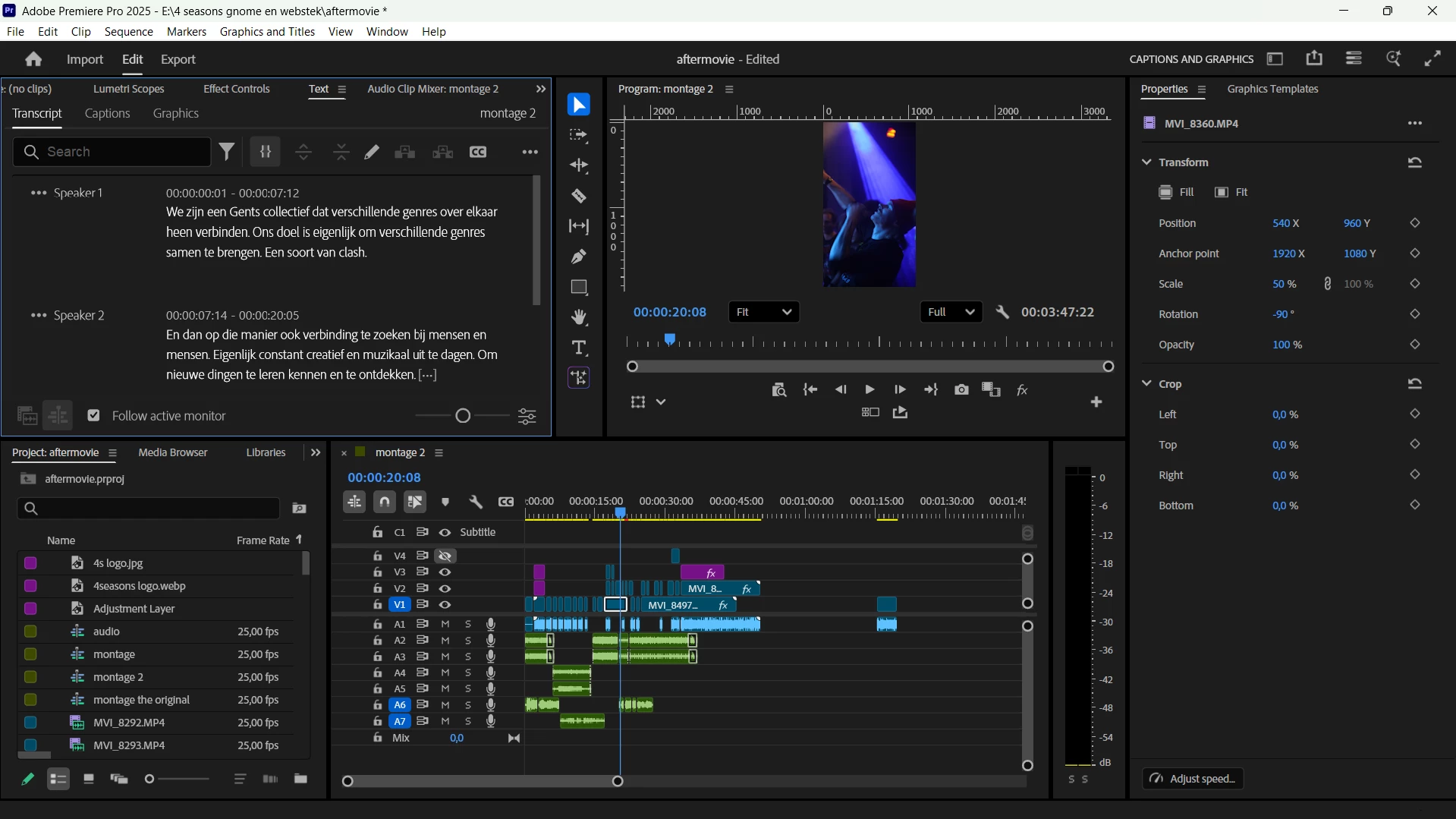
In your first screenshot, just click on the CC icon.


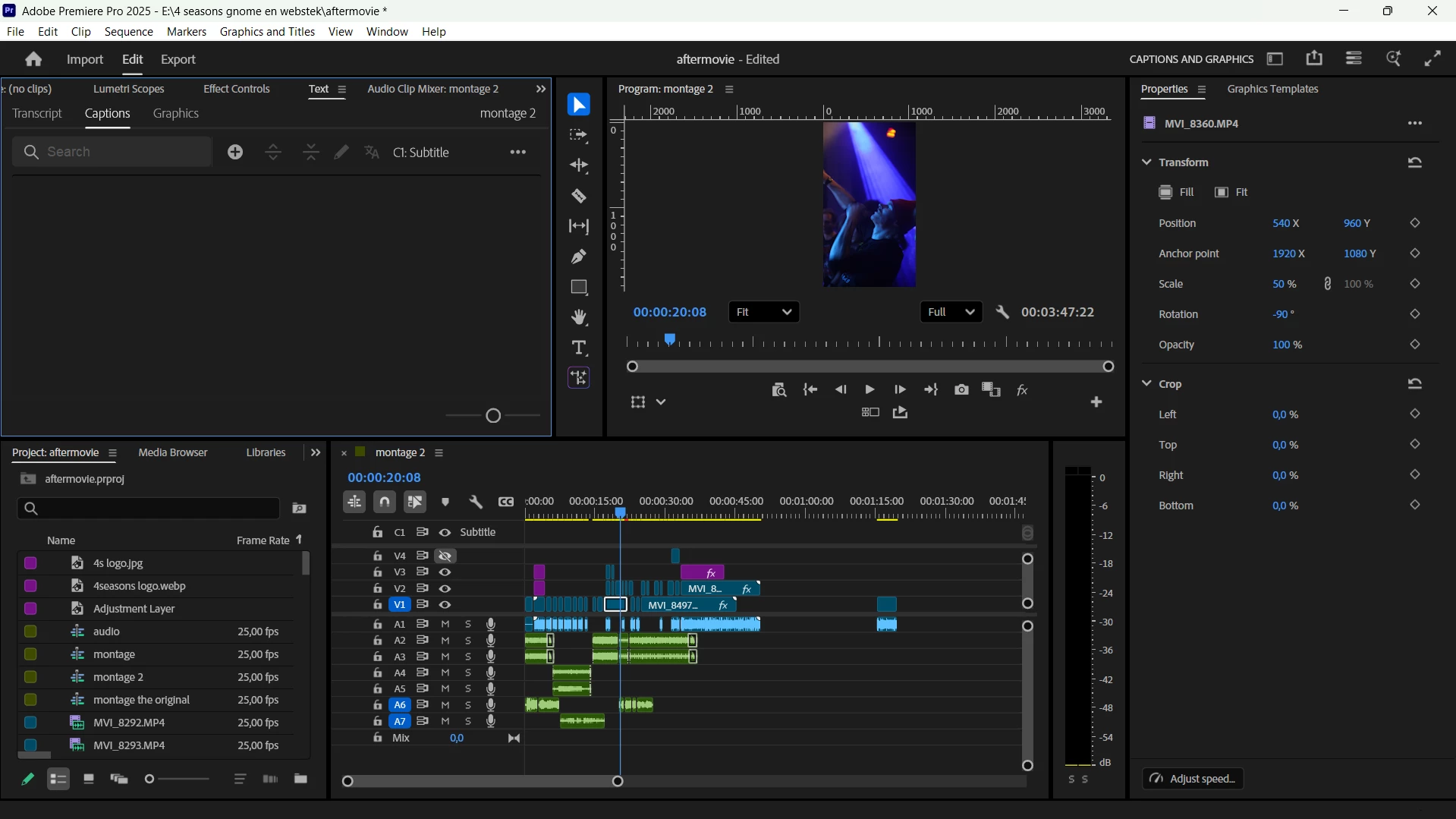
In your second screenshot, you have created an empty caption track. If you disable the caption track (toggle the eyeball off) or right-click in the caption track header and pick delete track, you'll see options appear in the Caption tab. One of them is "Create captions from transcript"!


There is also a keyboard shortcut that is not assigned by default. Search for "create captions." It's in the Text panel.


Yep. Just that easy once you know how!


Stan


1 reply

Stan Jones
Community Expert
Stan JonesCommunity ExpertCorrect answer
Community Expert
December 2, 2025

@Bert33478648jq4q,


> I hope that this is a stupid question and that i am not seeing something but i just can't find it..


Yes, you'll kick yourself.... Except, it is not intuitive unless you got lucky. Welcome to the club!


In your first screenshot, just click on the CC icon.


In your second screenshot, you have created an empty caption track. If you disable the caption track (toggle the eyeball off) or right-click in the caption track header and pick delete track, you'll see options appear in the Caption tab. One of them is "Create captions from transcript"!


There is also a keyboard shortcut that is not assigned by default. Search for "create captions." It's in the Text panel.


Yep. Just that easy once you know how!


Stan