
Known Participant
January 24, 2021
Question

Can't match source settings

  • January 24, 2021
  • 2 replies
  • 3406 views

Why can't I match my video source settings? I filmed in 2.7k 30 fps and this is what I get when I try to match it on Premiere Pro..
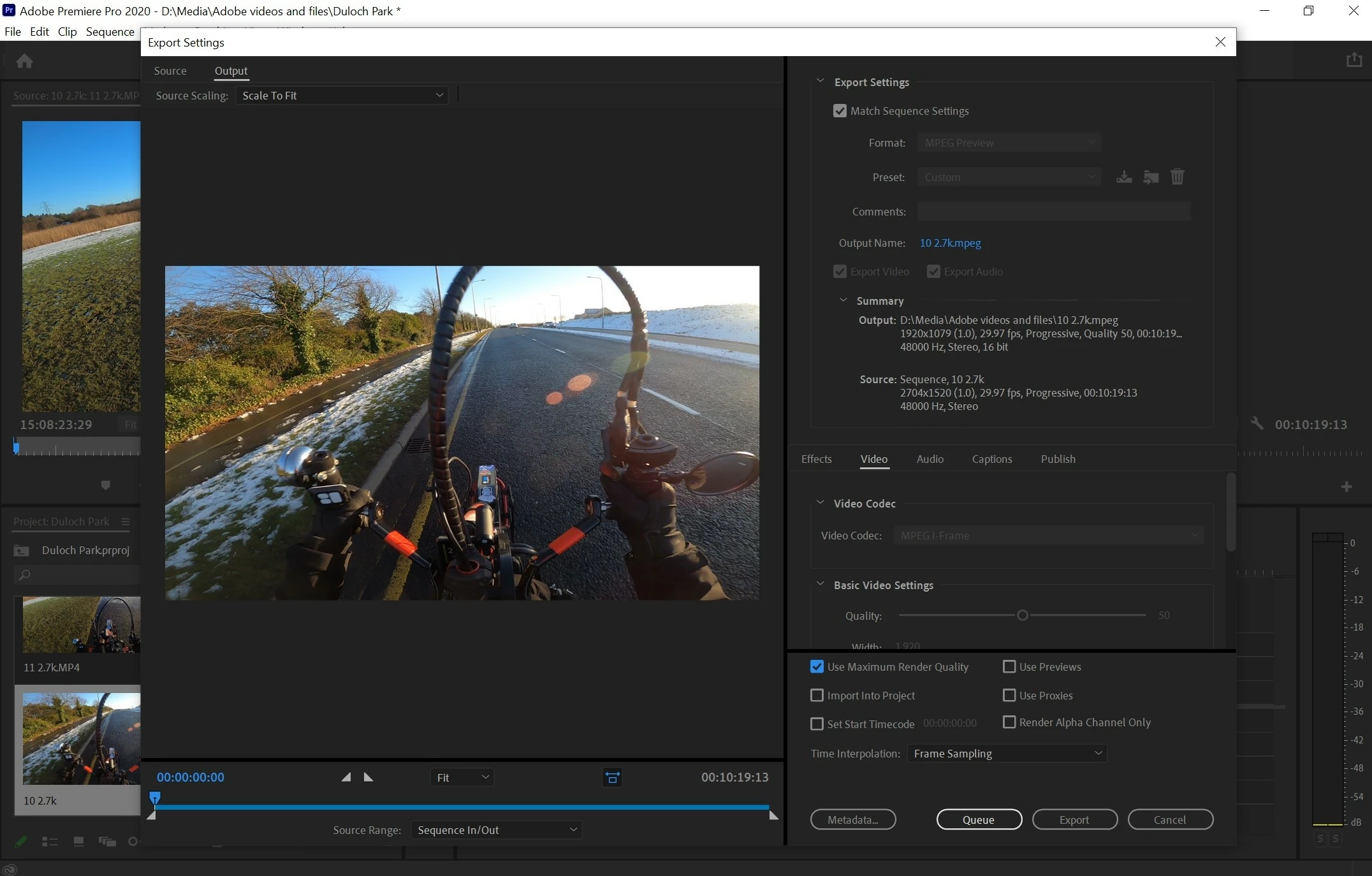
 

My camera is set to H.264, but as you can see the rest of the settings are not right + when I export I noticed a drop in quality, an increase in noise.
This topic has been closed for replies.

2 replies

Inspiring
January 25, 2021

Yep, it's a bug but not a major one, I can reproduce it even in CC2015/2018. Another many years PPro bug.

What PPro actually doing here is 'match preview' instead of 'match sequence' . If you change the preview format in sequence settings to Cineform, it'll use actual timeline resolution. But for me it's simpler to just set the export parameters manually

Ignas5EAAAuthor
Known Participant
January 25, 2021

"If you change the preview format in sequence settings to Cineform, it'll use actual timeline resolution."

Is this is it and which one do I pick?


I need everything as simple as possible, I'm totally new to all of this and it's EXTREMELY confusing, I'm trying my darndest to find info and understand but it's proving incredibly difficult to almost impossible finding the answers that I need to my problems..


Inspiring
January 25, 2021

Yes, but I assume you don't want massive ~6GB/min files? That's what happens if you export in Cineform YUV 10bit. 12bit will take even more space. So the only practical solution for you is to manually select export format, without using 'match sequence settings'. Try these:
Format: H264

Preset: Match source - Adaptive High
(or Adaptive Medium if you want smaller filesize and don't need absolute max quality)


Ann Bens
Community Expert
Community Expert
January 24, 2021

In your case you do not use Match sequence settings (or max render if tou have a dedicated gpu)

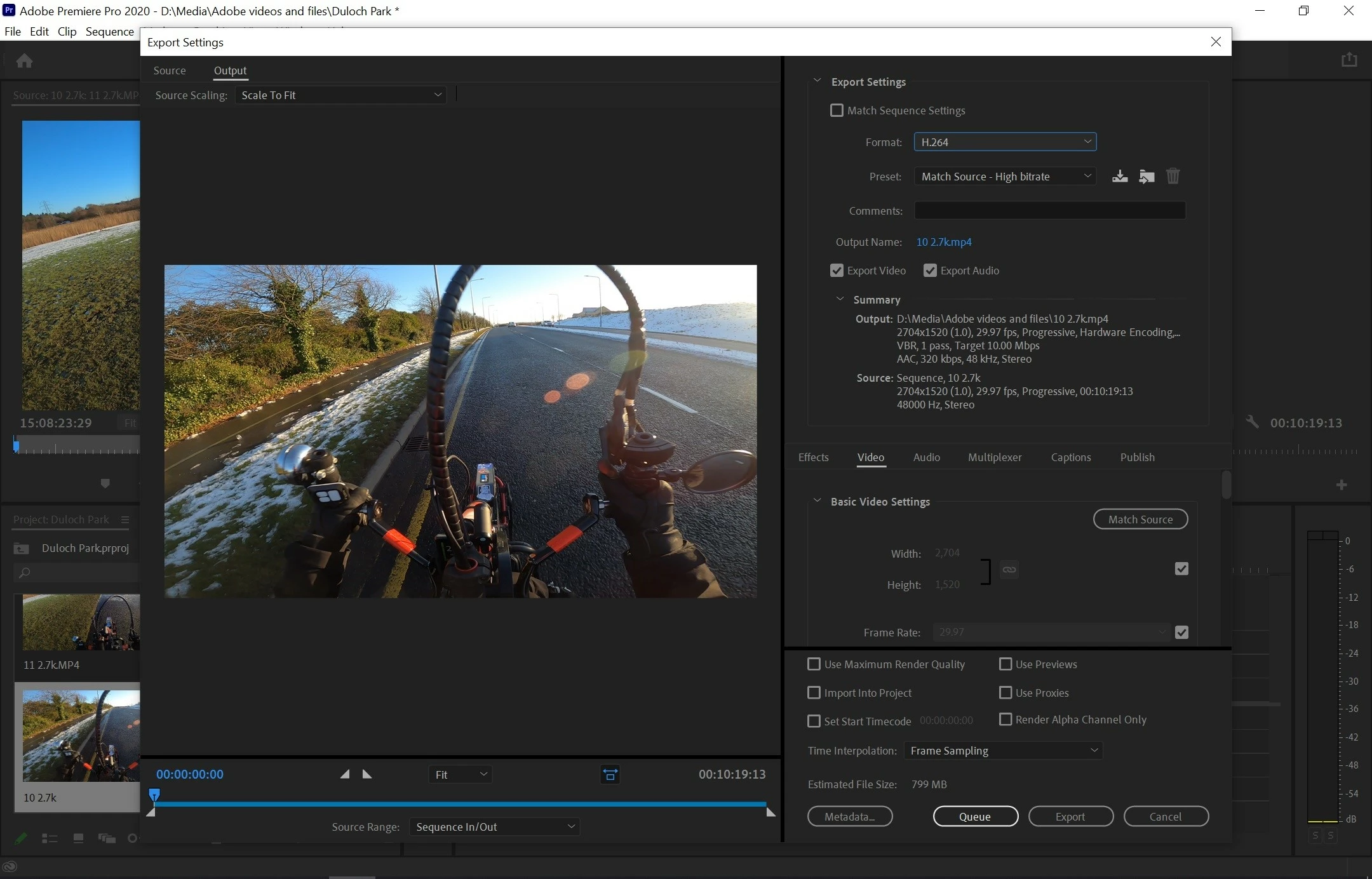
Second screenshot is correct, you can up the bitrate quite a bit for image quality.

Might want to try turning off hardware encoding.

Ignas5EAAAuthor
Known Participant
January 24, 2021

"In your case you do not use Match sequence settings (or max render if tou have a dedicated gpu)"


I'm sorry I do not understand. I use a Huawei Matebook 13 i5 8gb ram.


"Second screenshot is correct, you can up the bitrate quite a bit for image quality.
"Might want to try turning off hardware encoding."


How do I do that?

Why's that when I filmed in 1080p 30 fps and did my editing everything is fine, when I click match source settings, ALL the numbers are IDENTICAL. I only get this problem with 2.7k setting, I film with a GoPro Hero 8.


Ignas5EAAAuthor
Known Participant
January 24, 2021

Sorry first picture I uploaded wrong, this is what it says before clicking "Match source settings" with 1080p video.