
Participant
March 16, 2025
Question

Can't open Premiere Pro 2025 after update

  • March 16, 2025
  • 20 replies
  • 3140 views

I updated everything on my MacBook Air this week (including system and Creative Cloud applications). Now I can't open Premiere Pro 2025 and don't understand why.


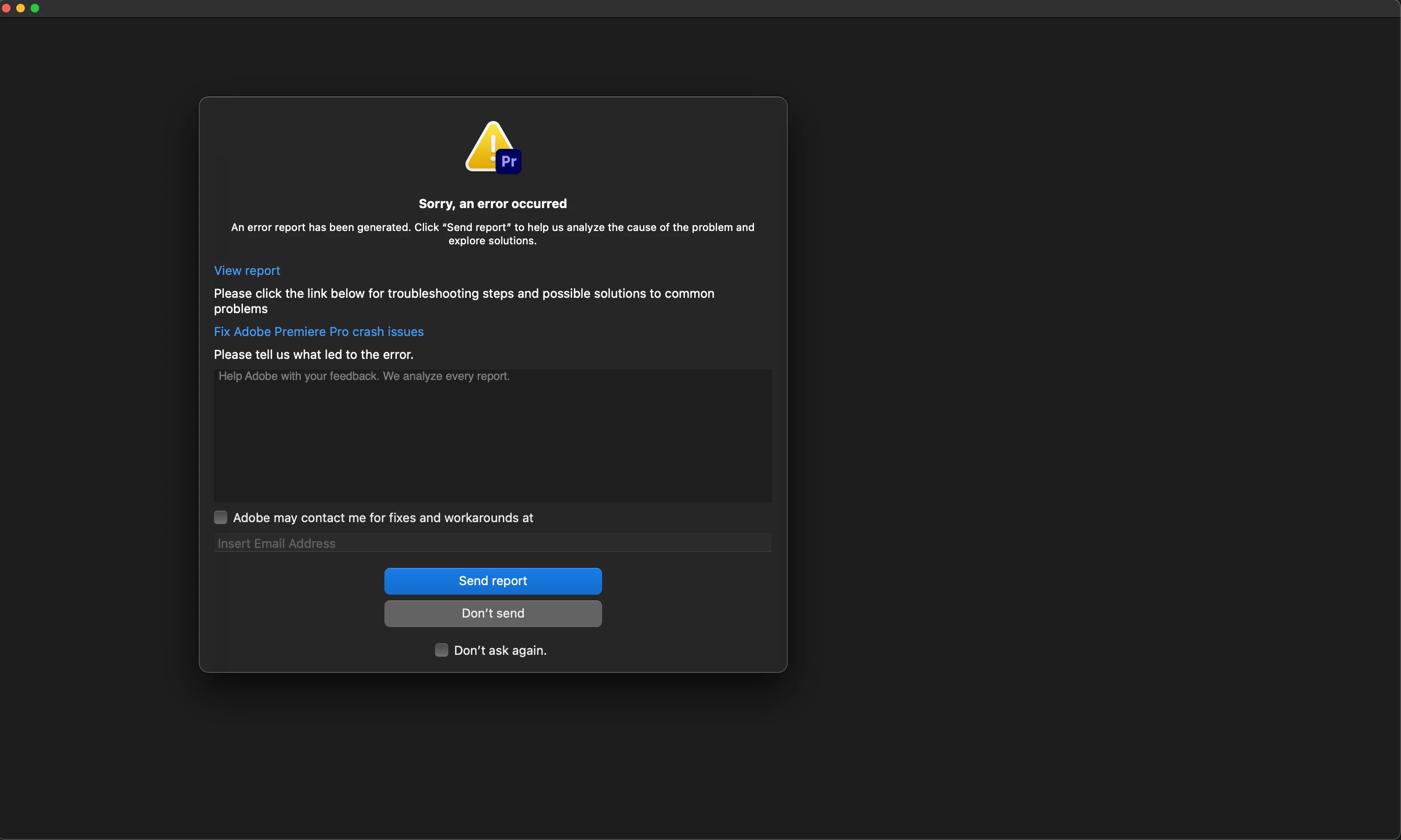
When I try to open the application, I immediately get this error message (I've tried restarting my laptop, reinstalling Premiere, etc.).


It worked fine before the updates and I can open other Creative Cloud applications like Lightroom. Any ideas on how to fix this?
 

20 replies

Participant
April 30, 2025

Hi, I have the same issue for Windows 11. I did everything; nothing changed. Adobe Premiere (25.2.3 and past versions) are still not launching. The other versions as well. I'm getting 'bad INDEX offset array' pop up.

Just 24 versions are working. Is there any current development regarding the issue?

Participant
March 18, 2025

I see, thank you. From what I can find online for Adobe on Mac, I don't think it is a requirement, but a recommendation. Anyways, for now it lives on my internal drive then.

MyerPj
Community Expert
Community Expert
March 18, 2025

Well, now that you got it to run, you don't need the cleaner, unless you want to start again clean. 

MyerPj
Community Expert
Community Expert
March 18, 2025

I can only speak from a Windows perspective, but that's pretty much a no-no trying to install a program on an external drive. I've been on a quest now for a few years to remove as much as possible from the C: drive, except program installations. I find it much easier to manage, and when I want to put a new version of Windows on (very soon now) just the programs need to be reinstalled (which I keep quite organized) and all the data and other files are there. Though I'm running 4 m.2 drive currently, they are all 'internal' but not the boot drive.


Glad it's at least working for no on the internal drive, and I do think Adobe has that as a requirement.

Participant
March 18, 2025

Yes, thank you. I had a look at it but did not yet find the time to go through all the steps. Should be able to do it later tonight or tomorrow.

MyerPj
Community Expert
Community Expert
March 18, 2025

Plus after you uninstall you can run the Adobe Cleaner, which I linked yesterday, did you have a chance to look at that?

https://helpx.adobe.com/creative-cloud/kb/cc-cleaner-tool-installation-problems.html


Participant
March 18, 2025

Thank you @MyerPj @Rach McIntire  - I have now reinstalled to the internal drive and it works from there.


My question now would be: What do I need to do to make PP run from an external drive? I try to keep as much internal drive space free as possible.

MyerPj
Community Expert
Community Expert
March 18, 2025

Sorry, I remember that from yesterday now. That you were installing on an external drive. I'm with @Rach McIntire , try installing it on the internal drive, and do make plenty of room for it, and let's see how that goes.

Community Manager
March 18, 2025

Hi @Sebastian31633726m8lx,
When you click on the icon to open Premiere, is it on your SSD, in the Dock, or on the Desktop? Have you tried installing Premiere on your internal HD to see if that works? It would be helpful to narrow down if that is somehow part of the problem after the updates.

Participant
March 18, 2025

Thank you for your response @MyerPj . Yes, that's what I assumed - but also what I don't understand. I used PP 24 until last week without any problems. What has changed since are two things:


1. I updated to the current macOS 15.3.2

2. I deinstalled all Adobe apps on my internal drive and moved them to an external SSD (all other Adobe apps work just fine from there)


I appreciate any input. Here are the specifics again:


Issue 

I click on the application icon of Premiere Pro 25.1 which is on my external SSD. The application loads in the Dock, but crashes immediately (see error message in screenshot).


Adobe Premiere Pro version number:

25.1 / 24.6.4


Operating system?

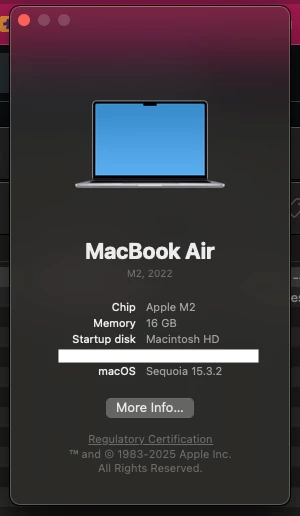
macOS 15.3.2


System Info: 
CPU: Apple M2 8-Core

GPU: Apple M2 8-Core

RAM: 16GB

Hard Drive: SanDisk Extreme Portable 4TB (1.6TB free space), ExFAT, connected via USB 3.0, can open all other Adobe applications (Lightroom Classic, InDesign) from it

Video format: No video or project in use
Workflow details: Tried opening the application from the external SSD, but it crashes immediately
Expected result: The application should open.
Actual result: The application crashes.