
Participant
April 28, 2023
Answered

Can't Override Colorspace on Premiere > Modify > Interpret Footage for Venice 2 .MXFs

  • April 28, 2023
  • 1 reply
  • 599 views

Hey Guys,


Running into a bit of a frustrating problem here.

The Sony HDR Color curse (blown out highlights, over-saturation) has appeared in front of my eyes and I can't seem to override the Color Space, the option is greyed out and it won't let me adjust. 
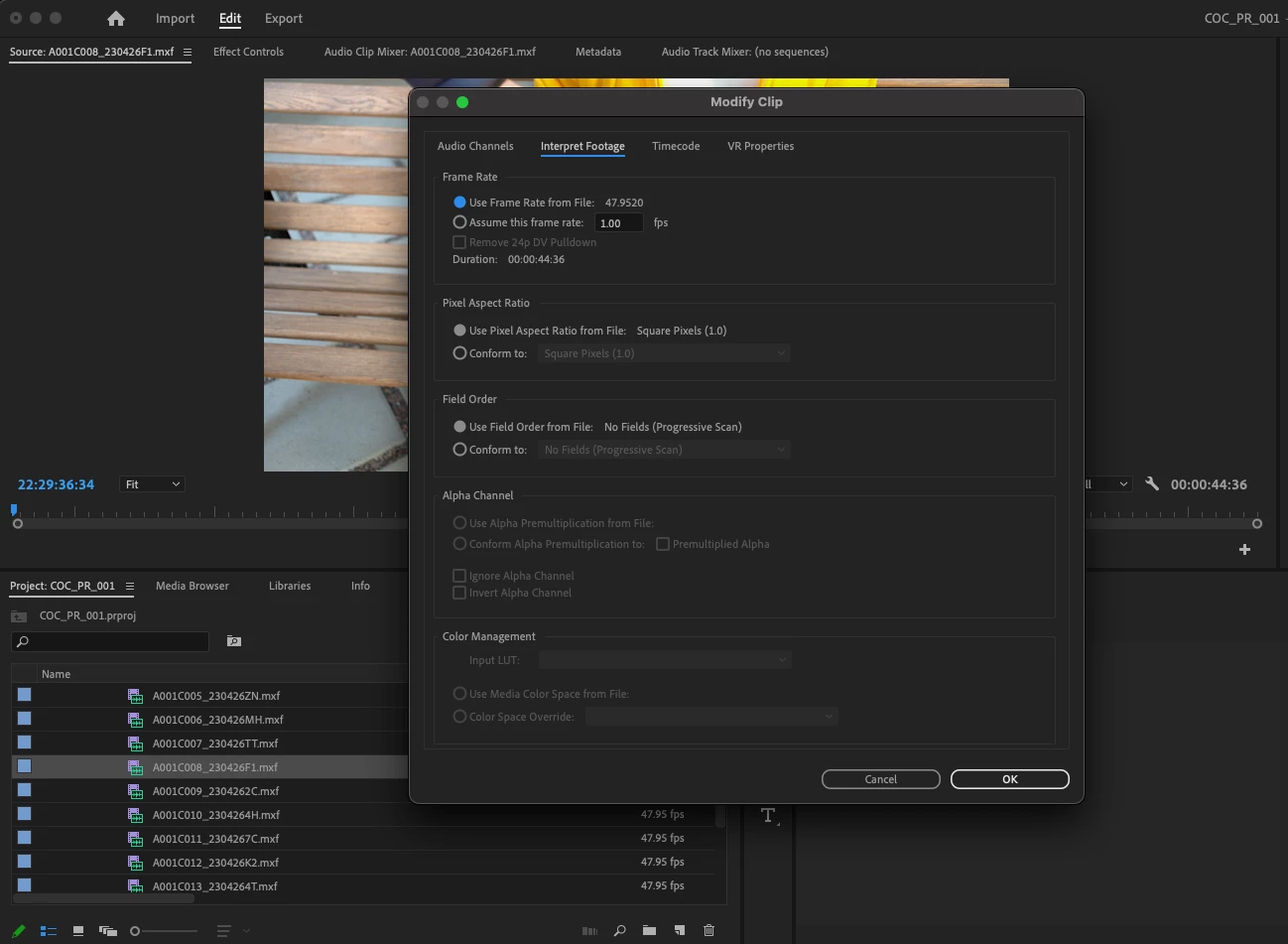
 

What can I do to get this Color Management option available so that I can override to REC 709? 

Thank you! 
 

This topic has been closed for replies.
Correct answer philipk90470439

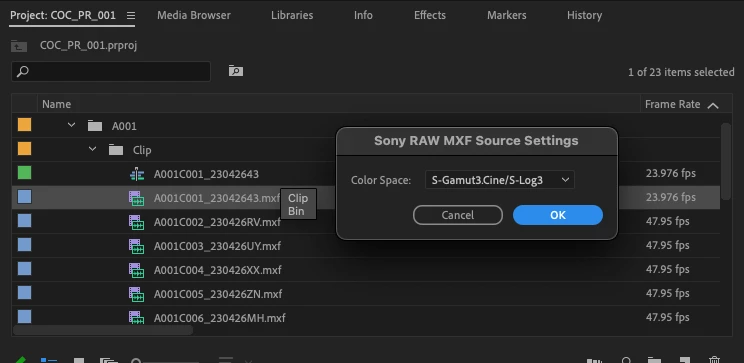
Nevermind - Right clicked the footage and went to Source Setting and changed the color space to SGAMUT3

Worked like a charm without going to Interpret Footage. Will leave this up incase anybody faces the same issue, I know lot of how-to videos specify going into Interpret Footage. 


1 reply

philipk90470439AuthorCorrect answer
Participant
April 28, 2023

Nevermind - Right clicked the footage and went to Source Setting and changed the color space to SGAMUT3

Worked like a charm without going to Interpret Footage. Will leave this up incase anybody faces the same issue, I know lot of how-to videos specify going into Interpret Footage.