

Answered
Can't Rename Bins
When I go to rename a bin, I can't see the text or cursor, and when I hit "return" Premiere crashes. Has anyone else experienced this? If so, is there a fix?
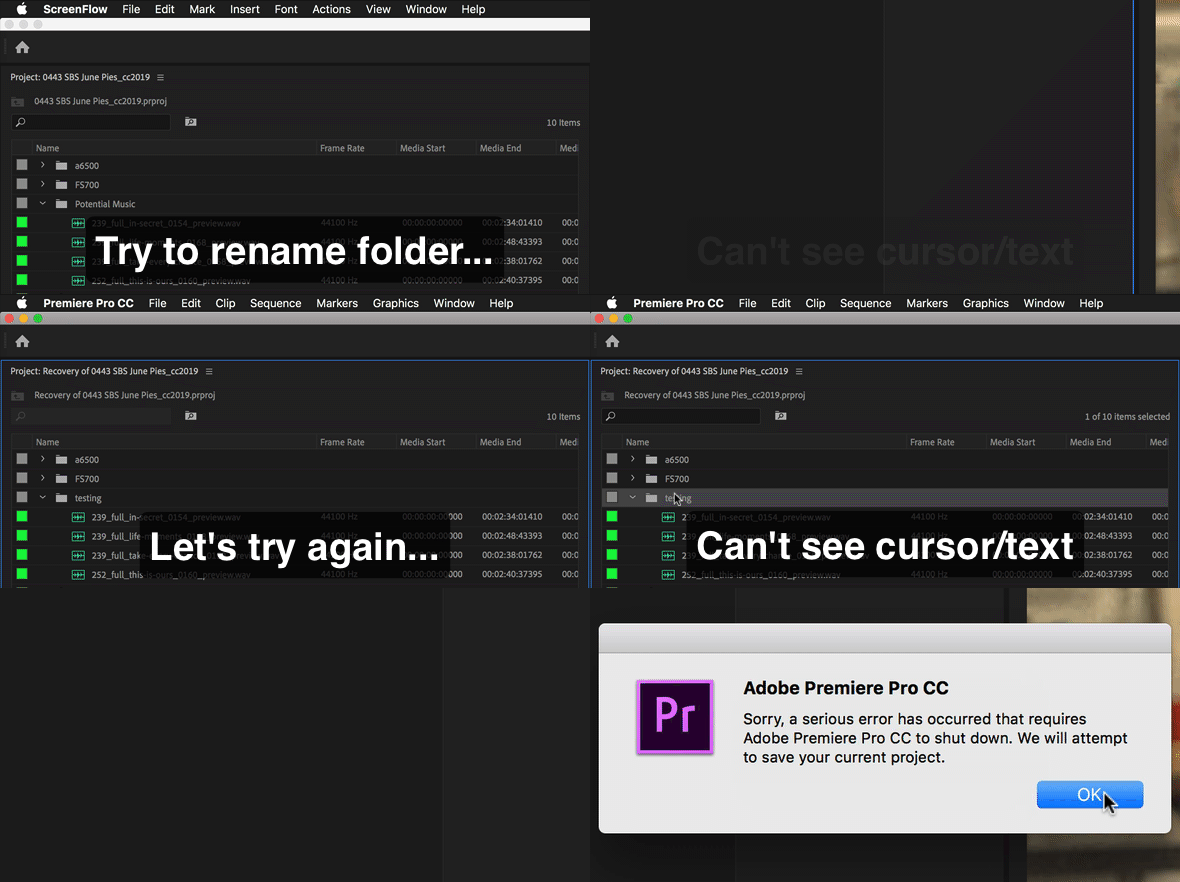

When I go to rename a bin, I can't see the text or cursor, and when I hit "return" Premiere crashes. Has anyone else experienced this? If so, is there a fix?
Already have an account? Login
Enter your E-mail address. We'll send you an e-mail with instructions to reset your password.
 AdChoices