
Participant
May 24, 2021
Question

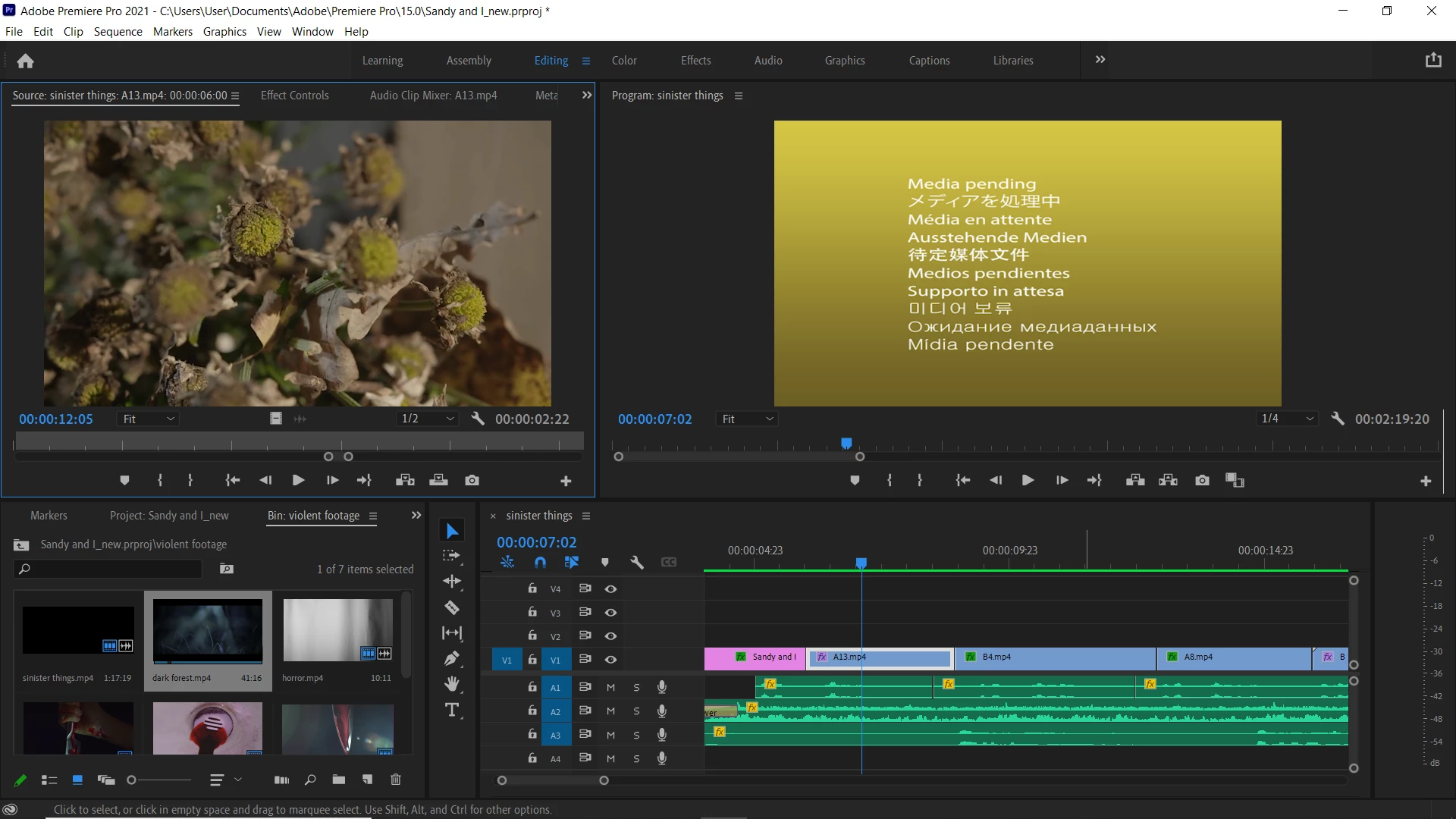
Can't solve the Media Pending problem :(

  • May 24, 2021
  • 3 replies
  • 599 views

Hi everyone!

I just upgraded to Premiere Pro CC 15.0. I tried opening a project which I had started in a previous version of the software. Now, I believe I changed the location of the new project (put it in a different location from the older one) and now I am stuck with the "media pending" problem.

The clips are playing fine in the source but not in the program monitor. What should I do? When the project was converted I didn't really get a locate clips dialogue box. So I am not sure what really is the problem.

Thanks for the help in advance!
 

This topic has been closed for replies.

3 replies

Participant
May 25, 2021

Also, very strangely, when I am exporting the video, it's coming out all fine. It's only in the program window that I am getting the error. 

And I am also getting this notif now:

Christian.Z
Community Expert
Community Expert
May 28, 2021

What file is that exactly in the error?


Christian.Z
Community Expert
Community Expert
May 24, 2021

this looks like a rendered sequence. try deleting the preview files

Participant
May 25, 2021

I tried doing this but it still didn't work out 😞

Ann Bens
Community Expert
Community Expert
May 24, 2021
Participant
May 25, 2021

None of these worked out 😞