Participating Frequently
March 2, 2017
Answered

Cannot add audio tracks to timeline, Encore CS6

  • March 2, 2017
  • 1 reply
  • 1184 views

Greetings!

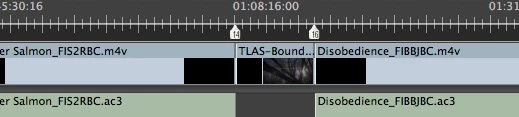
I am having trouble adding audio tracks to my timeline. I have several short films made my different filmmakers that I am adding to my timeline, with the intention of creating a BluRay with multiple titles. All the films are encoded exactly the same, except for frame rates. They have been transcoded from .mov files to .m4v and .ac3. Some films are 29.97fps and some are 23.97fps. All are Dolby Digital Stereo. Most of the audio pulls into the timeline fine, but a few of the audio tracks will not. When I click the desired audio track and try to pull it down into the timeline, it will not appear at all. Rather than getting that satisfying ghosty green color when I hover my other audio clips over the timeline, I get a sad black outline and am unable to drop the audio into Audio 1. I am able to get the audio track to land in Audio 2, at the beginning of the timeline. I tried to see if the audio would come through on my BluRay once burned - it did not work. So my timeline looks like this:
This is what my project window looks like, with the problem audio clip selected:
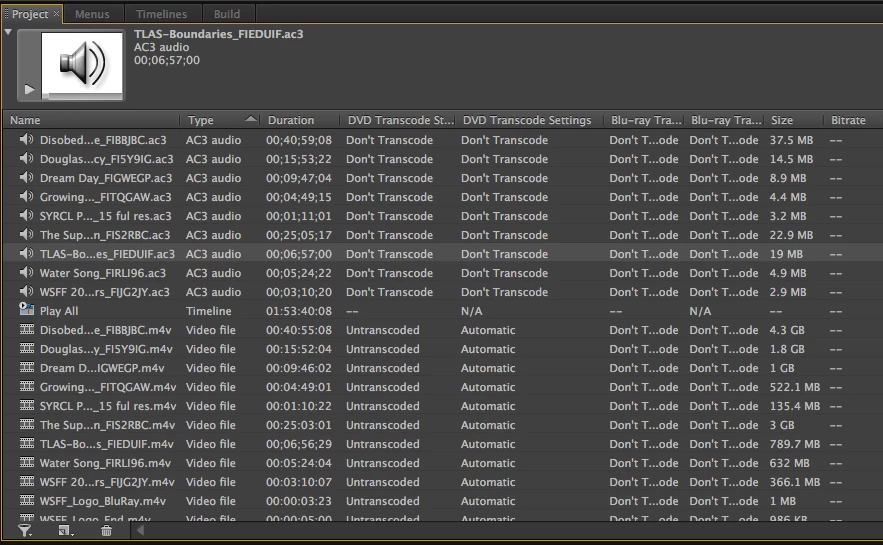
I've tried transcoding the .mov files containing the problem audio to match the frame rate of the other films in the timeline. That didn't work...plus some of the problem films are at the same frame rate as the others. I have no clue if frame rates would play a role in this issue, but it's the only thing that's different about some of the source clips. I'm baffled and not sure what else to try. Happy to provide as much info as I can, not sure what else to provide to kick this off.

macOS Sierra, Encore CS6 user.

Thanks for any help!

Jess

This topic has been closed for replies.
Correct answer Stan Jones

See my post regarding putting multiple assets on one timeline.

Re: adding multiple HD files to encore timeline

Audio on one timeline can only be the same format, channel count, etc. If you avoid putting multiple assets on one timeline this will  not be a problem.

1 reply

Stan Jones
Community Expert
Stan JonesCommunity ExpertCorrect answer
Community Expert
March 2, 2017

See my post regarding putting multiple assets on one timeline.

Re: adding multiple HD files to encore timeline

Audio on one timeline can only be the same format, channel count, etc. If you avoid putting multiple assets on one timeline this will  not be a problem.

WSFFAuthor
Participating Frequently
March 3, 2017

Thanks Stan, this helps clarify. This then raises the question, is there a way I create a project with the following properties:

1. No menu, play all

2. Several video and audio assets

3. Chapter markers that will allow the viewer to skip between films and easily navigate to the desired film on the disc

I can easily figure out how to have all the films play perfectly, the only thing I'm missing is how to create chapters, each chapter being one film.

I've tried adding all the clips together in a sequence in Premiere then Dynamic Linking back to my Encore project, but now I'm running into issues with my audio drifting out of sync, I'm guessing because of the various frame rates in the sequence?

Thanks for any additional help!

Jess

Stan Jones
Community Expert
Community Expert
March 3, 2017

You can use a playlist to connect multiple timelines so they "play all" from disk insertion, but not to use the remote to go from chapter to chapter.

You would go to a menu (at the end, or whenever the user chose), that would allow you to go to a specific chapter.

Each timeline would be a chapter.

You get closest to your goal by combining all into one video in PR with a chapter marker before each individual video. But you have to deal there with all the video and audio formats and get them properly conformed. Ask in the PR forum.