

Bed30321077z973
Inspiring
February 8, 2024
Answered

Cannot apply easily an effect to a selection if the clips are too small, any other options?

  • February 8, 2024
  • 1 reply
  • 284 views

Hello,

In order to apply effects to a selection of clips I have:
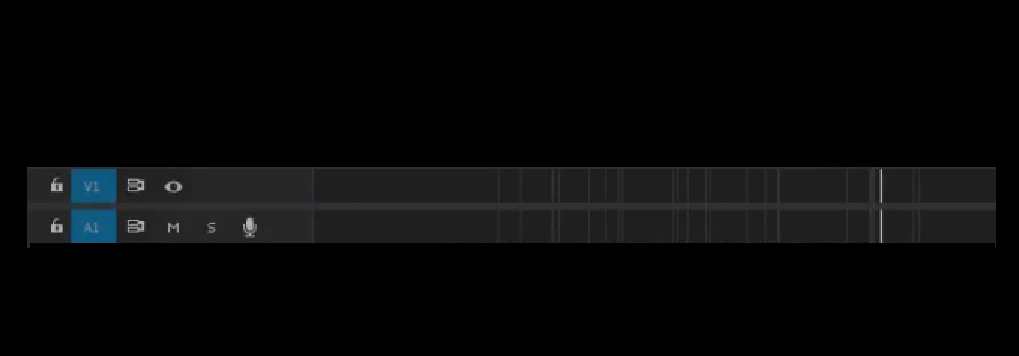
I need to ZOOM IN, find a big enough clip and apply the effect on it in order for it to apply to the whole selection.


Unfortunatley there is no similar option "apply transition effect to selection" but for pure video effects, right?


Zooming IN and OUT takes time if done multiple times, I would like to be able to apply the effect direclty once I selected the clips, WITHOUT having to zoom in to find a big enough clip that can receive the effect, is there any better way (and or faster)?


T"hanks

This topic has been closed for replies.
Correct answer Mike Dziennik

With the clips selected, you can double click on the effect in the Effects panel and it will apply it to the selection. You can also drag and drop, but the selection highlight might not be particularly visible if your clips are tiny.

1 reply

Mike Dziennik
Community Expert
Mike DziennikCommunity ExpertCorrect answer
Community Expert
February 8, 2024

With the clips selected, you can double click on the effect in the Effects panel and it will apply it to the selection. You can also drag and drop, but the selection highlight might not be particularly visible if your clips are tiny.

Bed30321077z973
Inspiring
February 8, 2024
quote

With the clips selected, you can double click on the effect in the Effects panel and it will apply it to the selection. You can also drag and drop, but the selection highlight might not be particularly visible if your clips are tiny.


By @Mike Dziennik

This is impressive!

Thanks