

Bed30321077z973
Inspiring
September 5, 2025
Question

Cannot change langage once a transcription is created? (CANNOT RESET)

  • September 5, 2025
  • 1 reply
  • 139 views

I noticed that transcription cannot be RESET, even if you delete a track or hide one and click again on create trasncription

Proof is that even if you do it you see the same captions from before

The thing is in my video transcription was made in english, with lot of errors becuase it is not in english:

I tried to redo it (restart the process of transcription)

I cannot!
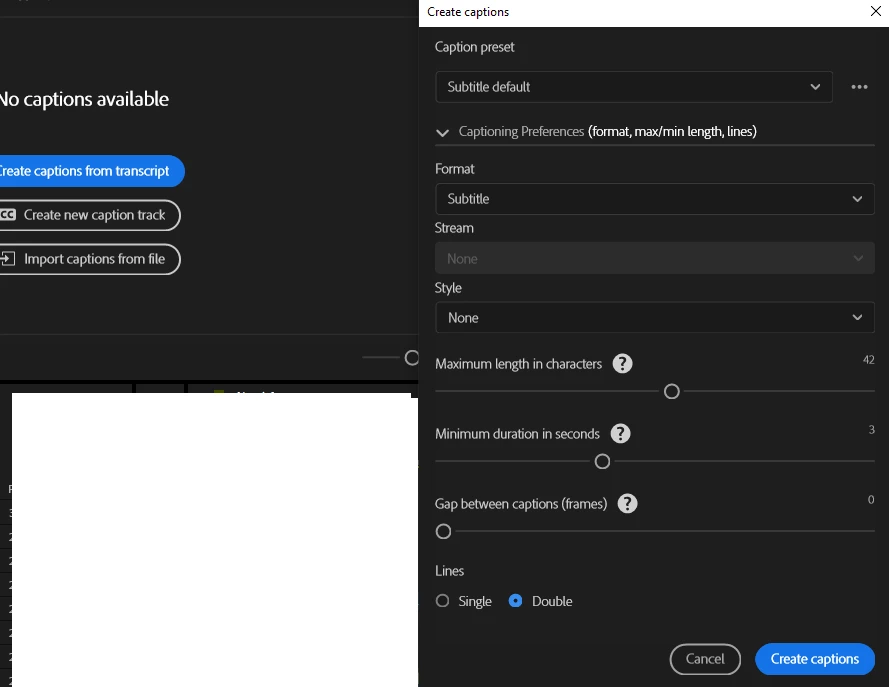
 

As you can see you can no longer select a langage, or restart/reset the transcription once it is has been done once,

How to do solve this?

1 reply

Stan Jones
Community Expert
Community Expert
September 5, 2025

@Bed30321077z973,


You cannot change the language for captions; you must change that in transcription.


You CAN re-transcribe. But you must know whether you have source media transcription or a static, sequence transcription.


Click in the sequence. Then switch to the Text panel/transcript tab.  Click on the 3 dots menu. If you see "create static transcription," the transcription is of the individual clips. You can select the clips in the Project panel, right click, and pick re-transcribe. If you see "generate text-based editing transcript," you have a static transcript. You can pick re-transcribe sequence right there.


Stan