
November 19, 2021
Question

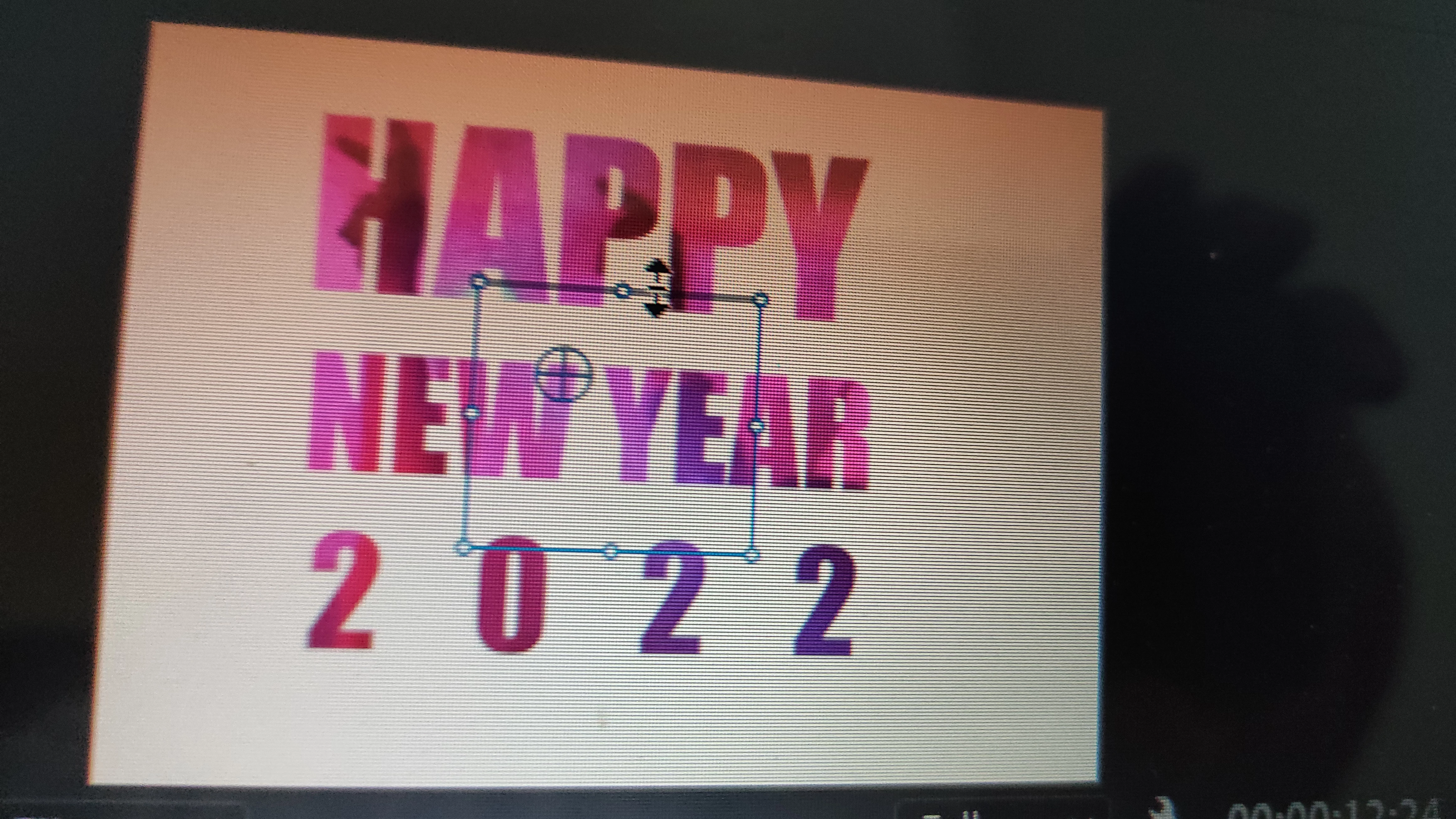
Cannot change the text box size

  • November 19, 2021
  • 3 replies
  • 1767 views

So I wanted to edit a portion of text for typography and couldn't select the part because the text bounding box was smaller than the text itself. Also I used the text tool instead of the legacy title. How do I make sure the text box is the same size as the text? 
This topic has been closed for replies.

3 replies

Ann Bens
Community Expert
Community Expert
November 20, 2021

Post screenshot of effect controls.

Ann Bens
Community Expert
Community Expert
November 19, 2021

Are you sure its not just some random textbox over your pink text.

November 20, 2021

Yes its the same text box for the text but its too small to edit


R Neil Haugen
Legend
November 19, 2021

Use the Essential Graphics Panel ... you have controls there for size/placement of the box.


And of course, if you have the Text tool active ... T for text ... then click/drag across the screen, you set the initial size of a text box. Click inside the box to begin typing.


You might go to the Help menu, to get to the online tutorials and User Guide to help get you farther along.


Neil

Everyone's mileage always varies ...
November 20, 2021


Thanks for the help. i just realised that because i had a luma track matte applied, it showed me that size. As soon as i disabled the effect i got the inital text box size back!