
Known Participant
April 15, 2020
Question

Cannot Conform 30fps to 29.97 through Interpret Footage

  • April 15, 2020
  • 3 replies
  • 1929 views

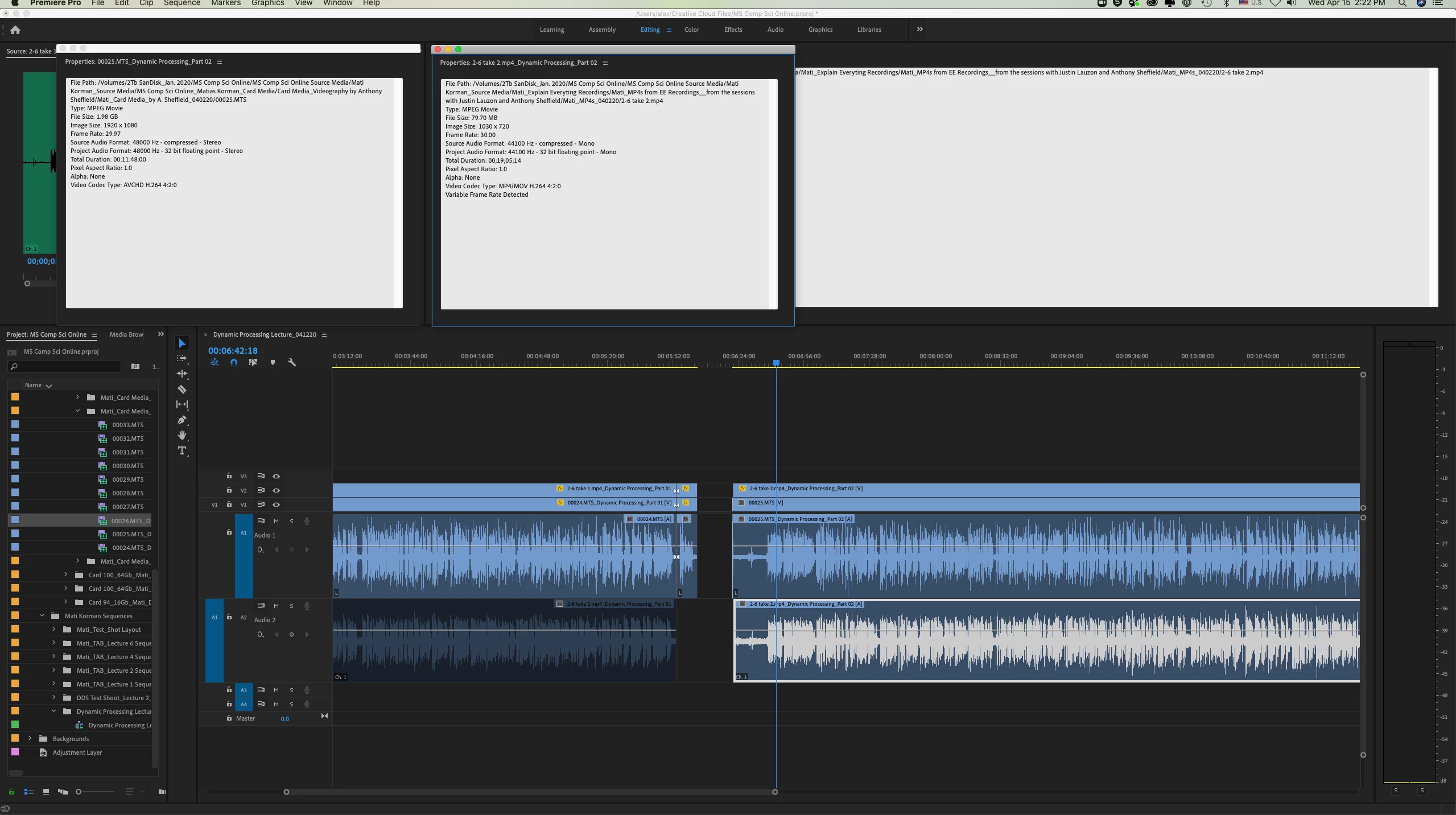
I have a huge issue of having to sync two different sources: one is a screen recording of a lecture in 30fps and another one is the video recording of the professor giving that lecture.  I think that different frame rates are the reason that the screen recording is progressively going out of sync with the video recording of the talent, although they are synced in the beginning.

Because he is writing formulas on a tablet, it's of utmost importance that I match his actions with the screen recording, as they are seen side by side.

The Modify command doesn't work in any direction for me.  If I want to conform 30fps to 29.97fps, I go Modify>Interpet Footage>Assume This Frame Rate: 29.97fps, hit OK, but nothing happens.  The same is for trying to convert 30fps to 29.97fps.  

If I have to manually keep correcting the footage each time it goes out of sync, I am in for a big trouble.

Any help would be greatly appreciated!


This topic has been closed for replies.

3 replies

R Neil Haugen
Legend
April 16, 2020

Well ... try matching the audio frequency rates ... ?


Neil

Everyone's mileage always varies ...
Known Participant
April 16, 2020

In Handbrake?

Known Participant
April 16, 2020

Did it - still out of sync!

Known Participant
April 16, 2020

What a great catch!!!  Many, many thanks, this is a life-saver!

Known Participant
April 16, 2020

Alas, I was celebrating too soon.  I believe I followed your directions, got screen capture in CFR (to 29.97), but it still drifts out of sync.  See attached screen shots.  I have so many of these that I'll need to sync.  Any other thoughts?

R Neil Haugen
Legend
April 15, 2020

The problem is your screen-capture is VFR ... variable frame rate. Some VFR media Premiere can work with but others not so much.


Download the free utility HandBrake and on that app's video tab, click the CFR button and set a specific frame-rate of 29.97, and the compression to "near placebo" to maintain quality. Then reimport that clip to replace the original media.


You can batch-convert using Handbrake also.


Neil   

Everyone's mileage always varies ...