Participating Frequently
October 21, 2024
Answered

Cannot create solid background behind text in Essential Graphics

  • October 21, 2024
  • 1 reply
  • 644 views

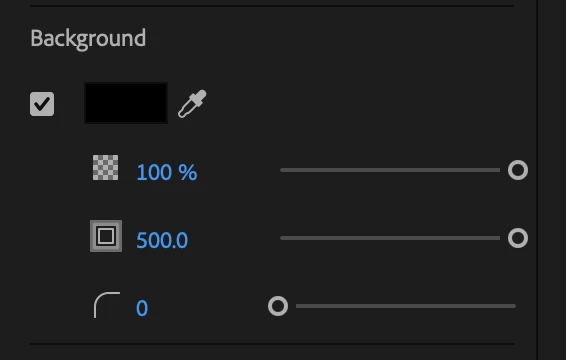
I am trying to create a full screen graphics with white text over a solid black background. When I create my text, I have the option of a background which seems pretty intuitive.  However, when I check the box, the background is just slightly larger than the text. So, I used the Size control to adjust the size of the background but it has a maxium of 500, which does not fill the screen!


So how do I create an Essential Graphic with a solid background?


This topic has been closed for replies.
Correct answer Annika Koenig

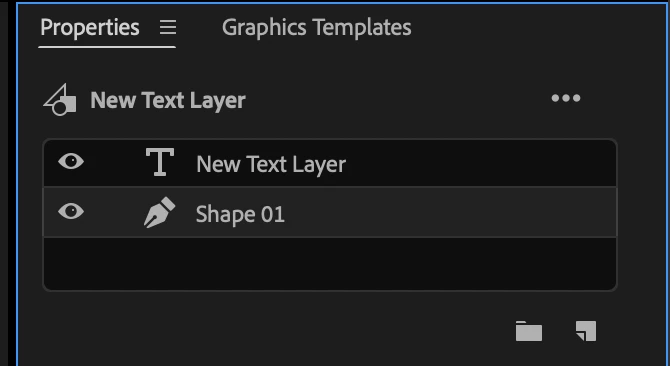
Hi @TMCVSA23 ! Instead of using the background control for the text layer, you can create a new shape layer with the rectangle tool and make it whatever size you need to. Make sure your shape layer is moved under your text layer in the stack.


1 reply

Annika KoenigCorrect answer
Adobe Employee
October 21, 2024

Hi @TMCVSA23 ! Instead of using the background control for the text layer, you can create a new shape layer with the rectangle tool and make it whatever size you need to. Make sure your shape layer is moved under your text layer in the stack.


TMCVSA23Author
Participating Frequently
October 21, 2024

That is freakin' brilliant!!!

I knew I could do it by adding a layer of black, but I didn't want to add another layer. You solved it!

Thank you.