
Cannot now drag a sequence to a new sequence on timeline - can you help?
OMG - why god - WHY - does this xxxx ALWAYS seem to happen to me!?
Everything was going great. I was working very fast and I often create multi layer sequences, then drag that sequence onto another sequence. But as I was working I hit some key or other and it changed everything in my settings.
So I put everything back (at least I thought I did) and now I cannot drag a sequence onto another sequence. See below:
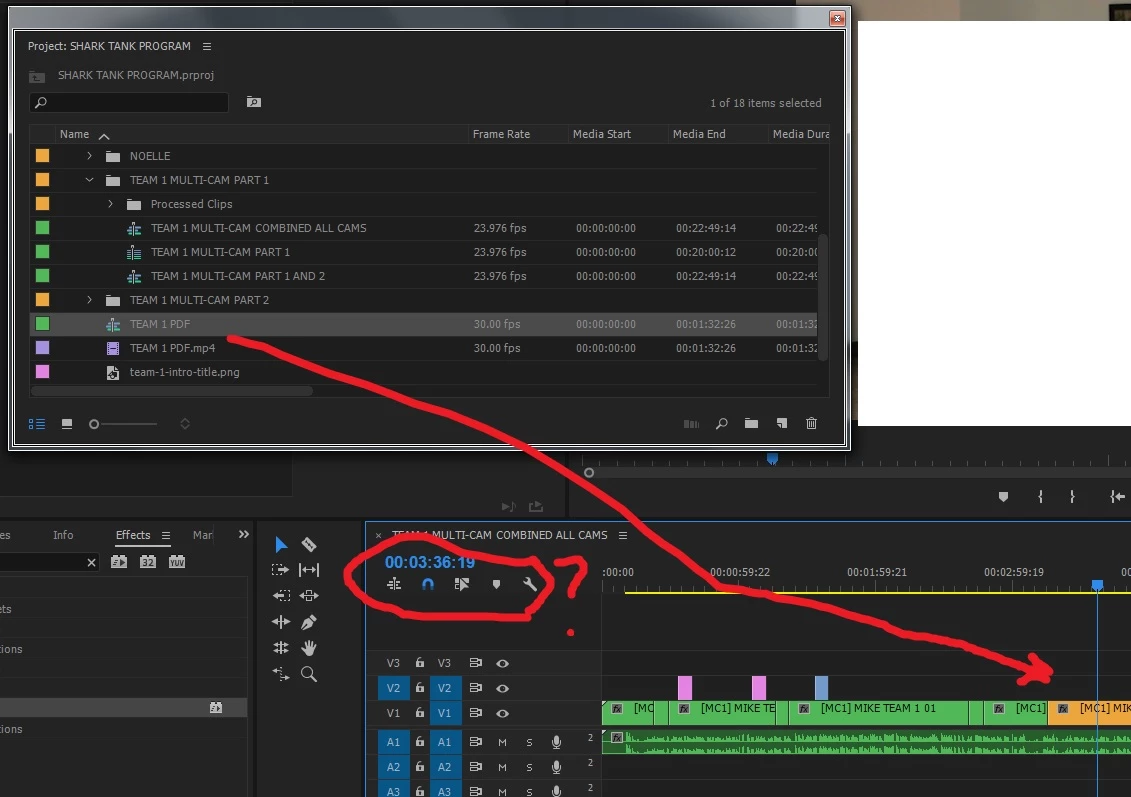
I mean is there some kind of command that prevents this from happening? Do I have to file my fingers down to nothing to avoid hitting a key or two and throwing this off completely like this? I tried changing those controls in the circle - the first one when it's blue allows me to drag it but all of the sequence layers show up. I don't want that.
Anyway, I'd appreciate the help very much - I tried Googling this and nothing stood out for me.
Thank you.
 AdChoices