Known Participant
March 21, 2022
Question

Cannot open Video Encoder Settings

  • March 21, 2022
  • 2 replies
  • 397 views

Hello,

I'm having a devil of a time. Hoping the community can help me out. 

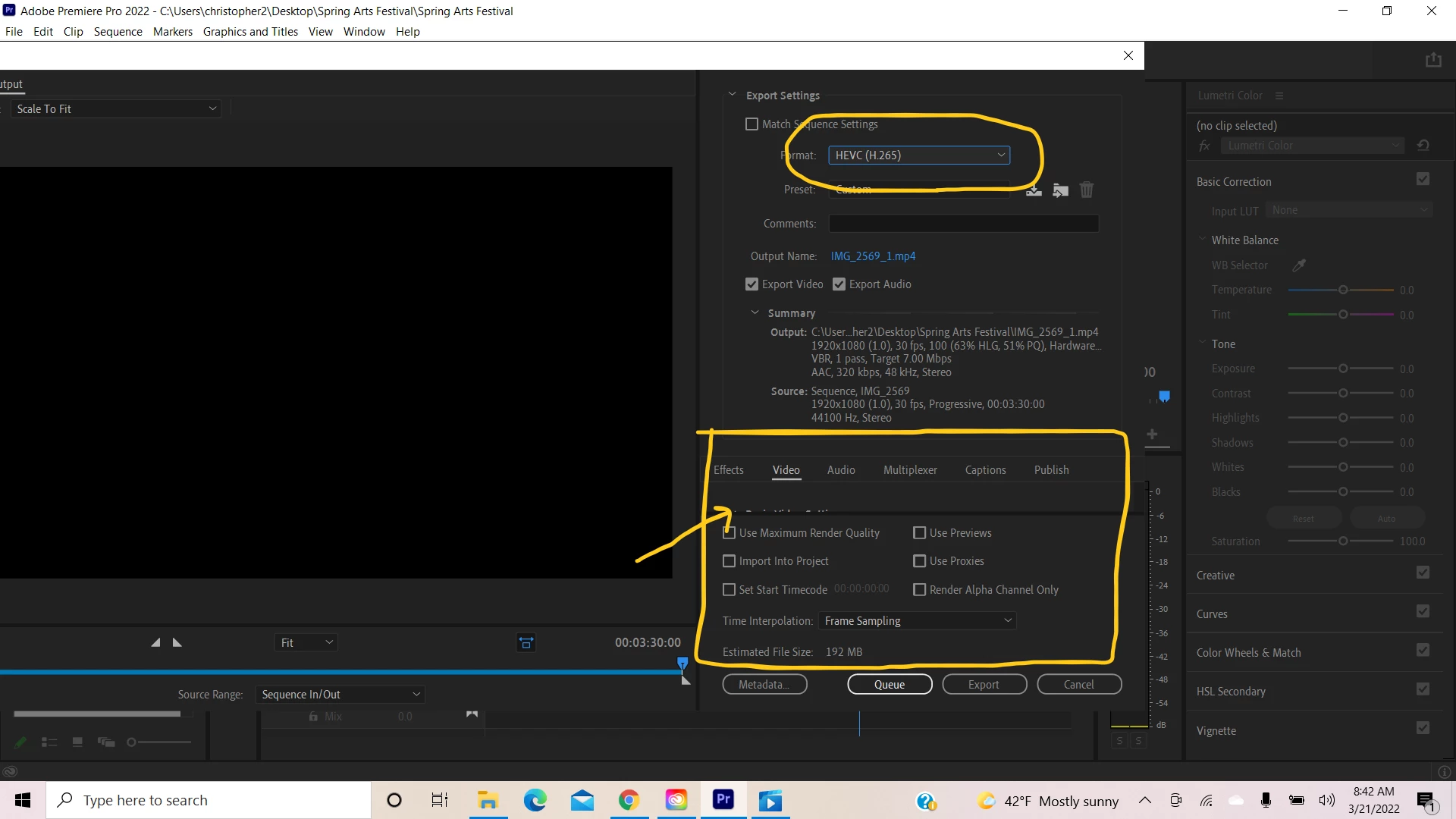
I am trying adjust Export settings. I cannot get to the Video Encoder settings in the export window (see screenshot). 

This is actually part of a larger issue I am having. I'm trying to figure out how to fix another issue.

My export video looks very different than the preview video. It is overexposed and oversaturated in the export. The tutorial I am trying to follow notes that if my video footage was shot in H.264 / HVEC, it should be exported in this format. I am only seeing one or the other, not both formats. (see the screenshot). I think I am going to need a lot of help trying to figure this larger issue out as well.

Thanks in advance.
This topic has been closed for replies.

2 replies

R Neil Haugen
Legend
March 21, 2022

The "overexposed/oversaturated" issue probably has to do with dealing with HLG footage from a phone or camera, or some log-encoded footage that Premiere is mis-applying default handling to.


There are A TON of threads on over-exposed or blown out footage ... do a quick scan through the forum and you'll get the answer.


Neil

Everyone's mileage always varies ...
chall161Author
Known Participant
March 22, 2022

Thank you very much Neil. If anyone comes across this discussion, this is what I did. I found that I needed to download a QT Gamma Compensation. When exporting iPhone 12 footage I made sure SDR Conform box is checked; it is not by default and the videos come out blown out if you don't adjust. This video helped me: https://www.youtube.com/watch?v=-IAmLidwL7A&list=LL&index=2

chall161Author
Known Participant
March 21, 2022

Update:

I see now that if I mouse scroll in that area, I can get to all of the options. I still have the larger issue of the color export.