
Question
Cannot Paste Attributes and change video format. The bug doesn't allow me to click the okay option.
Thhe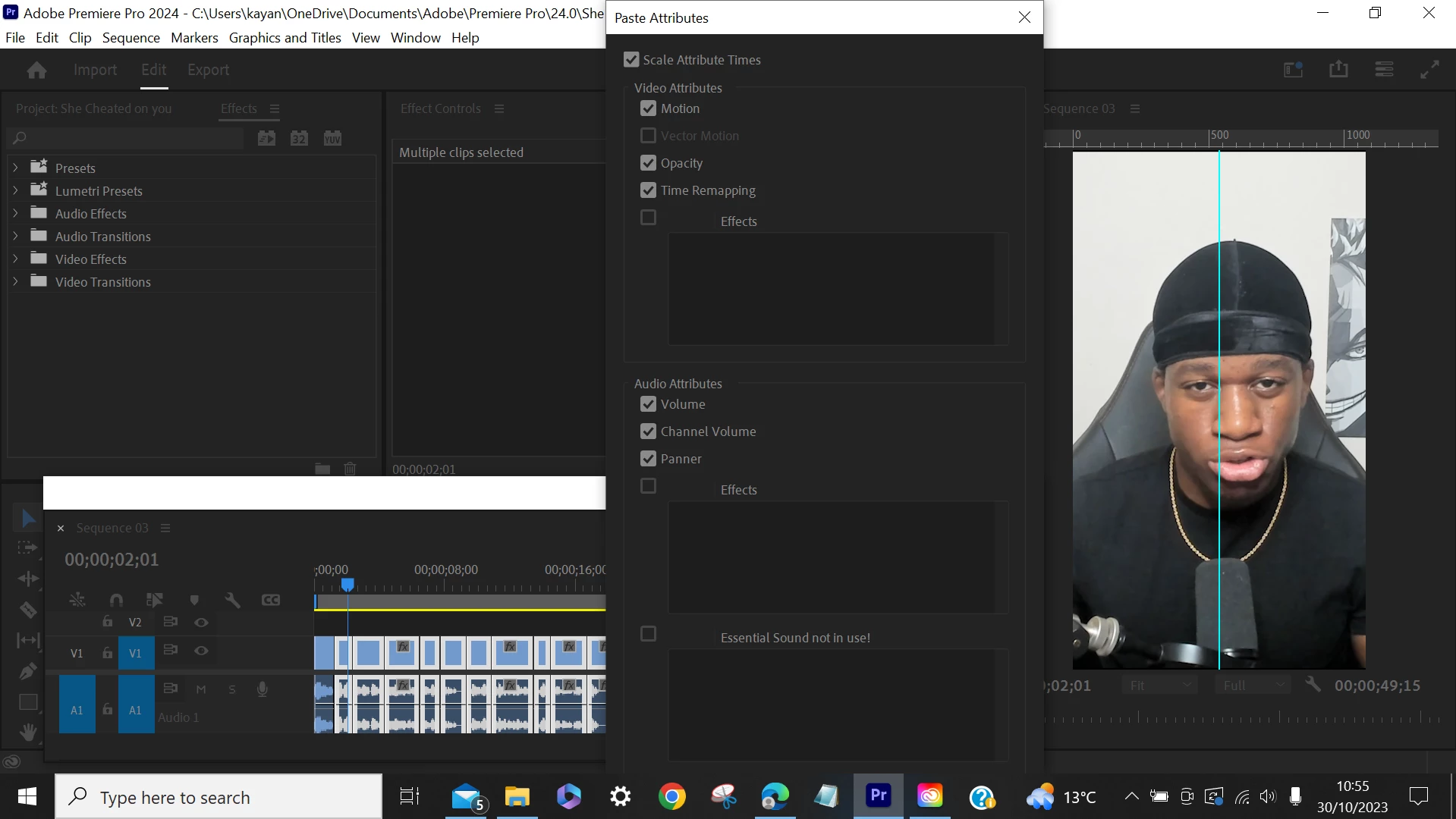 The bug does not allow me to press 'okay' or 'save' as the full page doesn't fit on the screen. I tried to drag it up and zoom it out but the software did not allow me to make any positional changes.
I'm working on a windows Hp computer, with Premier Pro Version 24.0 (up to date).
This bug is make my work tremendously longer. Pleases fix this asap, i'm not suprised if thousands of other people are experiencing the same thing.


 AdChoices