
cannot select options in menu after greying out, macos premiere pro
So this has been happening frequently for the past few months and I can't figure it out.
Many of the menu options grey out, and I can't use essential functions. The only way to fix it is to open another project, then close that one, and go back to the project I was originally working on. I've attached a screenshot of what the drop down menu options look like when this happens. Only the white functions can be selected, everything else just won't work. This happens to the vast majority of the options in all the menus (all the rendering options under "Sequence", etc.)
Any help would be greatly greatly appreciated.
system info:
macos 10.13.3
MacBook Pro (Retina, 15-inch, Mid 2015)
2.8 GHz Intel Core i7
16 GB 1600 MHz DDR3
AMD Radeon R9 M370X 2 GB
Intel Iris Pro 1536 MB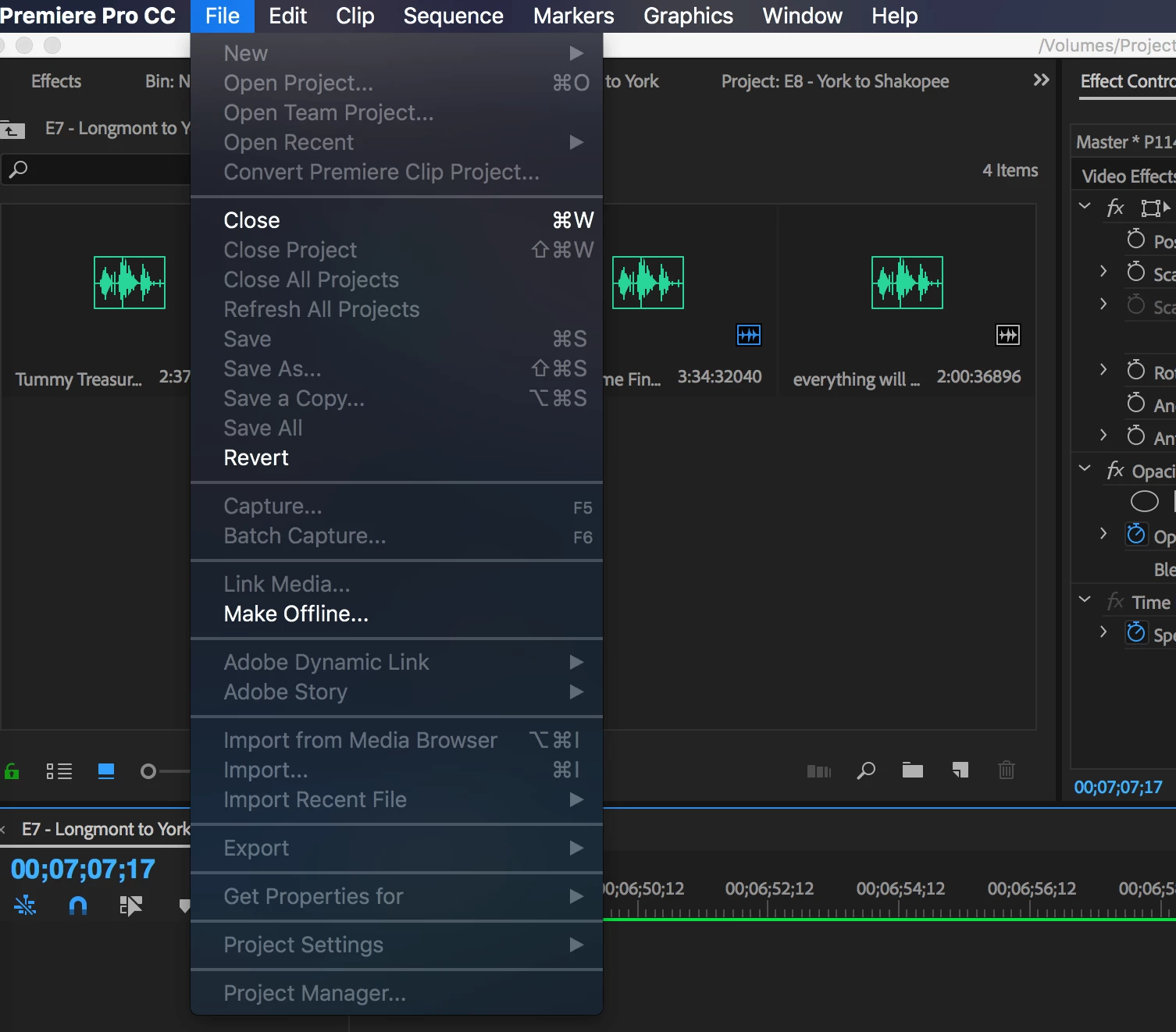
 AdChoices