
Participant
October 23, 2022
Answered

Cant add iPhone video clip to Video-timeline, just audio-timeline

  • October 23, 2022
  • 1 reply
  • 1323 views

Hi, 


I have problems with adding a video clip from an iPhone to the timeline. I have sucessfully imported the video and can play it in the preview window without an issue. But as soon as I try to add it to the video-timeline, I cant, it looks like below image:
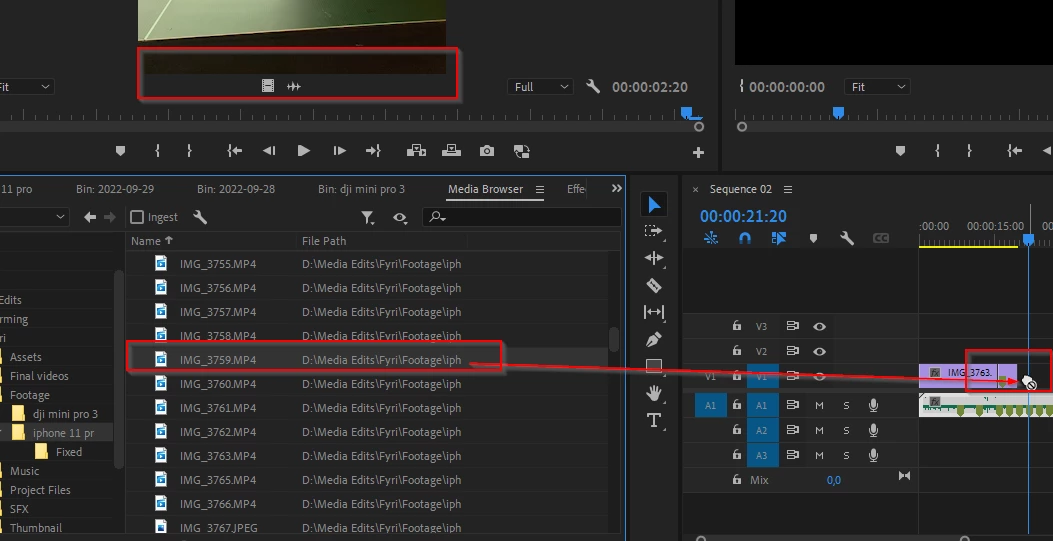
If I try to add it to the audio-timeline it works:

I cant figure out why this is happening.

here are the properties for the Videofile:
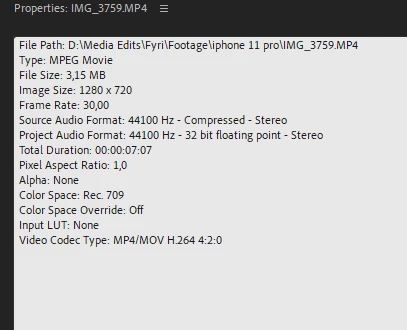


I have tried the following:

1. Clear Premiere Cache

2. Adding mp4 to the end of the file and imort it again

3. Used Adobe After Effects to convert the codec and container to see if that helpes. 
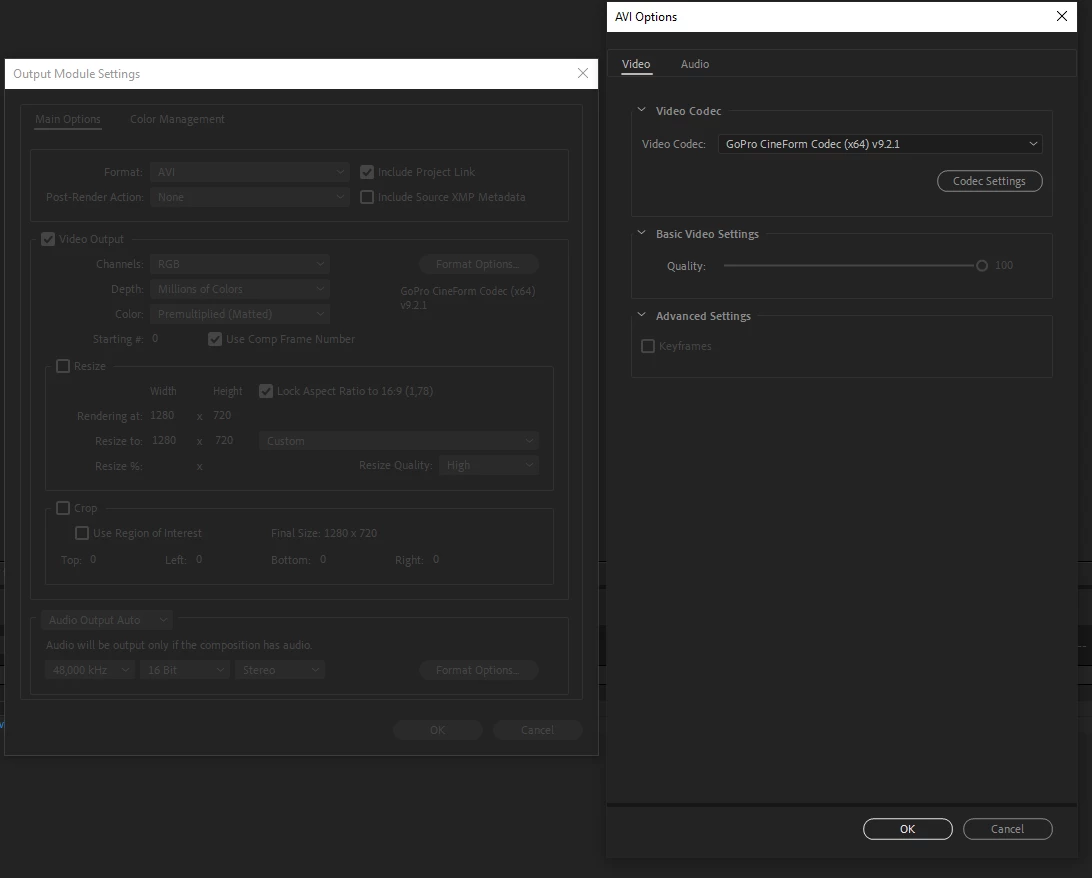


Im not sure what I might be missing and I cant find anything that can help me in this community or other places. Im quite new to this so it might be somthing easy to fix. Let me know if I have missed some crusial information or if you have any questions!


I hope someone out there is able to help me 🙂 
Thanks!
This topic has been closed for replies.
Correct answer Jonas23977996rjq3

Hi, 
as soon as I posted my question, I got thread recommendations, and ofcoarse one of them was exactly my issue. And as i suspected, it was an "easy-in-your-face" solution. found here:
https://community.adobe.com/t5/premiere-pro-discussions/unable-to-add-video-to-my-premiere-timeline/td-p/12058234

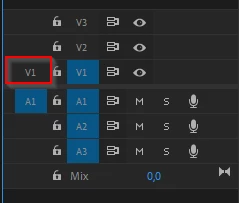
Basically I needed to toggle this:

After pressing it, turning it blue. Everything worked flawlessly! 


1 reply

Jonas23977996rjq3AuthorCorrect answer
Participant
October 23, 2022

Hi, 
as soon as I posted my question, I got thread recommendations, and ofcoarse one of them was exactly my issue. And as i suspected, it was an "easy-in-your-face" solution. found here:
https://community.adobe.com/t5/premiere-pro-discussions/unable-to-add-video-to-my-premiere-timeline/td-p/12058234

Basically I needed to toggle this:

After pressing it, turning it blue. Everything worked flawlessly!