
Participant
February 7, 2018
Question

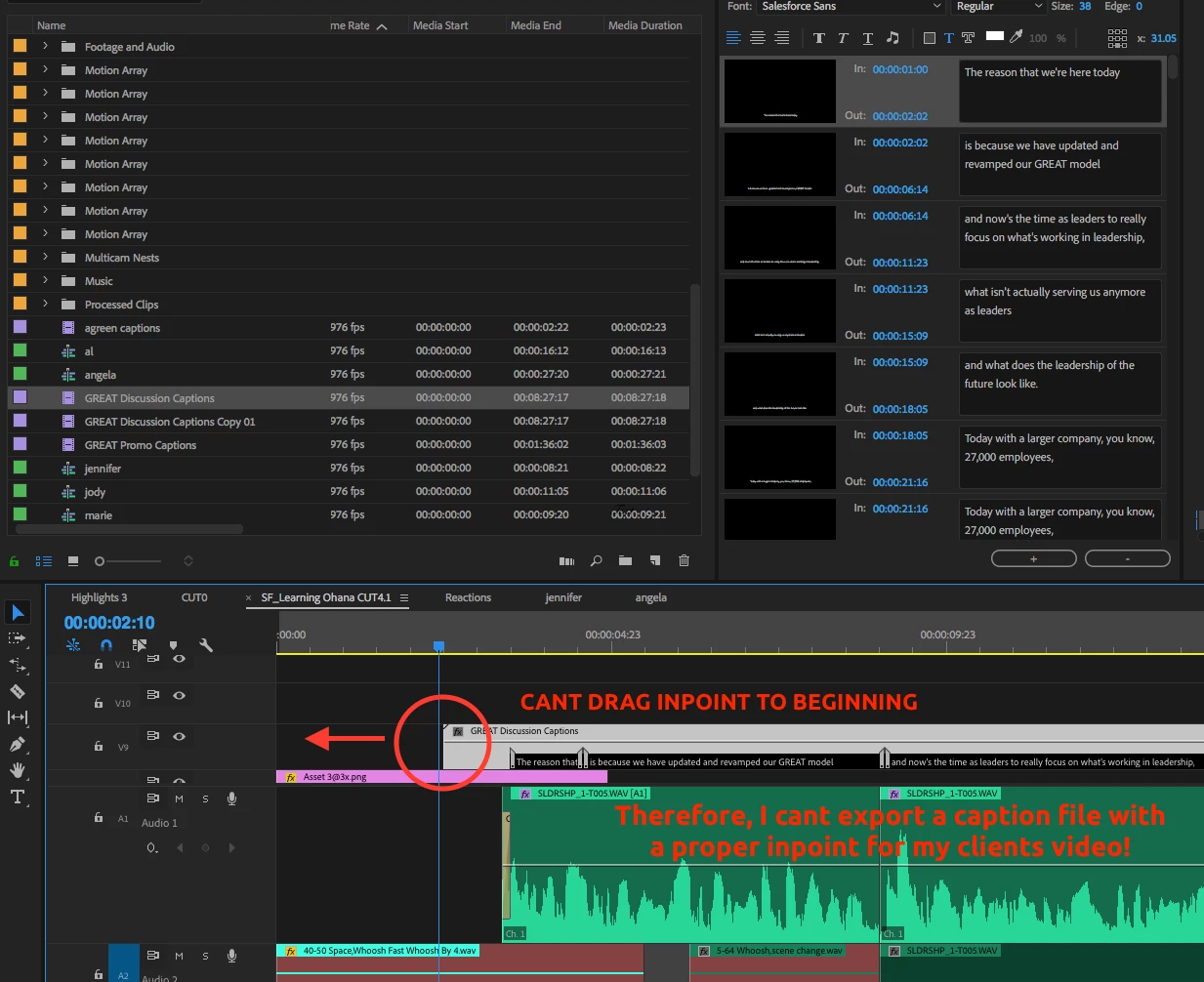
Cant change Open Captions In Point in Premiere CC

  • February 7, 2018
  • 2 replies
  • 4552 views

Hi there,

I made open captions for an 8 minute client video and then the client told me that they want to add the caption file as a separate element later on Youtube, so that the viewer can choose whether to turn it on or not. Which is totally cool except the way you export a caption is by isolating it and clicking File>Export.Captions... So when I export the caption it thinks the start point is the start of the caption itself, not the start of the actual video, so its impossible to get the caption to sync with the video.

No mater how many times I try, I cant seem to get the captions to stay in the same spot, yet have the caption track start at 00:00 of the video. Ive tried changing computers, workspaces, and duplicating the caption file. Nothing seems to work. Help!
Premiere Pro CC

This topic has been closed for replies.

2 replies

Evan Coindsek
Participant
May 28, 2019

I found this 'unanswered" post because I was having the same issue. And now I am responding because I found a much much simpler solution. I have my Open Captions on my timeline, in the spot I want it, starting with the first caption 13 seconds after the start of the video itself. While you've highlighted the first caption and have your caption edit window open, there should be a button at the bottom that says Export Settings, which I've circled in the attached screencap. Click on that and it'll open a dialogue box where you can edit the Timecode Status > Start of Program (also circled). In that space fill in the same timecode of where on your timeline your caption file starts on the video sequence.

Export as Open Captions

When you add this to your youtube video, the captions will start at the timecode you specified.

Easy Peasy

Participant
January 22, 2021

it's not worked

Participant
February 5, 2019

I have exactly the same issue. Usually I always start the caption at the beginning but now the subtitling is done (shorter than yours hopefully) and I can't move it. In fact I can move it to the beginning of course, but then it's no longer synch. I can't believe it's not possible to adjust this without losing everything

Stan Jones
Community Expert
Community Expert
February 5, 2019

JL, what specific dot version of PR are you using?

So, yes, you can move the caption stream on the timeline, but that does not change the timecode of the captions, which are set by the caption stream in the caption panel, and have no relationship to the timeline's timecode.

Are you saying that YouTube takes a subtitle file, and if caption 1 starts at 5 seconds, it does not import it that way? Or what is the problem?

I'll try to test this later, but want to understand what you are actually doing.

Participant
February 5, 2019

Thanks for this quick reply. I am using version CC 2019.

The problem is I have done the job not noticing the caption file wasn't starting at 00:00

Apparently it's not possible to move the subtitles all together even if it's possible to select all of them ..

Lot of people complaining about this, here for example: Re: How to insert caption item / move multiple caption items?