Inspiring
December 10, 2019
Question

Cant edit speed of keyframe

  • December 10, 2019
  • 3 replies
  • 6111 views

Hi there, 


I cant seem to edit the speed of my keyframes. see attached image
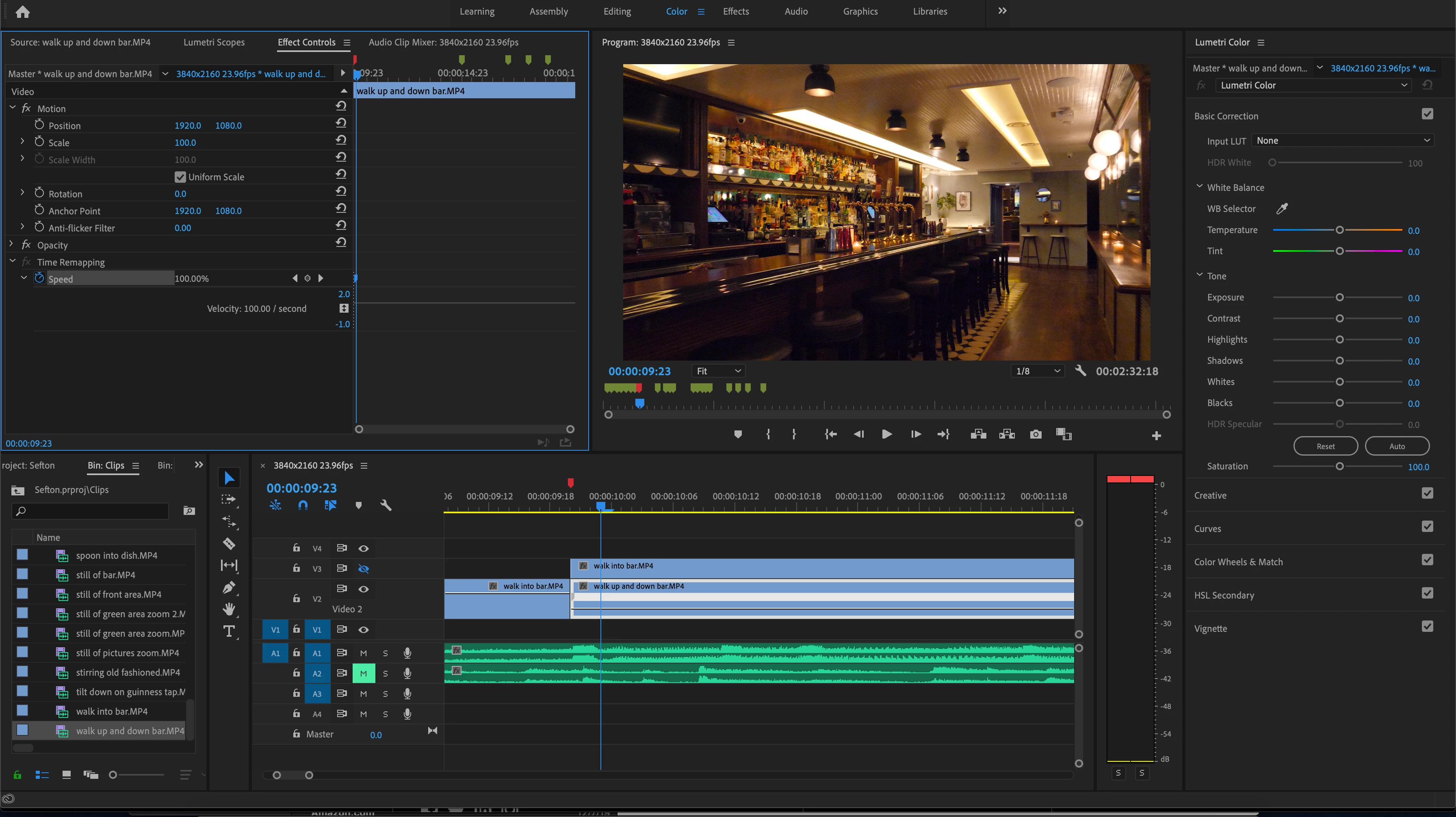
This topic has been closed for replies.

3 replies

Community Expert
December 10, 2019

But, why do you say that you can't? I see all normal, explain what and how did you making it to try to help you.

Byron.
Inspiring
December 10, 2019

Thanks for the response. I added a keyframe and where it says 100%, I can't change this. I want to change the speed of the keyframes not the whole clip. Normally I can drag this "100%" left and right or type over it but it wont let me. I can only drag the velicty line up to increase the speed so at least that is a workaround

Inspiring
December 11, 2019

Any idea why I can't edit the number??

Ann Bens
Community Expert
Community Expert
December 10, 2019

IMO Timeremapping is best done on the timeline.

https://www.youtube.com/watch?v=Mx7cISpCtqs


bucksommerkamp
Community Expert
Community Expert
December 10, 2019

You can adjust the speed of a clip by right-clicking the clip and choosing "Speed/Duration." https://helpx.adobe.com/premiere-pro/using/duration-speed.html