
Caption Edits Not Showing
Hello, I just want to start out that I have next to no knowledge on using Priemere, besides some basic cutting together of videos. I have much more experience in other Adobe products, so I'm familiar with some of their logic.
This may very well be something stupid on the user end, but I haven't figured it out yet.
We received an mp4 from a client and created captions and time coding, which was exported in an SRT file. We then imported both the mp4 and srt into Premiere to burn the captions into the video. I dragged the video and caption files on the timeline, and the captions show, but when I try to edit the text formatting (size, position, color etc.) it shows in the preview in the caption window and not the video preview (or whatever the window is in the top right of the default layout).
Do I need to refresh the video preview somewhere? Is there a save, or an apply button I'm missing? Here is a screenshot of the whole Premiere window. I changed the text formatting pretty extremely to show my point.
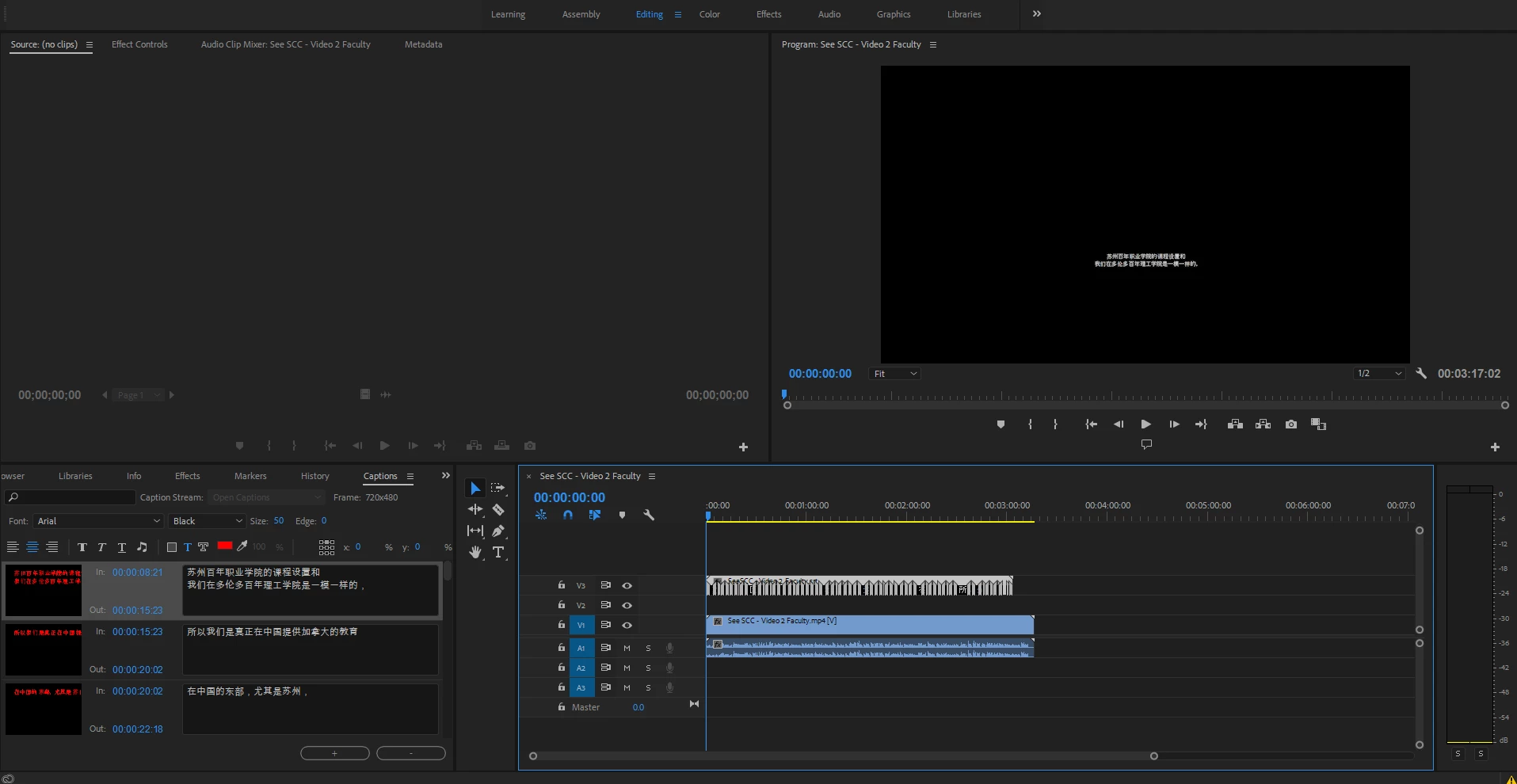
What am I missing??
 AdChoices