


Answered
Caption tracks in a Timeline panel cannot change the lower height limit
Operating environment: M2 Macbook Air (macOS: Sequoia 15.5)
Premiere Pro 25.2.3 (Build 4)
In a Timeline panel, you can change the height of the screen by grabbing the thick border between the audio and video tracks.
Grabbing the thick border between the caption track and the video track doesn't change the height on the screen.
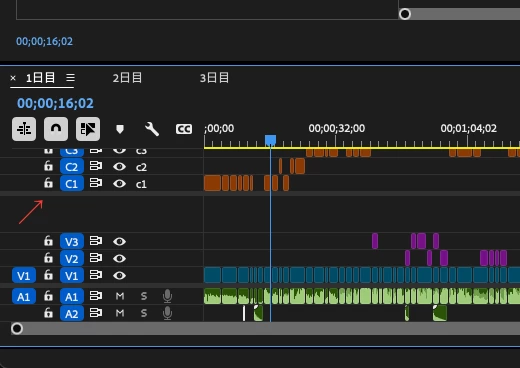
This means that if you are using multiple caption tracks and you add a third or more tracks, they will be hidden in the top border of the Timeline panel.
Is this considered a bug? Is there another way to change the height on the screen?

 AdChoices