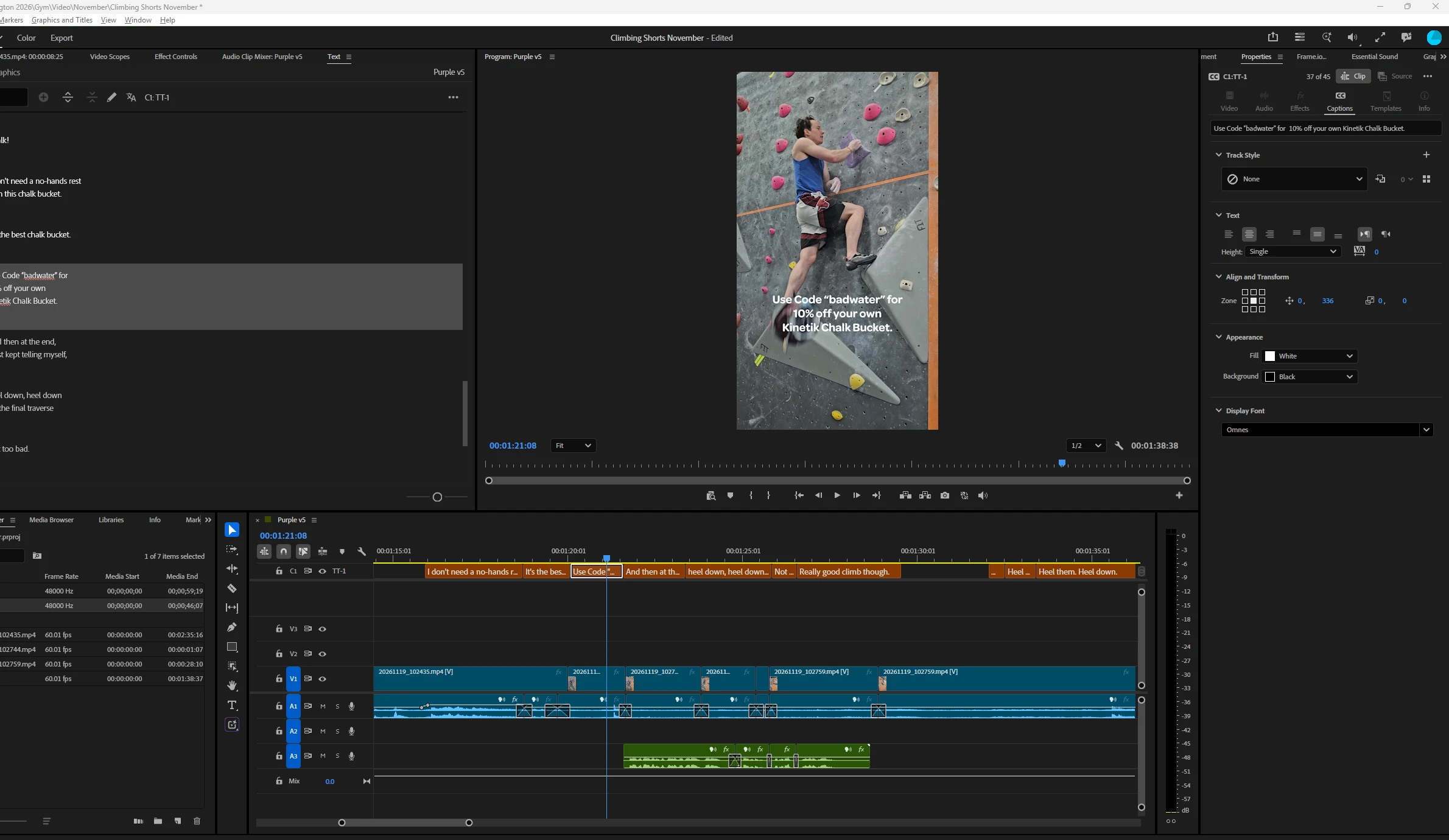
Hi, two separate things here. For the line breaks: when you create captions, the Lines setting in the Create Captions dialog only offers a single line or wrapping the text into two lines, so Premiere does not automatically re-wrap a caption into three lines when you edit its text.
For the font size: select the caption text in the Timeline panel, then use the Properties panel to adjust the text properties, including the font. You can then save that look as a track style with the plus icon in the Track style menu.
Official docs:
https://helpx.adobe.com/premiere/desktop/add-text-images/insert-captions/create-captions.html
https://helpx.adobe.com/premiere/desktop/add-text-images/insert-captions/create-styles-for-captions.html

 AdChoices