Inspiring
August 6, 2017
Question

Captions lose anchor point after update to 11.1.2 (Premiere Pro CC)

  • August 6, 2017
  • 1 reply
  • 303 views

After updating from 11.0.2 to 11.1.2, all (open) captions have LOST THEIR ANCHOR POINT, and are appearing in some nonsensical default-position!

I'm including a screenshot for evidence. Note the red circle: no anchor point seems to be set.

I can reset single anchor points, but to redo this on a whole captions stream is simply not feasible!
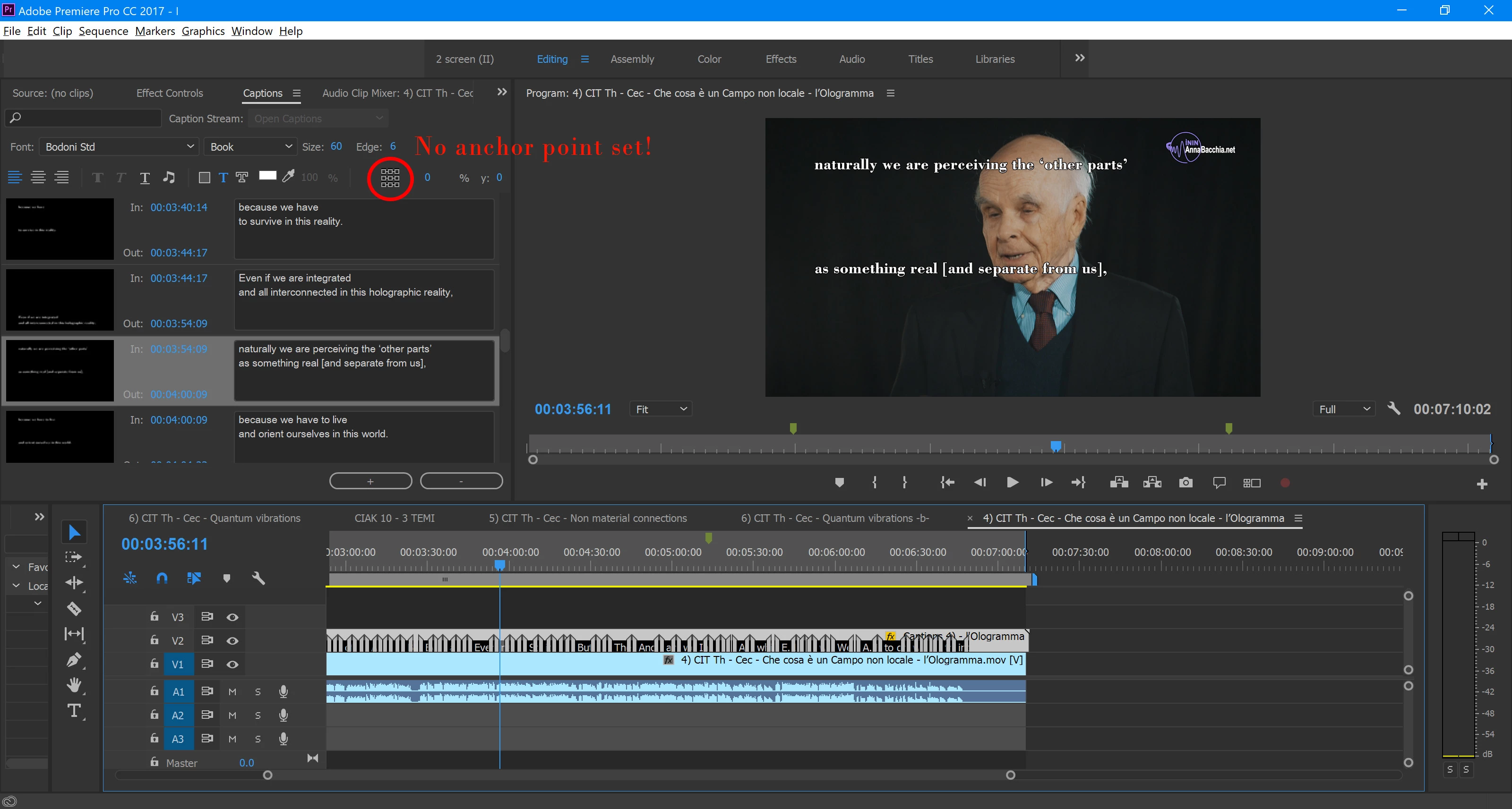
Is there some possibility to reset all anchor points or to recover the lost information?

Even the possibility to edit all the captions in the stream at once, and to give them a new anchor, would be an option.

Should I file a bug report on this?

This topic has been closed for replies.

1 reply

Kevin J. Monahan Jr.
Legend
August 21, 2017

Hi Calzaferri,

What happens if you import the original project rather than update it? Let us know.

Thanks,
Kevin

Kevin Monahan - Sr. Community and Engagement Strategist – Adobe Pro Video and Audio
OneNNAuthor
Inspiring
August 22, 2017

Hello Kevin,

When I import the whole project, the captions first appear at the right position, even if their anchor point appears to be not set. But when I save the project, upon reopen I encounter the same situation as described in my original post.

(Importing only the sequence gives the same result).