Inspiring
Jun 26, 2023 2:07 PM UTC
Answered

Captions - no language options showing

Hello


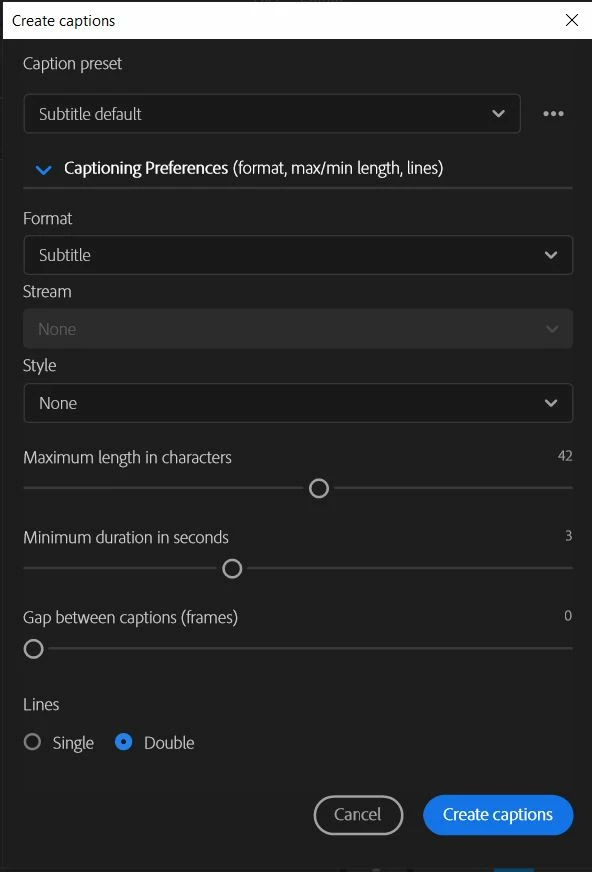
I have APP 2023. I know how to create captions, however when I do so, I am not given any language option. I wish to create them in French. Can anyone advise me?
Jude5CC3Correct answer
Inspiring
Jun 26, 2023 2:44 PM UTC

Thank you!

5 replies

Stan Jones
Community Expert
Community Expert
Jun 2, 2024 12:33 PM UTC

@レオンマ,


> There is no language select option. 

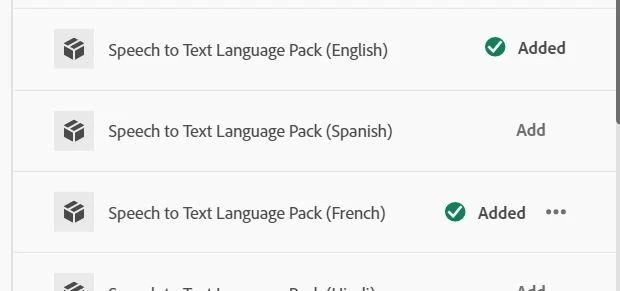
You're probably seeing one of 2 issues. As Ann says, the language selection is in the transcription options, not captions. Captions are created using the language of the transcription.


Also, when using automatic transcription, you must set the language before you transcribe.


To check this, in the Project Panel, right-click on a clip and pick transcribe (or re-transcribe). You will see the language selection for transcription.


Stan


Translate
Inspiring
Jun 2, 2024 11:09 AM UTC

Same issue. There is no language select option. It seems to have disappeared with updates, it used to be there. Guess no one noticed.

Translate
Participant
Jan 31, 2024 2:26 AM UTC

that doesnt work .. its all transcript in english but my video in french why?? and also the language always seem to desapear when i download french pack 


Translate
Jude5CC3AuthorCorrect answer
Inspiring
Jun 26, 2023 2:44 PM UTC

Thank you!

Translate
Ann Bens
Community Expert
Community Expert
Jun 26, 2023 2:30 PM UTC

You need to choose transcript preferences instead of caption preferences (first drop down menu)

Translate
