Participant
July 1, 2021
Question

Captions Panel not showing

  • July 1, 2021
  • 1 reply
  • 3343 views

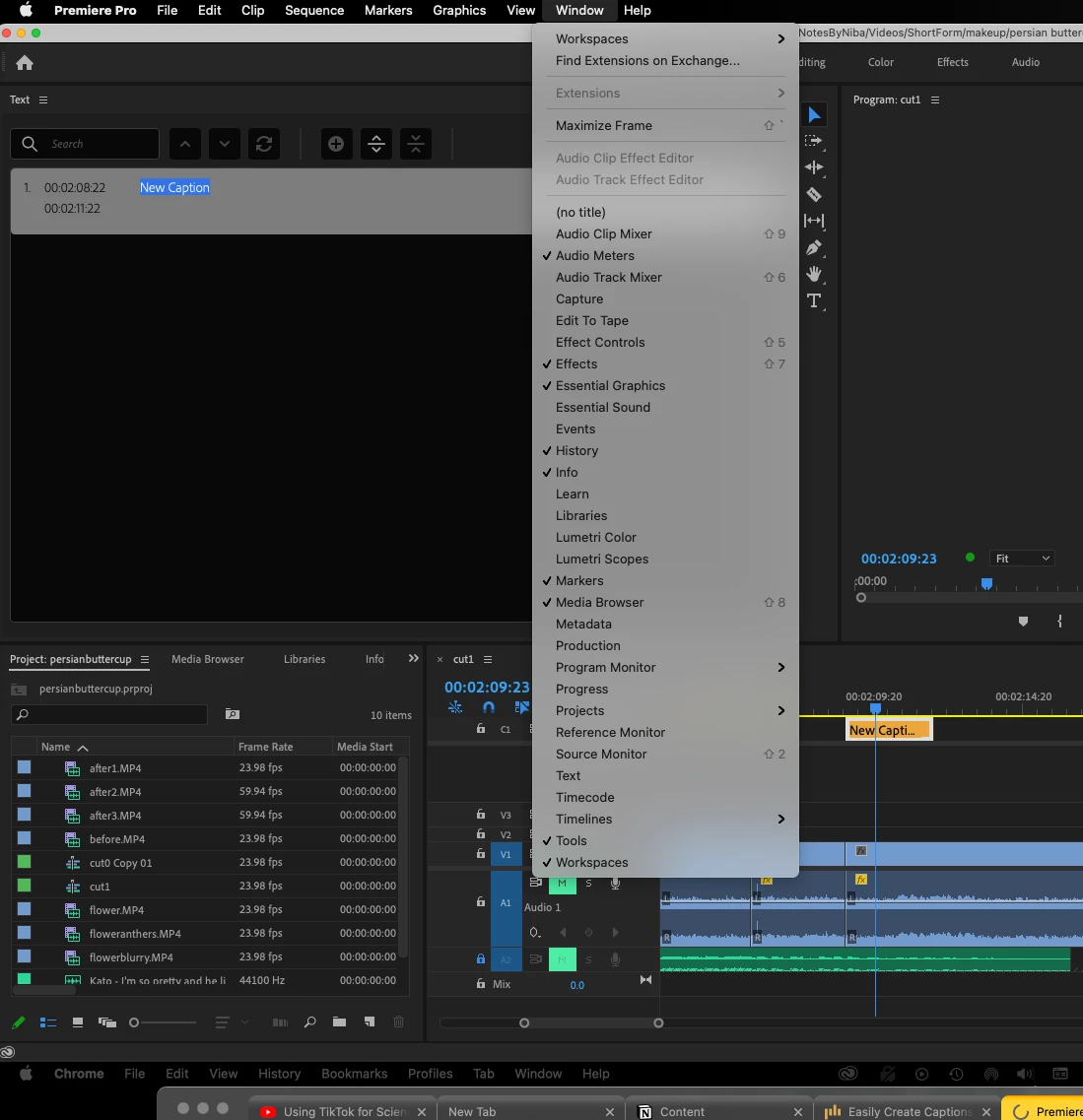
I have the latest version of Premiere Pro, but in the Captions Workspace, the captions panel isn't showing? I tried looking at windows> caption, but that option isn't even there?

 

This topic has been closed for replies.

1 reply

Stan Jones
Community Expert
Community Expert
July 1, 2021

That's it. the next "captions" panel is the Text Panel.


Note that there is a known issue: in the Window drop down menu (that you show), there is no check mark shown next "Text" even when it is open.


Stan


Participant
June 29, 2022

So how do we get to the Text edit feature if it's not showing in the menu?

Stan Jones
Community Expert
Community Expert
June 29, 2022

There are various places where text is edited. "Graphics Text" is access directly in the Program Monitor and the Essential Graphics Panel. Captions/Subtitles is PR 2021 and 2022 is accessed through the Text Panel and the Essential Graphics Panel. 


In PR 2020 and before, there was no Text Panel. There was a Captions panel and subtitles were not edited in the Essential Graphics Panel.


As Neil said in your other thread, to get access to the Text Panel itself, you upgrade to PR 2021 or PR 2022. The latest is 2022.5.


Stan