
Captions timing changing in export
I have been having this issue in every version of Premiere since 2022. I use a Mac, and have had this issue across multiple OS versions. I'm currently on Sonoma 14.3.
I make and time captions and then export them (this has happened when they export as embedded, burned or srt). But for some reason suddenly, the resulting export has a different timing. It makes captions come on noticably late. I cannot figure out what triggers this bug. And once it has happened in a project, I cannot fix it. I have tried absolutely everything I can think of, along with other editors I work with.
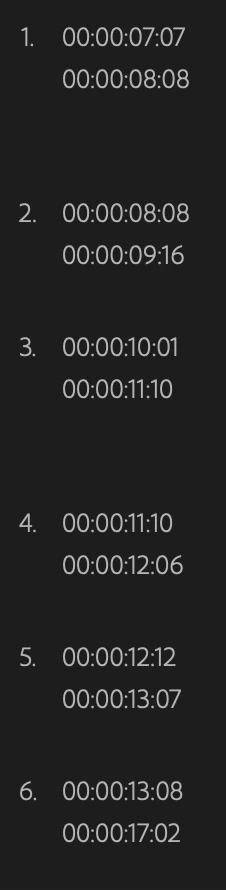
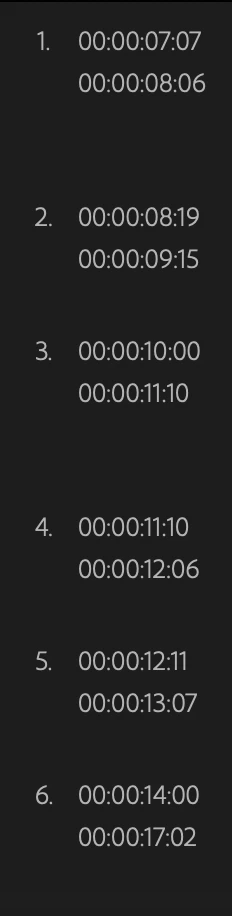
For example, I have a caption timed to come on at 08:08, but the exported caption comes on at 08:19. Or the original caption should come on at 13:08, but the exported caption comes on at 14:00. I have attached screenshots of an example. Original timings on the left, the messed up timings on export on the right.
Anyone know how to fix this bug? Or what triggers it? It seems utterly random to me.


 AdChoices