Participant
January 12, 2018
Answered

Captions window is not displaying some features and tools

  • January 12, 2018
  • 1 reply
  • 185 views

Hi guys, I'm new to Premiere and I'm trying to add some old school subtitles, like those yellow ones, etc.

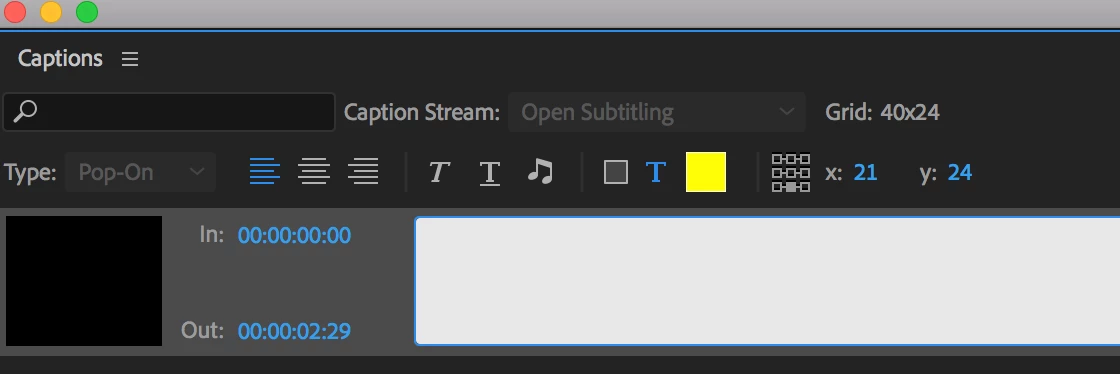
So all the tutorials on Youtube had these extra tools and features that mine doesn't have.

This is how mine look like:
And this is the other one:
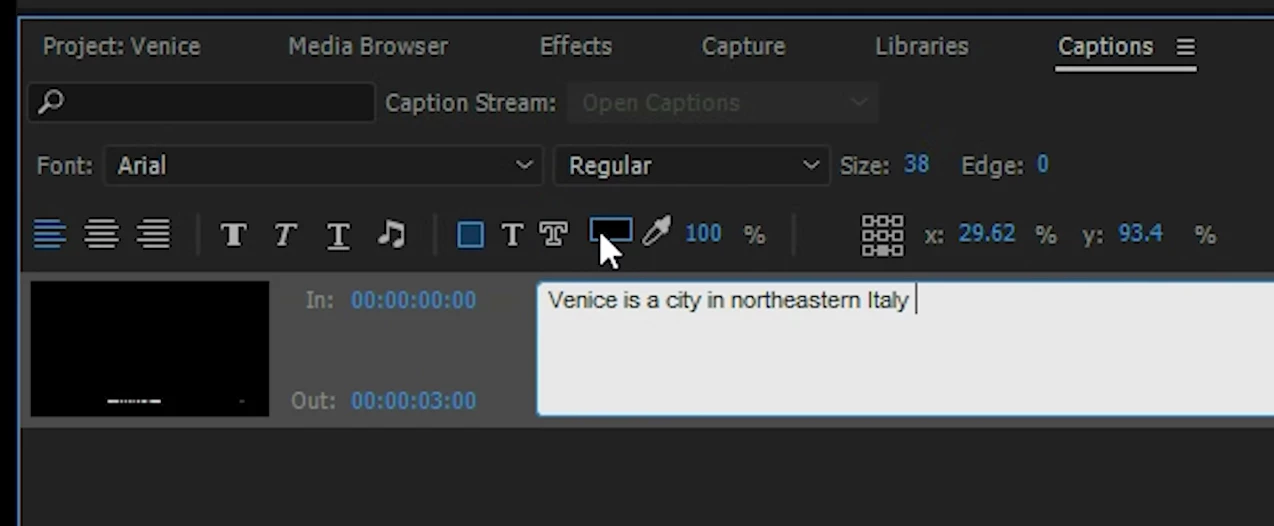
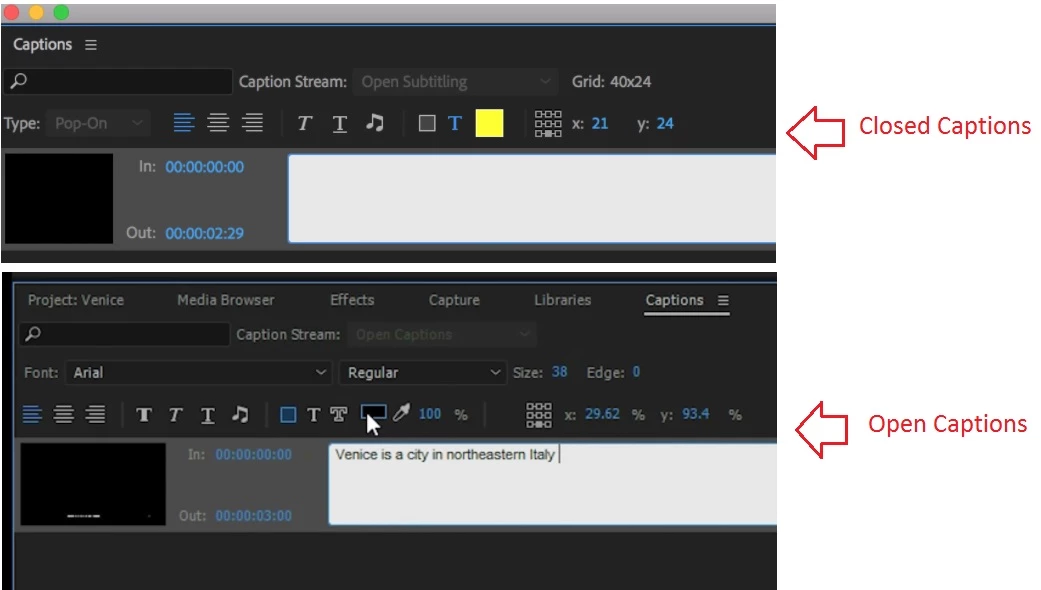
For example, I don't have the tool to give the subtitle and edge color, etc.

So, how can I get those Captions tools on my Premiere CC 2018?

This sounds like a dumb question but.. it's real! =]

Thanks so much, guys!

Cheers,
This topic has been closed for replies.
Correct answer kulpreet singh

Hi felipef14247310,

You are getting confused between Open Captions & Closed Captions.

Please check this link for more information: Learn to work with captions in Premiere Pro

Let me know if that helps.

Thanks,

Kulpreet Singh

1 reply

kulpreet singh
kulpreet singhCorrect answer
Inspiring
January 12, 2018

Hi felipef14247310,

You are getting confused between Open Captions & Closed Captions.

Please check this link for more information: Learn to work with captions in Premiere Pro

Let me know if that helps.

Thanks,

Kulpreet Singh