
Participant
May 1, 2019
Answered

Capturing old DV Footage with Date Timecode...

  • May 1, 2019
  • 2 replies
  • 1656 views

Does anybody know how to do this, I am capturing all of this?  I am capturing all of this old footage and want to have the tags, no current posts on how to do this with Premiere.  Any help appreciated...

[title edited by mod]
This topic has been closed for replies.
Correct answer Ann Bens

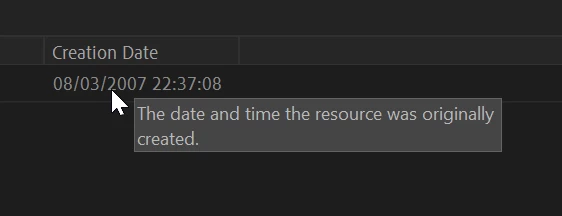
Just capture the dv footage, then open the metadata display and check Creation Date.

2 replies

Participant
May 20, 2019

This is cool we are getting a useful thread going on this subject, thanks...

Ann Bens
Community Expert
Ann BensCommunity ExpertCorrect answer
Community Expert
May 1, 2019

Just capture the dv footage, then open the metadata display and check Creation Date.

Participant
May 1, 2019

Thanks so much Ann, this is helpful to know that it is there.  Do you or anyone know a way to get it out of there and then add to the file name?  Also, it's kind of hard to find it from this very specific example so I include where it is for other searchers in the future.  Most of the questions are unanswered for DV time captured created examples in this forum and on the web, thanks so much, it makes sense that it is there, just really buried!

@Ann burns

Inspiring
May 1, 2019

Add the creation date column to the metadata bar in the list view of the Project Panel:

You can use the column to sort your media.

MtD