Participant
September 1, 2021
Answered

Change color of text

  • September 1, 2021
  • 3 replies
  • 801 views

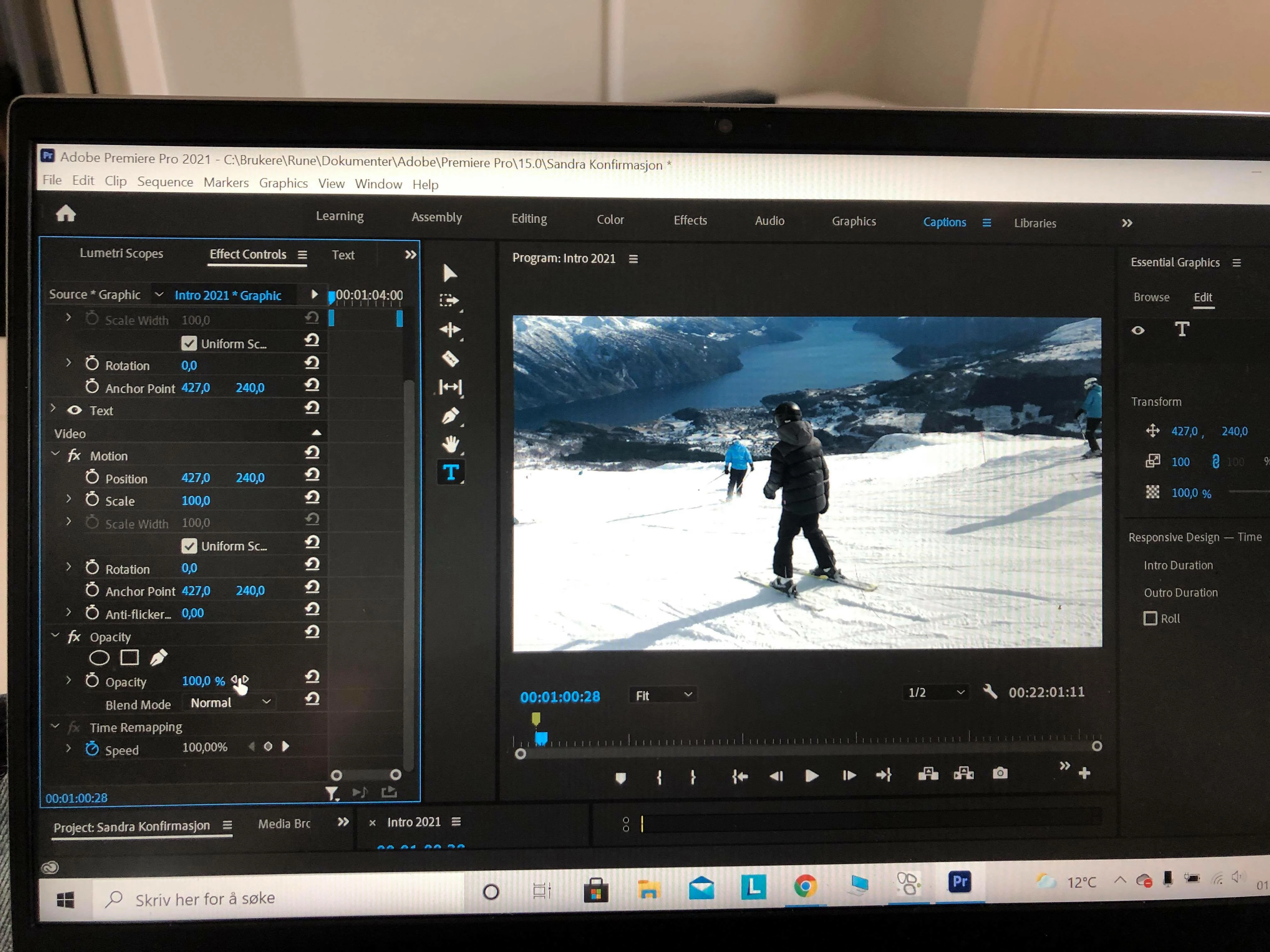
I give up..... Where do i change color og text an how ti get a black line orund the letters. 

I am a new user yesterday. I find a lot of settings for the text, but not this..

This topic has been closed for replies.
Correct answer nishu_kush

Hi Rune,


Thanks for writing in.

I dont's see any text in the Program Monitor. Try this:

  1. Add some text using the Type tool.
  2. Highlight it or select the text line in the Essential Graphics panel (as mentioned by Neil).
  3. You should be able to see the option to change color and other controls.

Let us know if it helps.


Thanks,

Nishu

3 replies

nishu_kush
nishu_kushCorrect answer
Legend
September 2, 2021

Hi Rune,


Thanks for writing in.

I dont's see any text in the Program Monitor. Try this:

  1. Add some text using the Type tool.
  2. Highlight it or select the text line in the Essential Graphics panel (as mentioned by Neil).
  3. You should be able to see the option to change color and other controls.

Let us know if it helps.


Thanks,

Nishu

R Neil Haugen
Legend
September 1, 2021

Click on the text line in the Essential Graphics Panel off to the right. See if additional options open up down below.


Neil

Everyone's mileage always varies ...
Peru Bob
Community Expert
Community Expert
September 1, 2021

It appears that the template doesn't have that available.

You may be able to open it in After Effects and add that ability to it.