Question
Change timebase, Working color and Preview File Format
Hi,
Is it possible to change via script this parameters?
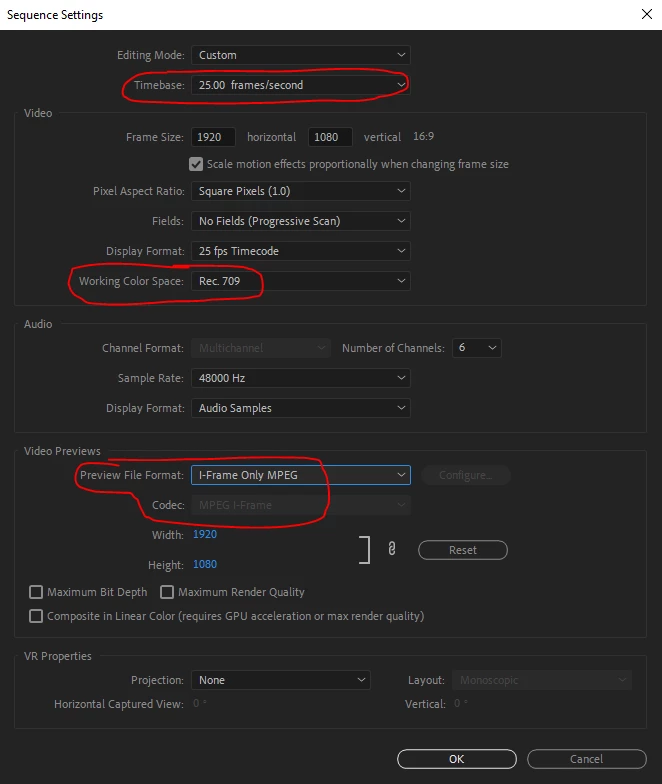
Timebase -> to 25fps
Working Space Color -> to 709
Preview File Format -> to I-Frame Only MPEG
I've found this script but it doesn't work on Premiere v15
var seq = app.project.activeSequence;
if (seq){
var settings = seq.getSettings();
if (settings){
var tempFR = settings.videoFrameRate;
tempFR.seconds = 0.04;
settings.videoFrameRate = tempFR;
settings.videoDisplayFormat = 101;
seq.setSettings(settings);
var safetyCheck = seq.getSettings();
}
}
Link where I found the code.
https://community.adobe.com/t5/premiere-pro/change-frame-rate-of-a-sequence/m-p/10289545
Thankyou
 AdChoices