
Inspiring
September 14, 2025
Answered

Change video size in sequence settings ??

  • September 14, 2025
  • 1 reply
  • 227 views

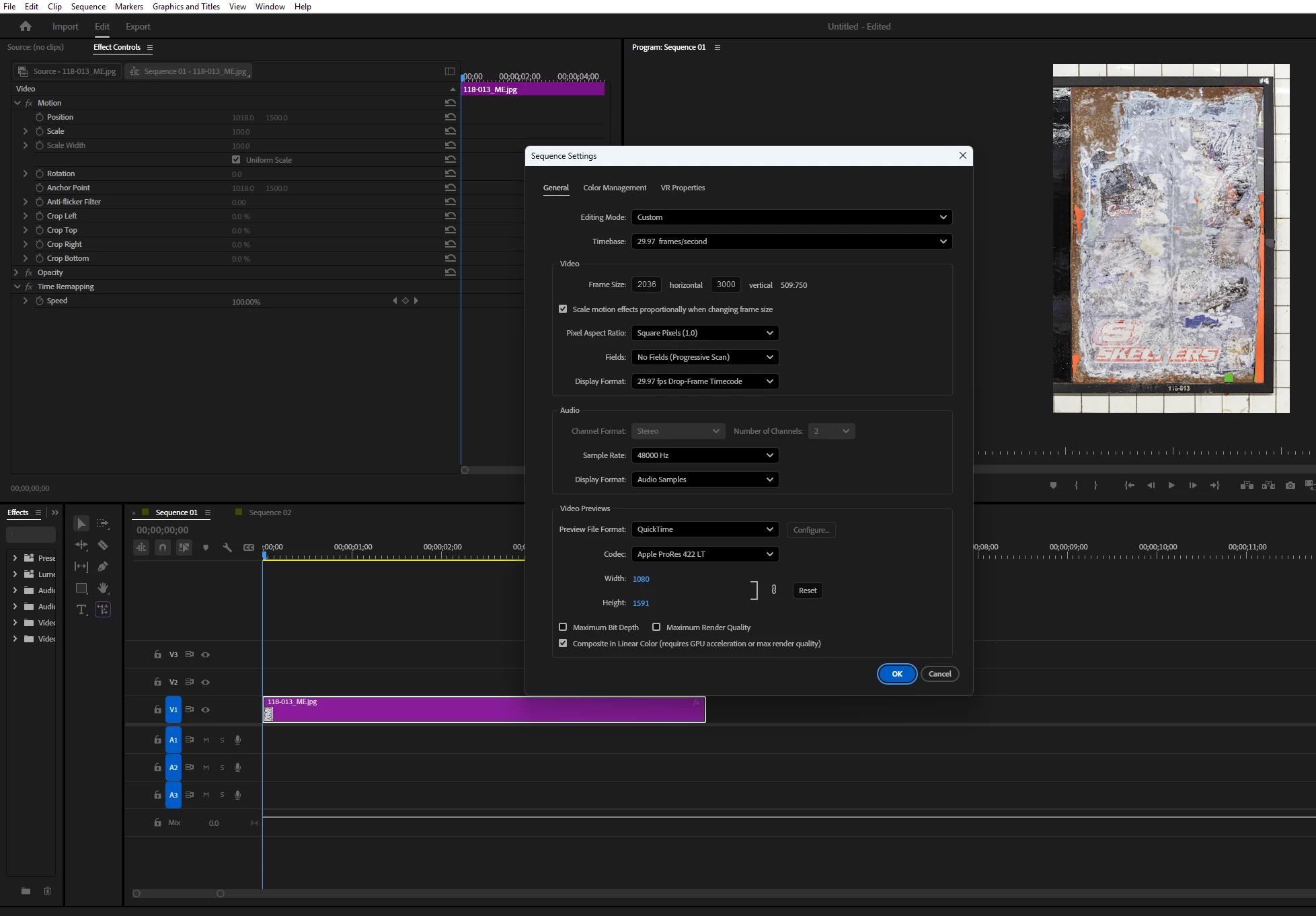
I want to animate some still images and want the video size to be 1080 (W) x 1920 (H).  I've imported an image that is roughly that size but now I want to change the video size.  When I go to Sequence Settings to do that, the aspect ratio of the image is maintained and one of the dimensions adjusted accordingly.  I don't want that.  How can I force the video to be 1080x1920?  Thanks.


Correct answer PaulMurphy

It looks like you're trying to adjust the Video Preview size, which controls the size of the render files. To change the dimensions of the sequence, adjust the Video Frame size (towards the top of the Sequence Settings window).  

1 reply

PaulMurphyCommunity ExpertCorrect answer
Community Expert
September 14, 2025

It looks like you're trying to adjust the Video Preview size, which controls the size of the render files. To change the dimensions of the sequence, adjust the Video Frame size (towards the top of the Sequence Settings window).  

Inspiring
September 14, 2025

Thank you!