
Participant
September 26, 2019
Answered

Change view from comparison view to normal when trimming large clips - Solved
  • September 26, 2019
  • 2 replies
  • 1000 views

Hi

When I have a long clip. I sometimes  take the edge of the clip and pull it to where needed.


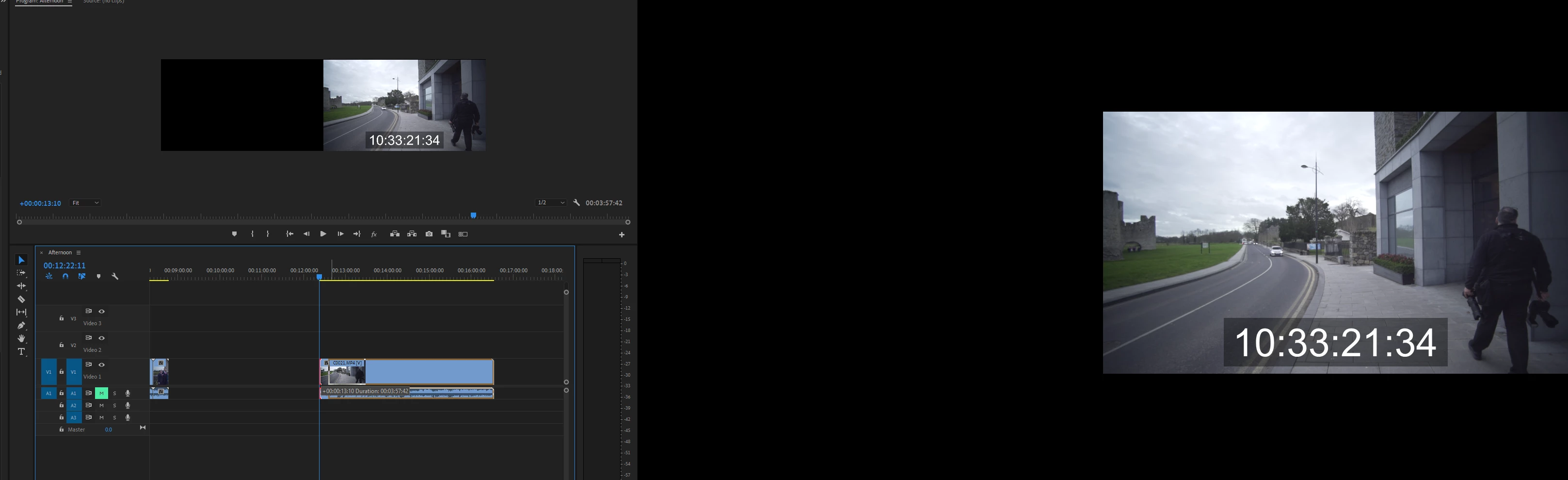
On CC 2019, when I do this my preview and second screen go into comparison view, which is too small for me. I want to turn off this view and just see the normal view when doing this action?


Thanks
    This topic has been closed for replies.
    Correct answer Ann Bens

    2 replies

    Ann Bens
    Community Expert
    Ann BensCommunity ExpertCorrect answer
    Community Expert
    September 26, 2019

    Participant
    September 26, 2019
    Thanks Ann!
    Ann Bens
    Community Expert
    Community Expert
    September 26, 2019

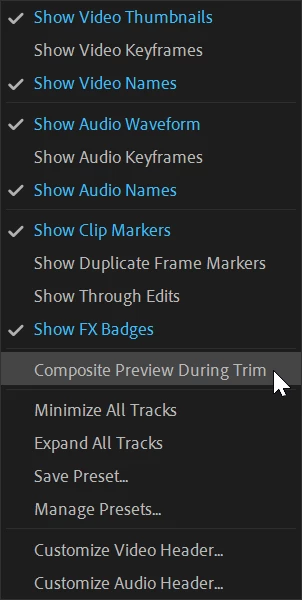
    Make sure the comparison button in the program monitor is unchecked.

    Participant
    September 26, 2019

    it's unchecked. screen grab attached