Participant
October 14, 2017
Question

Choppy Video and Can't Export It

  • October 14, 2017
  • 2 replies
  • 483 views

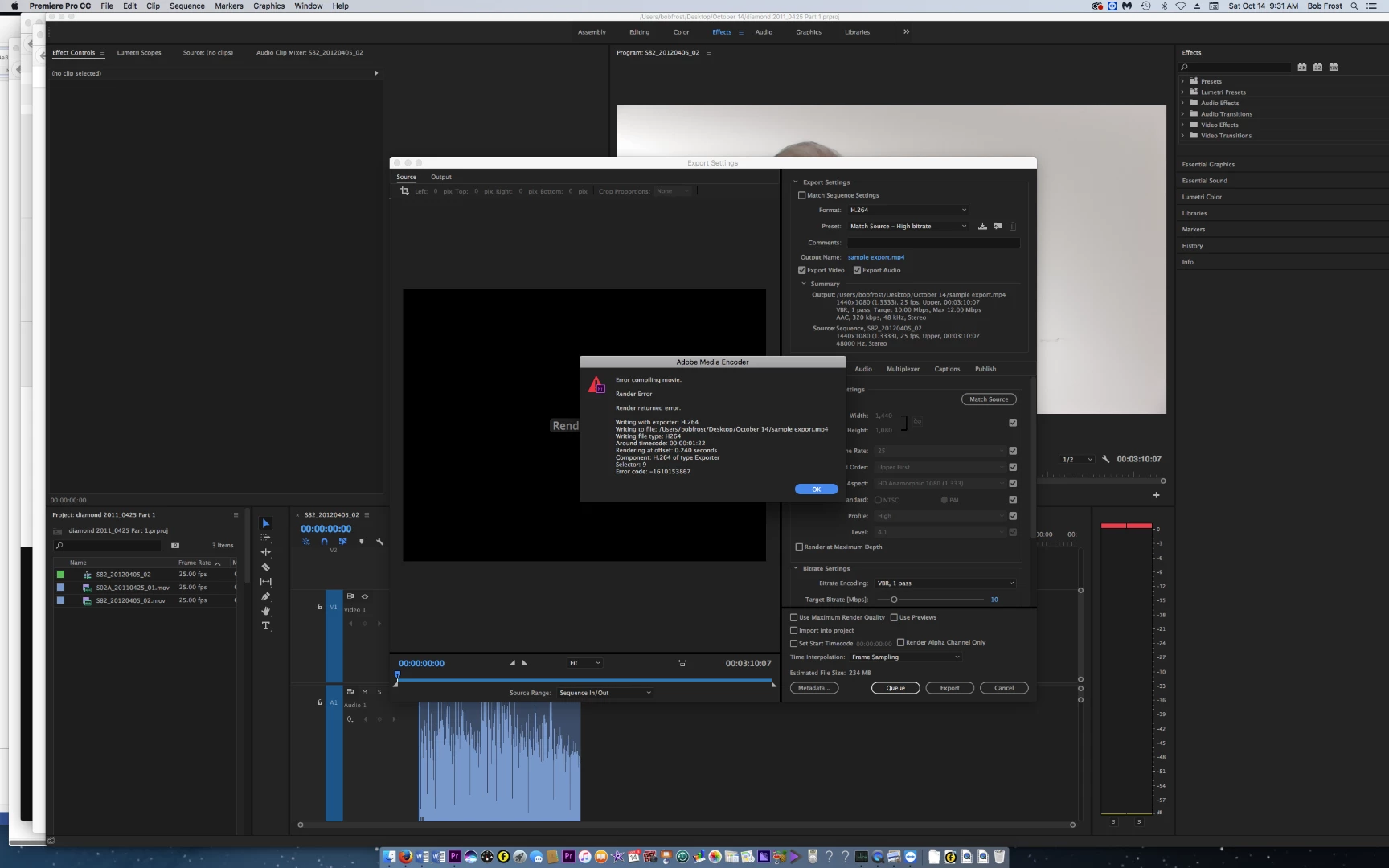
(1) Certain videos that I import are choppy and jumpy when they get into Premiere. (2) I can't export these, I get an error message (see). The error code is 1610153867.

I spent a couple of hours on the phone yesterday with Adobe support and we worked through a lot of items. We thought, on two separate occasions, that we had solved the problem. For example, we found a corrupted media cache file. But this morning the problem is still there.

I'm very happy to pay someone if they can get on the phone with me and help me work through this. Is it OK to put in my phone number here? I'll gladly do that if it's OK, I'll wait to hear on that.
    This topic has been closed for replies.

    2 replies

    premieregal
    Community Expert
    Community Expert
    October 14, 2017

    Have you tried exporting the videos to another format, like an .mp4, using Adobe Media Encoder first and then importing into Premiere Pro?

    Participant
    October 14, 2017

    I haven't tried that. Trying to figure out how to do that.

    Does anyone know of a good phone support company or person that is open on weekends?

    Ann Bens
    Community Expert
    Community Expert
    October 14, 2017

    Try and answer post 4 first before you go and convert.

    MediaInfo Mac

    Also post your computere specs. as specific as possible.

    R Neil Haugen
    Legend
    October 14, 2017

    What camera are these shot with, and what is the format/codec they're in?

    Neil

    Everyone's mileage always varies ...
    Participant
    October 14, 2017

    I got the video from a client in Australia. I don't have the details but could get them.

    Ann Bens
    Community Expert
    Community Expert
    October 14, 2017

    Post a screenshot of a (mov?) clip in MediaInfo and post that here on the forum in Treeview.

    Better yet can you upload a short clip?

    Dont export to H.264 1440x1080 interlaced but rather 1920x1080 progressive.