Participant
October 25, 2017
Answered

click "editing" work space and screen goes black??

  • October 25, 2017
  • 1 reply
  • 595 views

So, I was in the "assmbly" work space creating subclips.

Clicked on "editing" work space tab and the screen goes black like this:

If I then go to wondow>program monitor, it just randomly throws the program monitor on the screen...
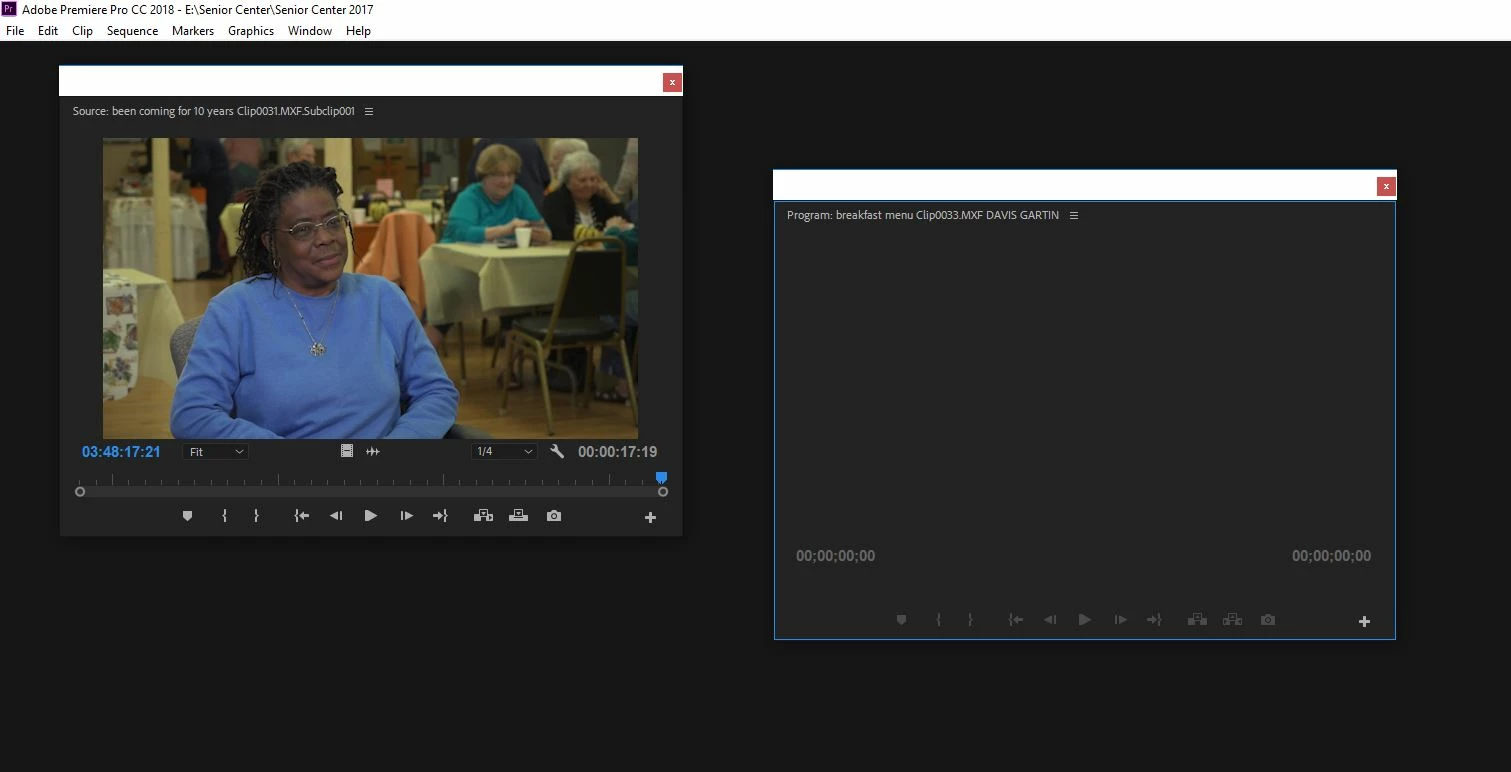
Any idea what's up with this?

Thanks,

Mike

    This topic has been closed for replies.
    Correct answer Meg The Dog

    Try going to the menu Window > Workspaces > Reset to Saved Layout.

    MtD

    1 reply

    Meg The DogCorrect answer
    Inspiring
    October 25, 2017

    Try going to the menu Window > Workspaces > Reset to Saved Layout.

    MtD

    Participant
    October 25, 2017

    Bingo!

    Thanks Meg.