dmiraie
Inspiring
October 1, 2017
Answered

clipping/masking/matte-ing a shadow ..?

  • October 1, 2017
  • 1 reply
  • 450 views

(Sry, I'm unsure what are the correct terms for this issue..)

My issue involves 3 layers:  A shadow layer on top of a text layer on top of a background layer

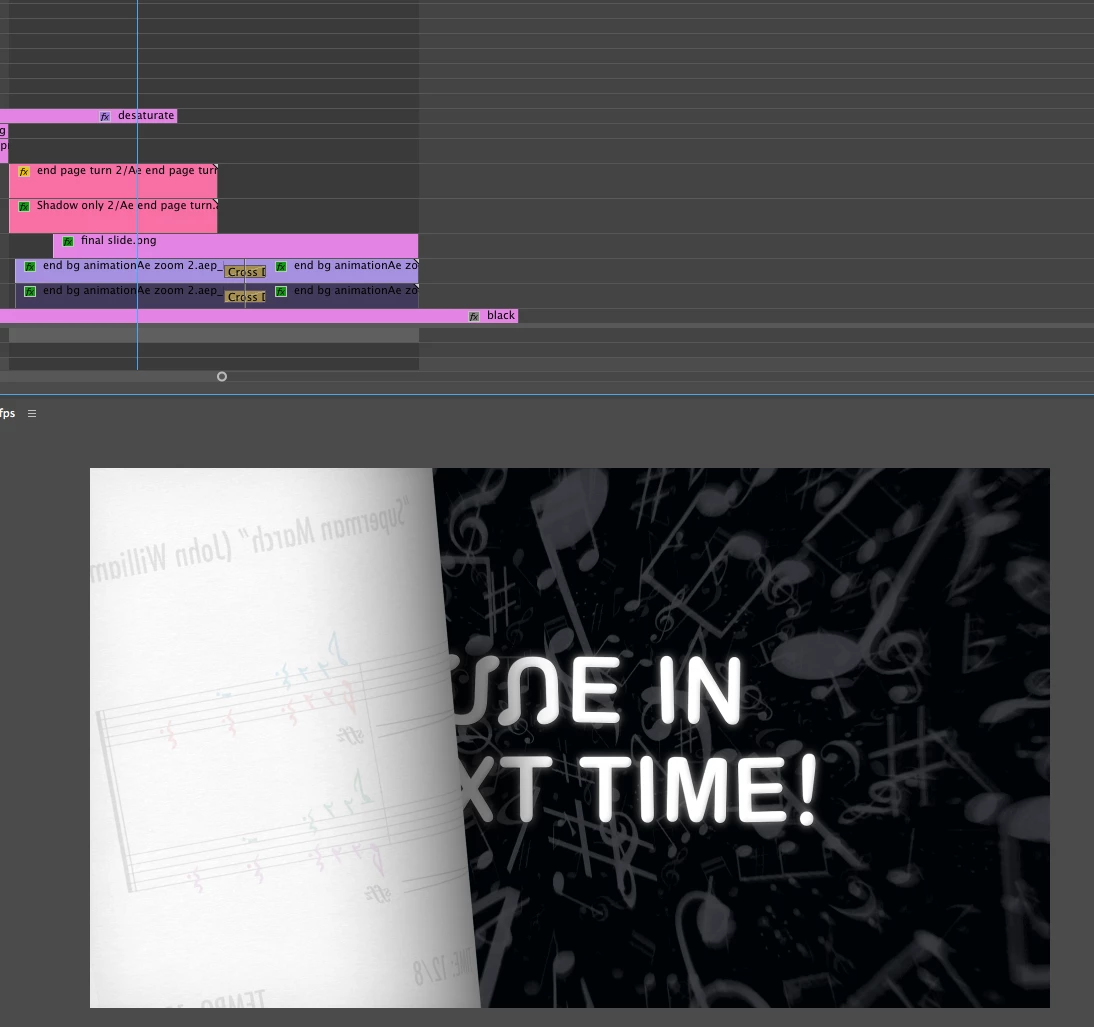
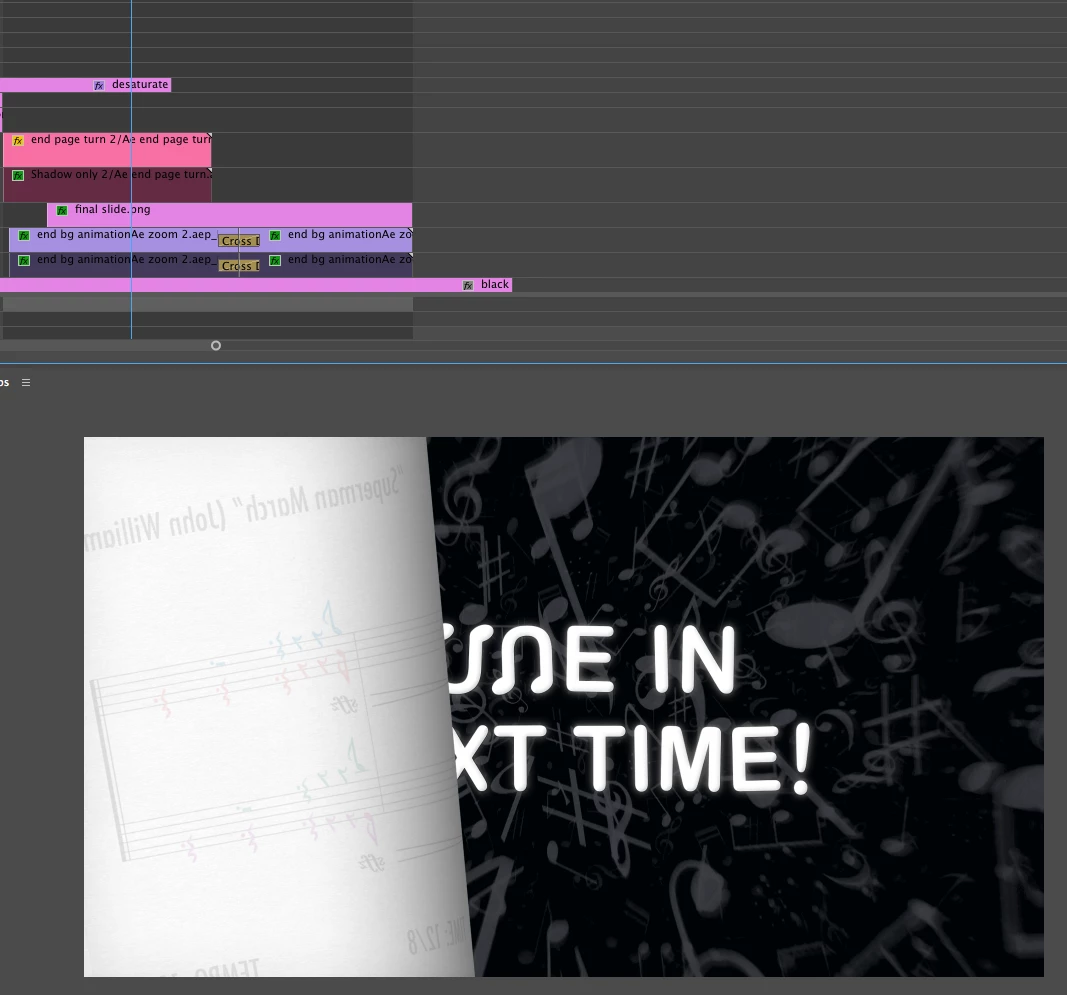
How do I confine the shadow (which is currently manually masked/sloppy) so it shows only on top of the text, and doesn't cover up any of the surrounding background (you can see the shadow spilling over onto the background in the first image)?  Thnx

Shadow enabled (covering/darkening both text and background):
Shadow disabled:
    This topic has been closed for replies.
    Correct answer Meg The Dog

    If you are committed to building this in Premiere, you can make a shadow of the page turn on the type only by using Lumetri on the type (lower the exposure on the type) then constrain the Lumetri effect by using a mask.

    Keyframe the mask to move across the type in sync with the reveal from the page turn. You then don't need the Shadow only clip you generated in AE.

    MtD

    1 reply

    Inspiring
    October 1, 2017

    Try:

    MtD

    dmiraie
    dmiraieAuthor
    Inspiring
    October 1, 2017

    Thnx,, I'd actually already tried that tho, to no avail.. it's got me pretty confused .. :$

    Meg The DogCorrect answer
    Inspiring
    October 1, 2017

    If you are committed to building this in Premiere, you can make a shadow of the page turn on the type only by using Lumetri on the type (lower the exposure on the type) then constrain the Lumetri effect by using a mask.

    Keyframe the mask to move across the type in sync with the reveal from the page turn. You then don't need the Shadow only clip you generated in AE.

    MtD