


derricklytle
Participating Frequently
September 22, 2026
Answered

Clips in bin "offline" but actually aren't

  • September 22, 2026
  • 2 replies
  • 23 views

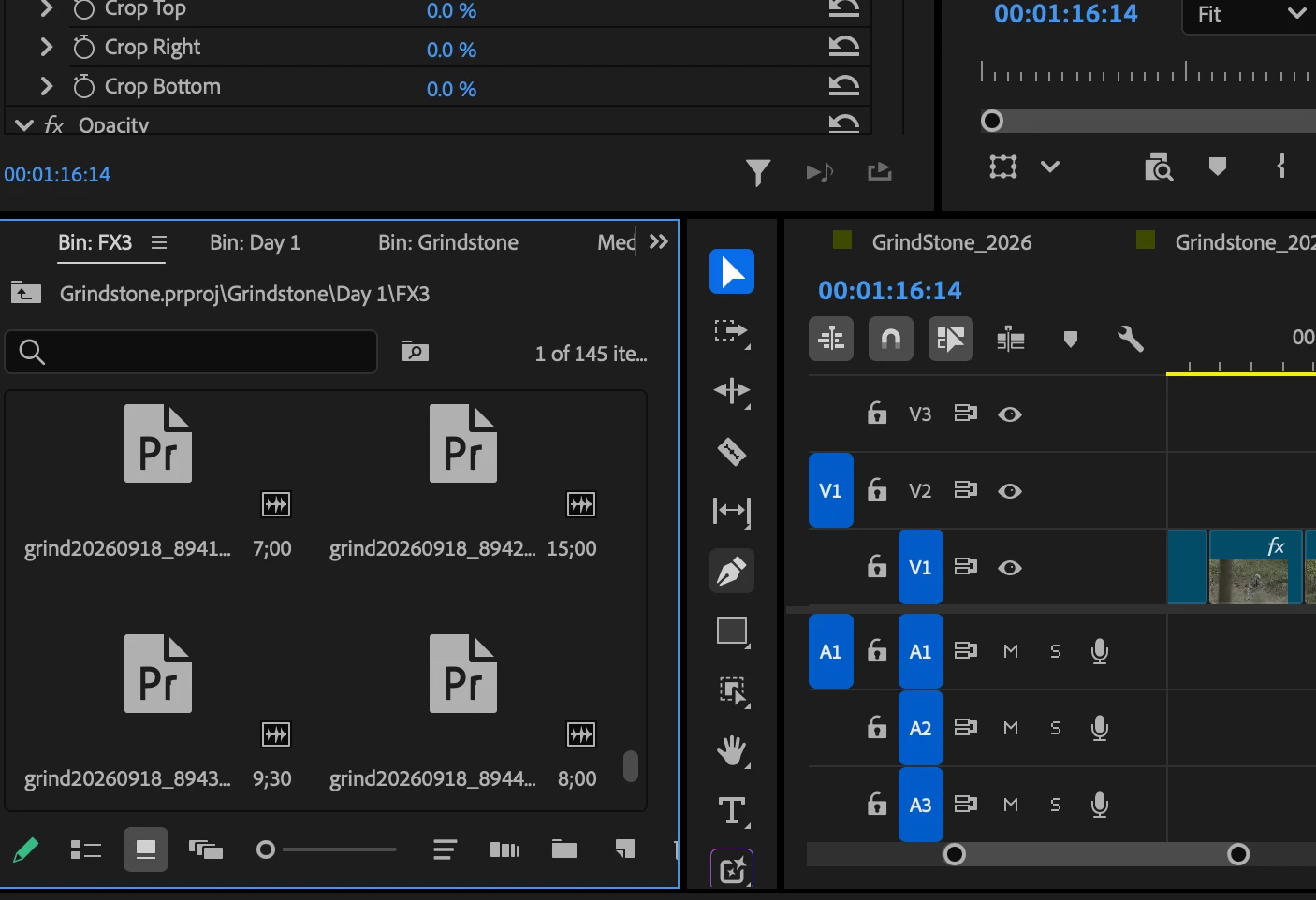
I was out on a shoot for a few days doing some daily edits. After getting home I load up my project and all my clips are saying offline except for the ones already in sequences. Same drives and everything. I can manually link clips and they are located and link without issue BUT I do not want to go through multiple days of footage manually relinking clips. In the attached screenshot you can see in the bin the clips are there just not online. While the clips in the timeline appear in the timeline and if I reveal those in project they appear while the others are offline. So what happened?

 

    Correct answer CORCTON34033231

    Good news — you don't need to relink every clip by hand. Select all the offline clips in the Project panel, right-click and choose Link Media. In the Link Media dialog, turn on Relink others automatically, then use Locate to point to one of the files — Premiere will relink the rest automatically as long as they're in the same folder structure as before.


    What likely happened: even though it's the same drives, the media path Premiere recorded changed between machines (drive letter or mount path after the move home), so it lost track of the files. Clips already in sequences got reconnected during your daily edits, which is why those still show online.


    Full steps from Adobe: https://helpx.adobe.com/premiere/desktop/organize-media/ingest-proxy-workflow/relink-offline-clips.html

    2 replies

    CORCTON34033231
    Community Expert
    CORCTON34033231Community ExpertCorrect answer
    Community Expert
    September 23, 2026

    Good news — you don't need to relink every clip by hand. Select all the offline clips in the Project panel, right-click and choose Link Media. In the Link Media dialog, turn on Relink others automatically, then use Locate to point to one of the files — Premiere will relink the rest automatically as long as they're in the same folder structure as before.


    What likely happened: even though it's the same drives, the media path Premiere recorded changed between machines (drive letter or mount path after the move home), so it lost track of the files. Clips already in sequences got reconnected during your daily edits, which is why those still show online.


    Full steps from Adobe: https://helpx.adobe.com/premiere/desktop/organize-media/ingest-proxy-workflow/relink-offline-clips.html

    derricklytle
    Participating Frequently
    September 23, 2026

    That’s super weird since it’s the same MBP but this worked. Thanks a ton!