


Known Participant
December 23, 2025
Question

Close Gap not working

  • December 23, 2025
  • 4 replies
  • 261 views

Close Gap would work for me in a test environment, as usual with Premiere tools. 
But when you really need the tools to work, in a real life situation, they often don't work.
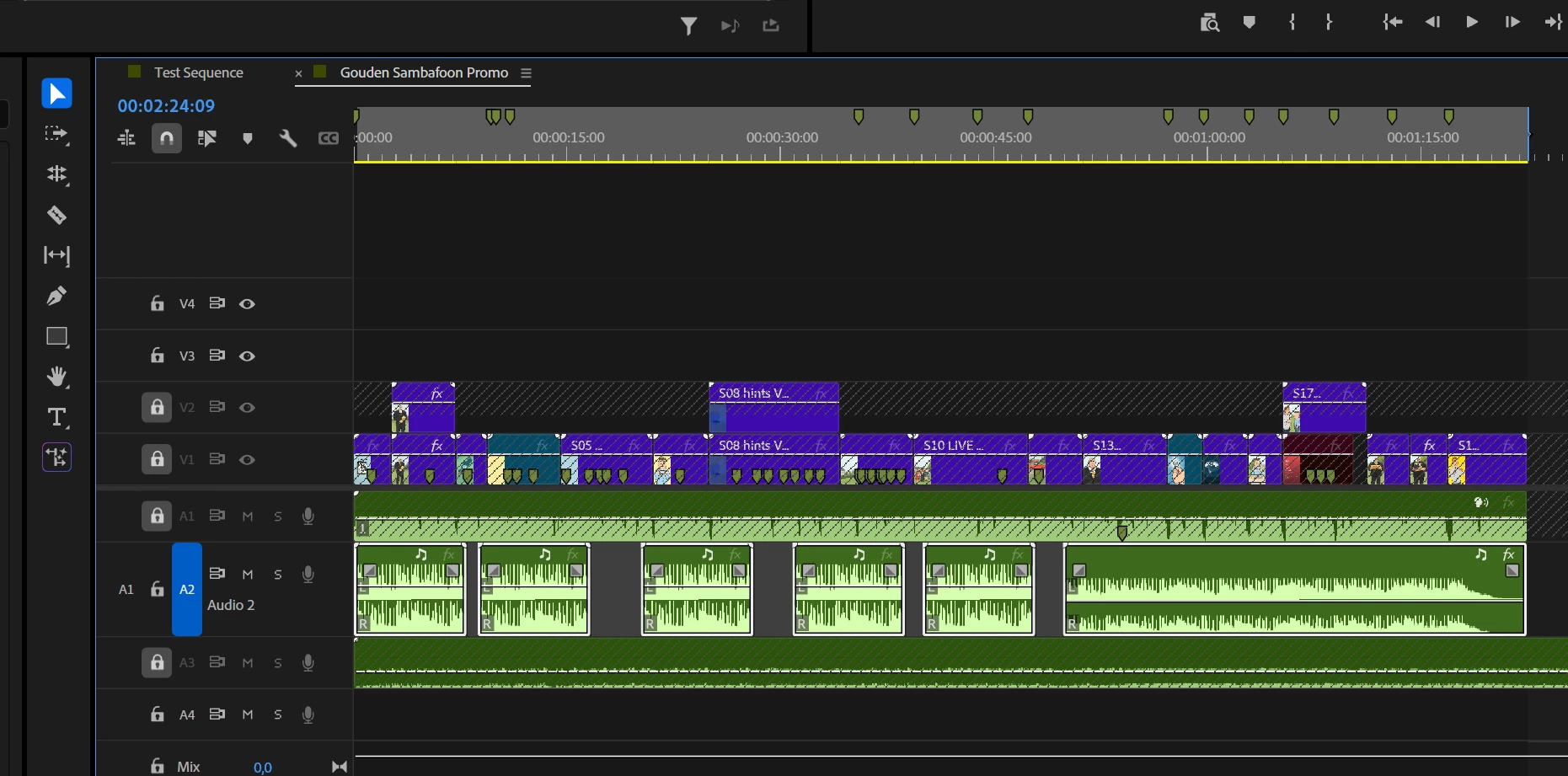
I tried to remove the gaps on audio 2.
I understand how other gapless tracks might block this tool.
But it's crazy that you can't tell the sequence not to look at all these other tracks.
As you can see, I tried locking, unsyncing, etcetera in almost every conceivable combination.
Is this tool just obsolete crap or what is going on? It work fine one single tracks edits. But why can't it handle isolated material?


871335iBF336461CD756D07.jpg

4 replies

Adobe Employee
December 26, 2025

Hi Geoff Vane,

Hope the suggestions provided by our experts were helpful. Let us know if you have any questions.


Thanks,

Sumeet

Community Expert
December 24, 2025

Close Gap works vertically across all tracks and can’t be limited to a single track.

Workarounds:

  1. Temporarily move the clips with gaps to a section of the sequence where no other tracks contain clips, then use Sequence > Close Gap.
  2. Lock the track that contains the gaps, then:
    • Select and cut the clips on the other tracks
    • Unlock the track
    • Run Close Gap
    • Paste the clips back
Community Expert
December 24, 2025

Please make sure that nothing is selected whe you try to close the gaps

Peru Bob
Community Expert
Community Expert
December 23, 2025

Try ripple deleting the audio gaps.