
Color correction before or after color space conversion (Override Media Colorspace)?
Hi folks,
I cut a multicam sequence together, and then forgot about color correction, which I ideally would like to do on the source clip.
Premiere rolled out their color space conversion options, which can be found either in the settings tab of the color window (which affects the source clip). Annoyingly, you cannot view the source clip with this color space override applied, only in the sequence monitor.
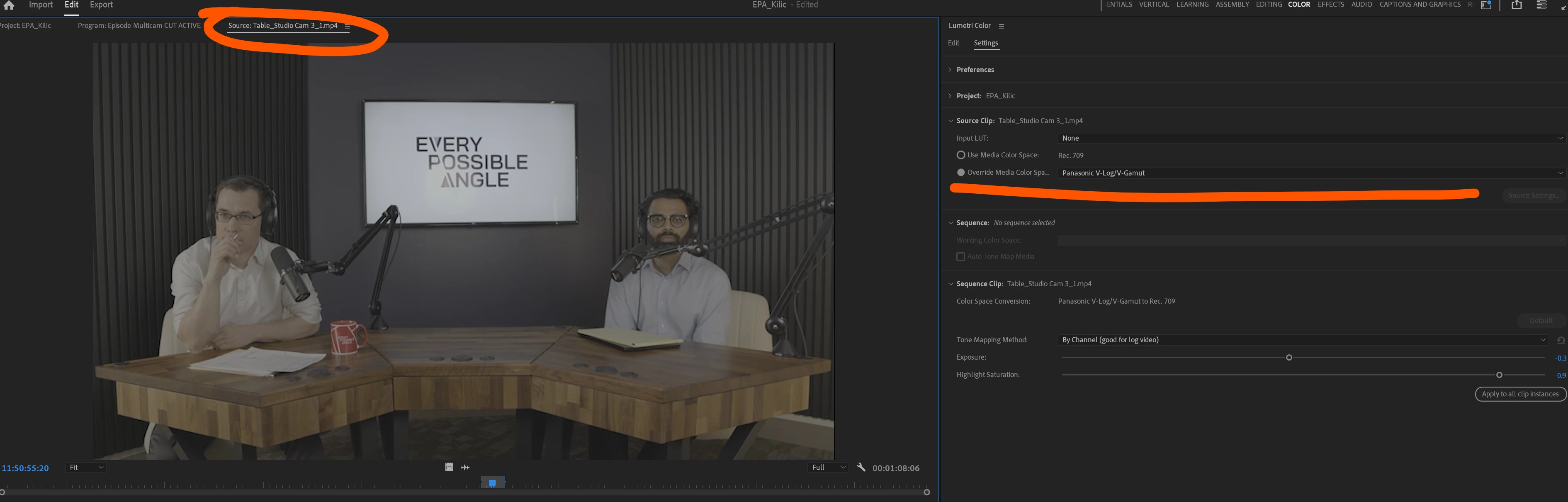
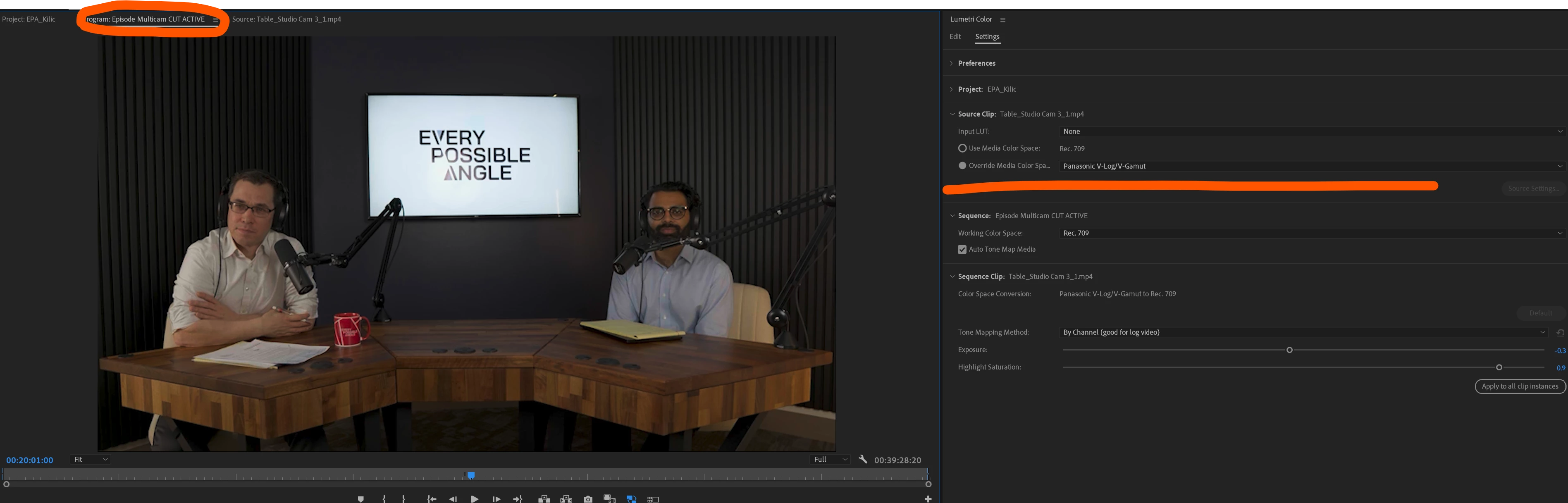
When I apply an adjustment in the lumetri panel to the source clip - I can't see the CST applied - only the log footage. I also don't know if it's applying this adjustment before or after the CST. This is counterintuitive to the DR workflow I'm used to, where my viewer has a transform node after my adjustments. 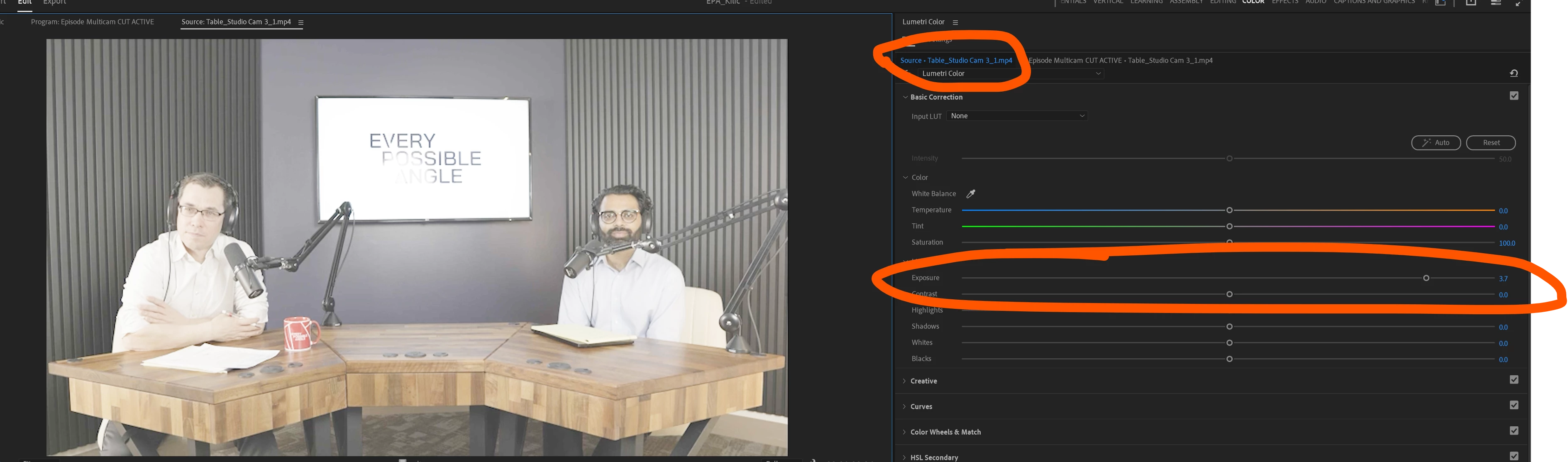
My question is this - where in the chain does this "override media colorspace" option apply? I want to make my corrections BEFORE this transform, to preserve data. My alternative is to nest all my clips of the same source footage (annoying after cutting), apply an adjustment layer, then find at log-rec709 LUT and apply it to the CREATIVE tab of lumetri to make sure I can make my adjustments BEFORE the conversion.
Looking for tips on a better workflow. Thanks!


 AdChoices