
Participant
August 2, 2021
Answered

Color correction is not working

  • August 2, 2021
  • 2 replies
  • 8388 views

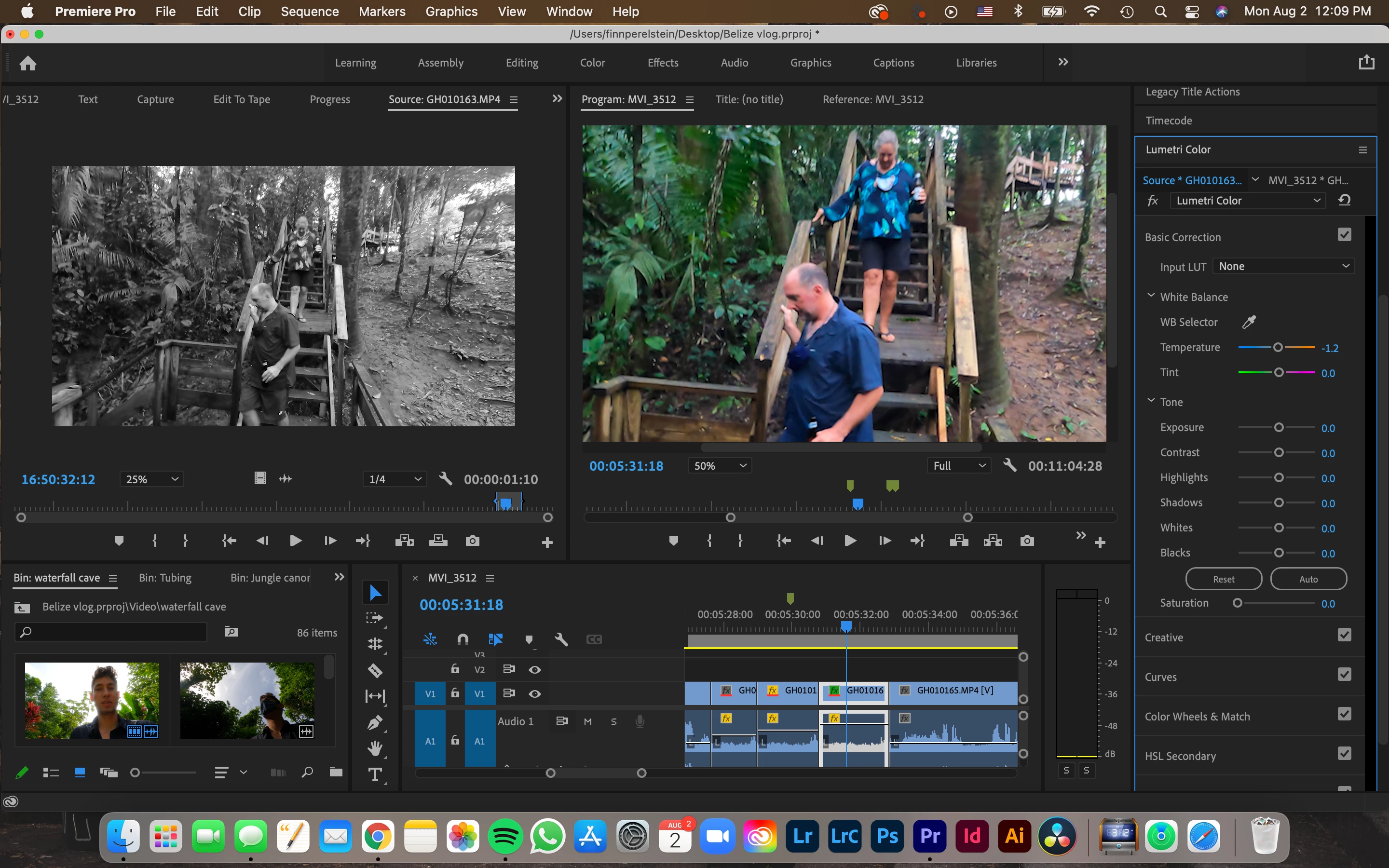
I have been trying to color correct a clip and none of the sliders were doing anything. I then saw when I clicked on the source clip under the lumitri color tab on the right, that was the clip that was getting edited. I tried replacing the source clip with the original but that didn't work either. When I am sure I am editing the clip in the timeline, it still does nothing. How do I fix this?
 

This topic has been closed for replies.
Correct answer R Neil Haugen

"Source" tab applies any effects to the "source" clip ... the original clip, and it will be applied to any part of that clip used within that project. It's a good way for example to correct a camera in a multi-cam timeline.


So you have a clip selected in the timeline, and when you make changes with any Lumetri control, you don't see any changes. That at times can be because the "global fx bypass" is toggled on. Or the "bypass Lumetri" is on.


Neil

2 replies

Participant
August 12, 2023

Thank you so much Neil Haugen

R Neil Haugen
R Neil HaugenCorrect answer
Legend
August 2, 2021

"Source" tab applies any effects to the "source" clip ... the original clip, and it will be applied to any part of that clip used within that project. It's a good way for example to correct a camera in a multi-cam timeline.


So you have a clip selected in the timeline, and when you make changes with any Lumetri control, you don't see any changes. That at times can be because the "global fx bypass" is toggled on. Or the "bypass Lumetri" is on.


Neil

Everyone's mileage always varies ...
Finn5DADAuthor
Participant
August 2, 2021

Dear Neil,


Thank you so much this cured a big headache!


Cheers,


Finn.